Stackable rename rules
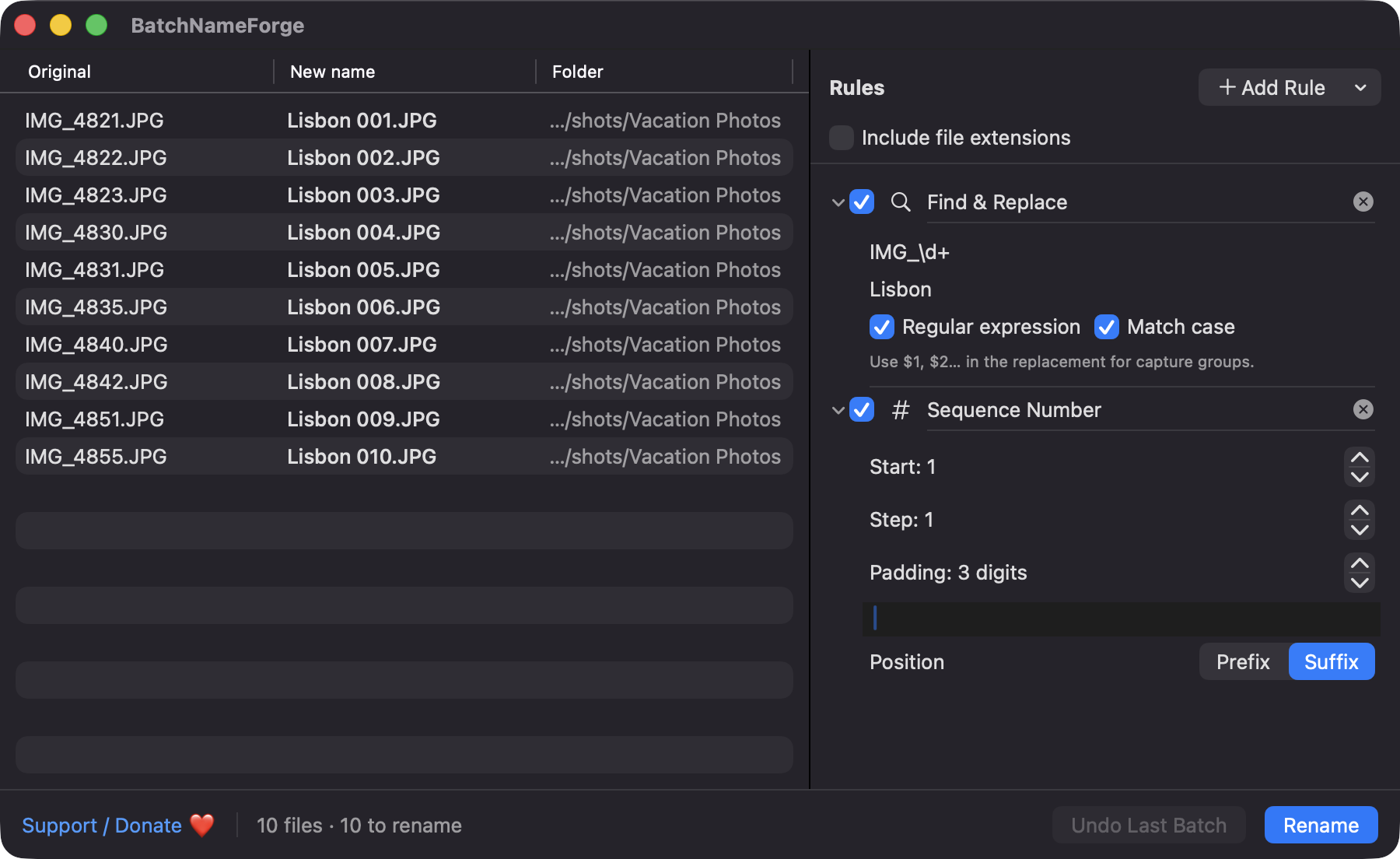
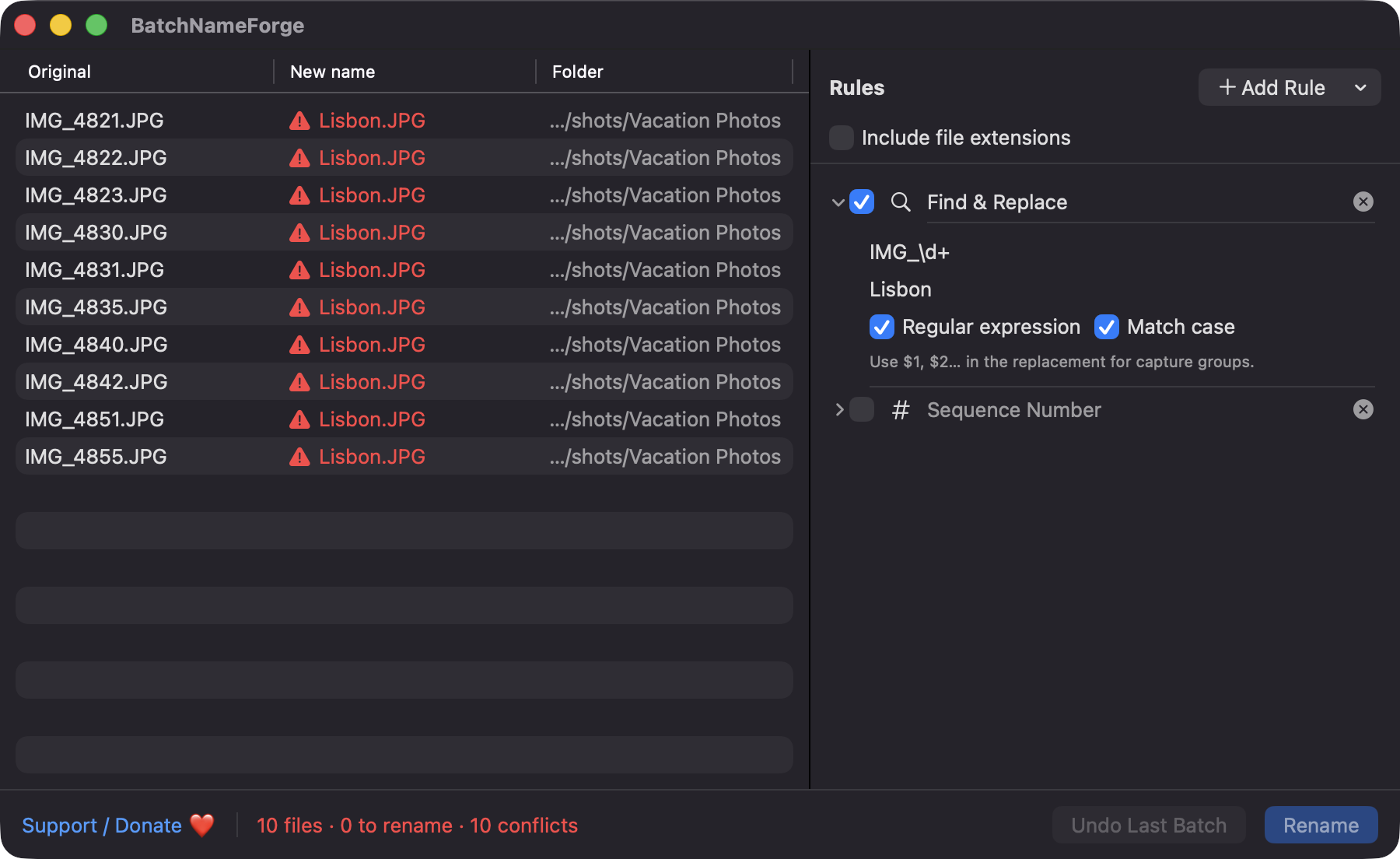
Find Replace (literal or regex), prefix or suffix, remove characters, change case, sequence numbers and trim whitespace. Reorder by dragging, disable or remove any rule.

Open source · macOS 14+ · Universal binary · Files & Conversion
Drop files or folders, stack rename rules, and watch every new name update live. Review the preview, then press ⌘Return to rename the whole batch.
Free & MIT licensed · Apple Silicon & Intel · Latest release
Features
Chain small, predictable steps, check the result row by row, and rename only when every name looks right.
Find Replace (literal or regex), prefix or suffix, remove characters, change case, sequence numbers and trim whitespace. Reorder by dragging, disable or remove any rule.
A table shows Original, New name and Folder as you edit. Previews are computed off the main thread, so large batches stay responsive.
Insert a file's modification date, creation date or the EXIF capture date of a photo, using a custom date format.
Duplicate target names, existing files in the destination, empty names and names over 255 bytes are flagged, and renaming is blocked until they are fixed.
Files move through temporary names, so swaps and chained names work. If any move fails, everything already moved is rolled back, and you can undo the last batch with ⌘Z.
Save the current rule stack under a name and load it later. Presets are stored as plain JSON in Application Support.
Screenshots
Install
BatchNameForge is open source and not notarized with a paid Apple Developer ID, so macOS needs one extra step the first time.
xattr -cr /Applications/BatchNameForge.app
Download
Free, forever. Built for macOS 14 Sonoma or newer, Apple Silicon and Intel.
Not notarized: on first launch right-click BatchNameForge.app → Open.
FAQ
Yes. It is free to use and released under the MIT license, with the full source on GitHub. There are no accounts, subscriptions or ads, and an optional Support button links to Ko-fi if you want to chip in.
None beyond the files you choose. It does not use Accessibility, Screen Recording, the camera, the microphone or the network. The app is not sandboxed, so it can rename the files and folders you drop in directly.
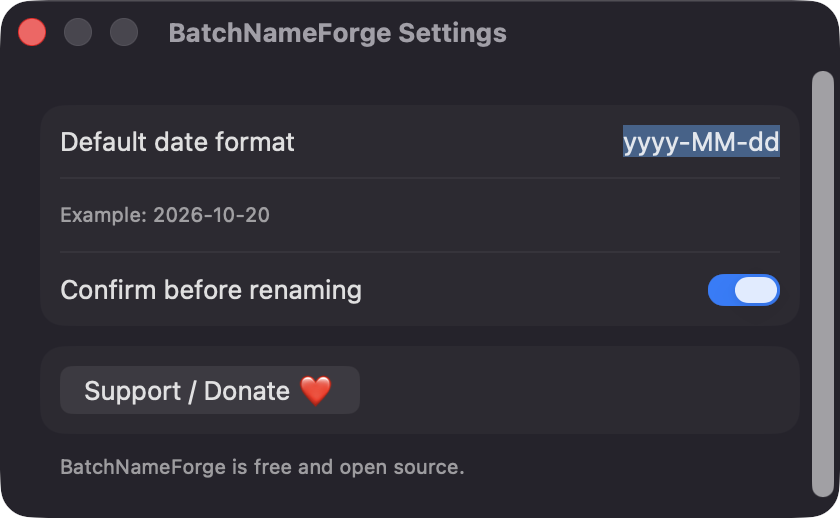
Everything stays on your Mac. Saved presets are JSON files in ~/Library/Application Support, and the two settings (default date format and confirm before renaming) live in standard user defaults. The undo history is kept in memory for the current session only.
Notarization requires a paid Apple Developer account, and this is a free project. The first time you open it, right-click the app and choose Open, or build it yourself from source with Xcode and XcodeGen.
Yes. BatchNameForge was generated by Claude Code from a written spec as a clean-room reimplementation, with no code or assets from any commercial app. The full source is on GitHub under MIT, so you can read every line before you run it. It has had less human review than a hand-written app, so bug reports are welcome.
Support ❤️
BatchNameForge is a free, open-source alternative to paid utilities. If it earns a spot on your Mac, a coffee keeps the updates coming.
☕ Support Or on Ko-fi