Health ring at a glance
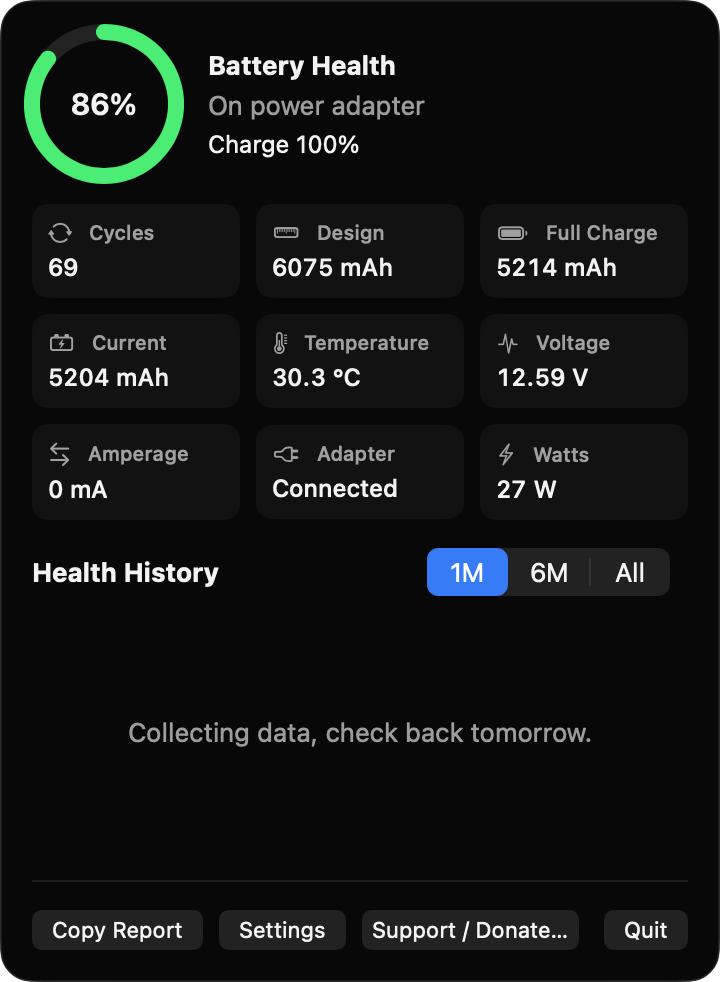
Maximum capacity divided by design capacity, shown as a green, orange or red ring with charging, adapter or battery status.
Open source · macOS 14+ · Universal binary · Battery & Power
See your Mac battery's cycle count, true capacity and wear from the menu bar. Click the icon for a popover with a health ring, live stats and a daily history chart.
Free & MIT licensed · Apple Silicon & Intel · Latest release
Features
BatteryHealthLens reads the data macOS already exposes and keeps it on your Mac.
Maximum capacity divided by design capacity, shown as a green, orange or red ring with charging, adapter or battery status.
Cycle count, design and full-charge capacity, current charge in mAh, temperature, voltage, amperage, adapter connection and wattage. Missing values show a dash.
One snapshot per day feeds a chart with 1M, 6M and All ranges, so you can watch wear develop over months.
Get a local notification when health falls below a level you choose or the cycle count reaches your target. Each alert fires once per crossing.
One click puts the current readings on the clipboard, handy for support tickets or resale listings.
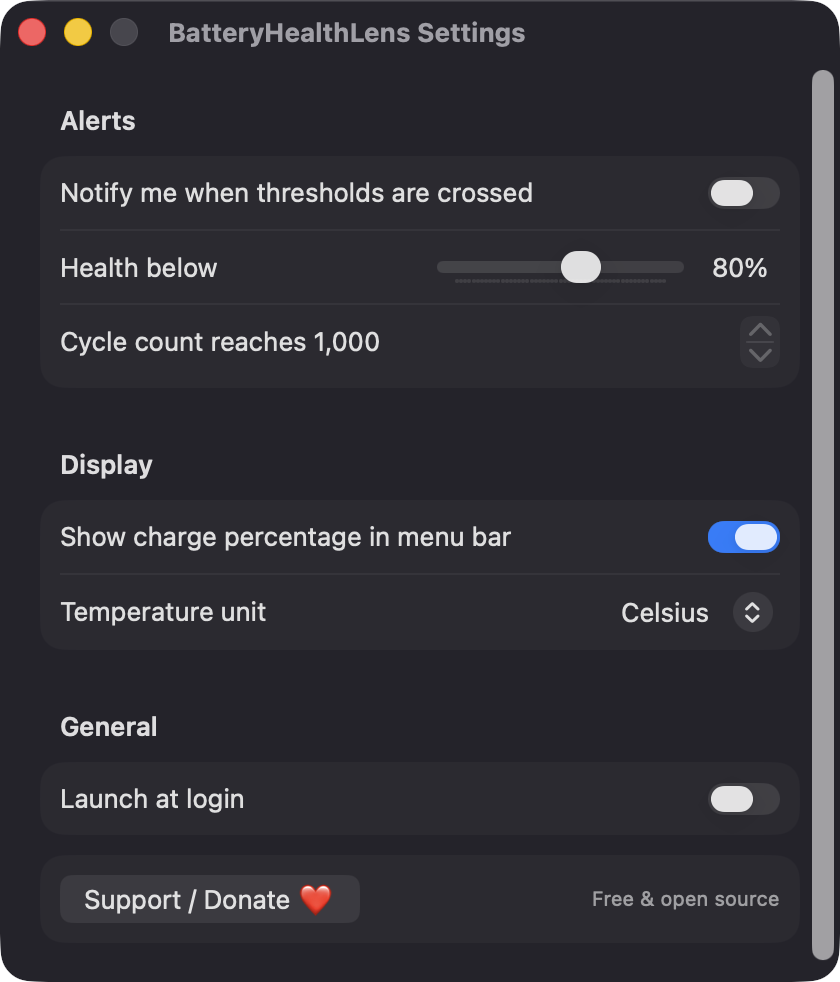
Show or hide the menu bar percentage, switch between Celsius and Fahrenheit, set alert thresholds and launch at login.
Screenshots
Install
BatteryHealthLens is open source and not notarized with a paid Apple Developer ID, so macOS needs one extra step the first time.
xattr -cr /Applications/BatteryHealthLens.app
Download
Free, forever. Built for macOS 14 Sonoma or newer, Apple Silicon and Intel.
Not notarized: on first launch right-click BatteryHealthLens.app → Open.
FAQ
Yes. It is free to use and released under the MIT license, with the full source on GitHub. There are no accounts, no ads and no paid tier if it is useful, an optional Ko-fi donation button is available.
None for reading battery data, since the AppleSmartBattery registry entry is readable by any user. It asks for notification access only when you enable alerts, and shows up in Login Items only if you enable Launch at login.
Only on your Mac. The daily history is a small JSON file at ~/Library/Application Support/BatteryHealthLens/history.json, limited to five years. The app makes no network calls and has no analytics.
Notarization requires a paid Apple Developer account, and this is a free project. Right-click the app and choose Open once to get past Gatekeeper, or build it yourself from source with Xcode and XcodeGen.
Yes. BatteryHealthLens was generated by Claude Code from a written spec as a clean-room reimplementation, with no code or assets from any commercial app. The full source is on GitHub under MIT, so you can read every line before you run it. It has had less human review than a hand-written app, so bug reports are welcome.
Support ❤️
BatteryHealthLens is a free, open-source alternative to paid utilities. If it earns a spot on your Mac, a coffee keeps the updates coming.
☕ Support Or on Ko-fi