Percentage and watts together
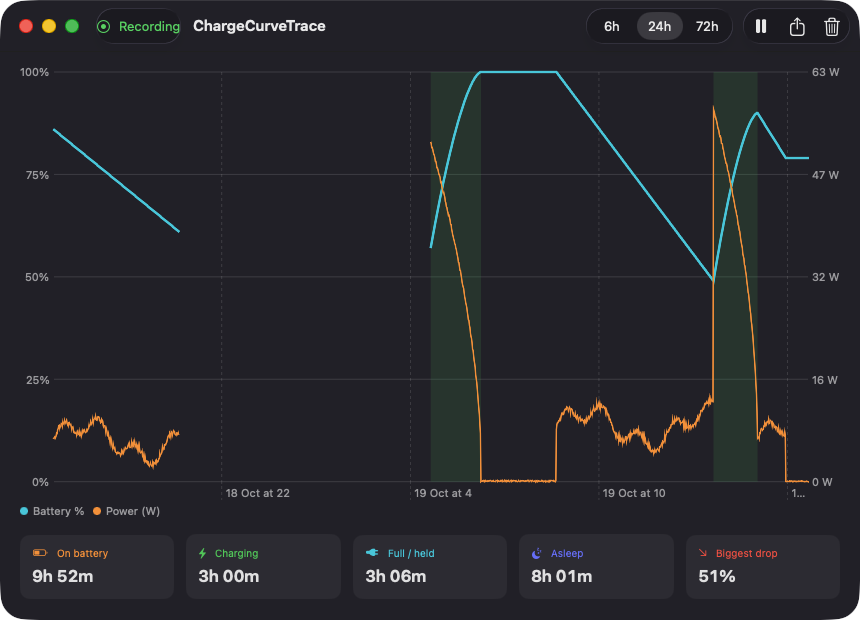
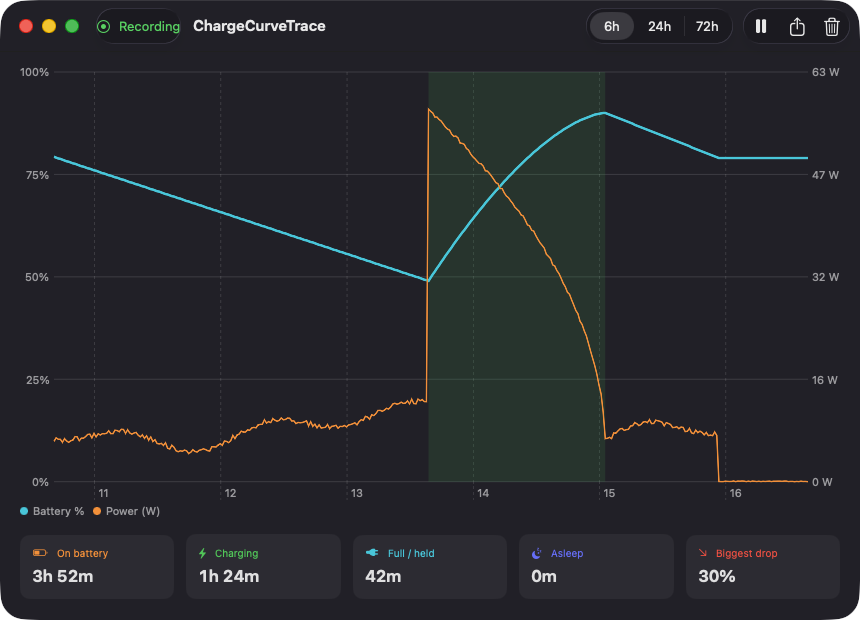
A Swift Charts view plots battery percentage with a second axis for power draw in watts, and shades every charging period. Choose a 6, 24 or 72 hour range.
Open source · macOS 14+ · Universal binary · System Monitoring
ChargeCurveTrace samples your battery in the background and plots percentage and power draw over the last 6, 24 or 72 hours. Open it from the menu bar press Command-E to export the visible range as CSV.
Free & MIT licensed · Apple Silicon & Intel · Latest release
Features
A small native recorder and a clear chart, with all data kept on your Mac.
A Swift Charts view plots battery percentage with a second axis for power draw in watts, and shades every charging period. Choose a 6, 24 or 72 hour range.
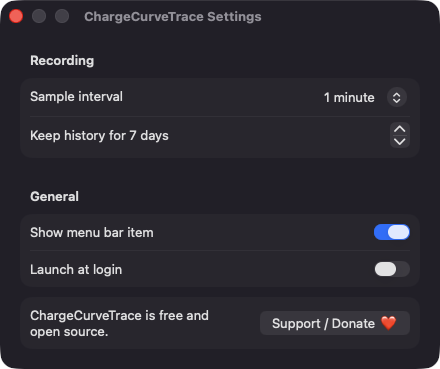
Records percentage, charging state, net power and temperature every 30 seconds, 1 minute or 5 minutes. Extra readings are taken when you plug in, unplug or wake the Mac.
Move over the chart to see the time, percentage, watts, charging state and temperature of the nearest sample.
See time on battery, charging, full or held on power, and asleep, plus the biggest single discharge drop. Sleep is detected from gaps in the data and breaks the chart lines.
Export the visible range with Command-E. Timestamps are ISO 8601 UTC and fields are escaped for spreadsheets.
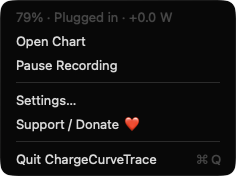
The menu bar shows your current charge and lets you open the chart, pause or resume recording, and open Settings. History retention is configurable from 1 to 30 days.
Screenshots
Install
ChargeCurveTrace is open source and not notarized with a paid Apple Developer ID, so macOS needs one extra step the first time.
xattr -cr /Applications/ChargeCurveTrace.app
Download
Free, forever. Built for macOS 14 Sonoma or newer, Apple Silicon and Intel.
Not notarized: on first launch right-click ChargeCurveTrace.app → Open.
FAQ
Yes. It is released under the MIT license, has no accounts, servers or analytics, and the full source is on GitHub. If you find it useful, there is an optional Support button that links to Ko-fi.
None. It reads battery data through IOKit, which needs no authorization, and does not use Accessibility, Screen Recording, Location or the network. The only optional system item is Launch at login, which appears in System Settings under General Login Items.
Locally, as a JSON file in ~/Library/Application Support/ChargeCurveTrace/. Nothing is sent anywhere, and samples older than your retention setting (7 days by default) are pruned.
Notarization requires a paid Apple Developer account, and this is a free project. Right-click the app and choose Open once to run it, or build it from source with Xcode.
Yes. ChargeCurveTrace was generated by Claude Code from a written spec as a clean-room reimplementation, with no code or assets from any commercial app. The full source is on GitHub under MIT, so you can read every line before you run it. It has had less human review than a hand-written app, so bug reports are welcome.
Support ❤️
ChargeCurveTrace is a free, open-source alternative to paid utilities. If it earns a spot on your Mac, a coffee keeps the updates coming.
☕ Support Or on Ko-fi