Low and full thresholds
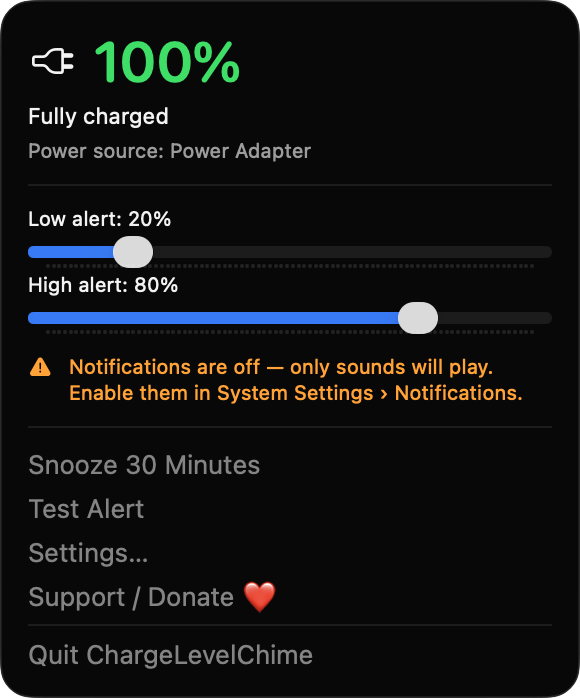
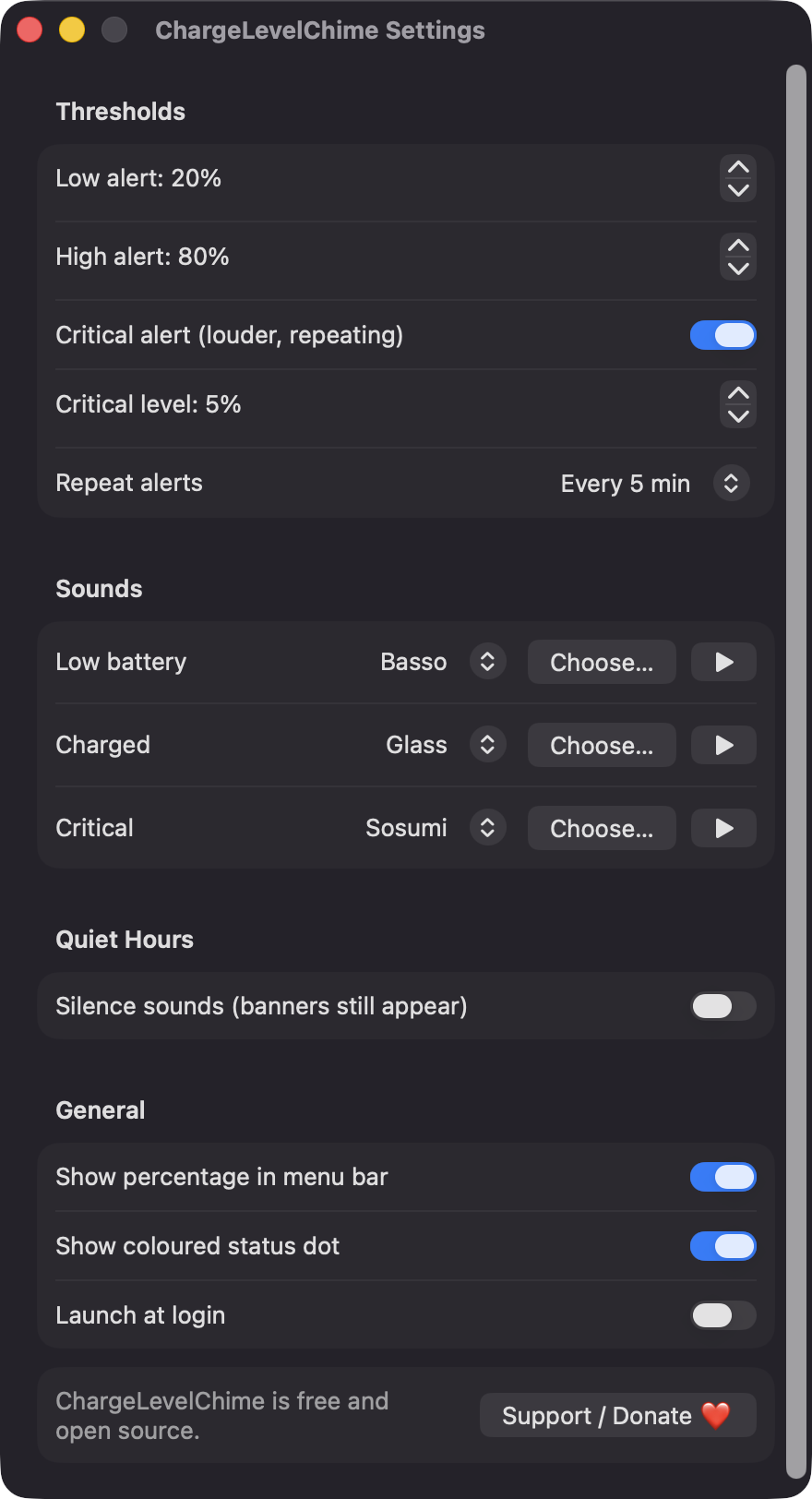
Set the low and high levels with sliders right in the menu bar dropdown, or with steppers in Settings. The two are always kept at least 5% apart.
Open source · macOS 14+ · Universal binary · Battery & Power
ChargeLevelChime lives in your menu bar and plays a sound and posts a banner when your battery reaches the low or full level you chose. Defaults are 20% and 80%.
Free & MIT licensed · Apple Silicon & Intel · Latest release
Features
Set your own limits, pick your own sounds, and stay quiet when you need to.
Set the low and high levels with sliders right in the menu bar dropdown, or with steppers in Settings. The two are always kept at least 5% apart.
Each alert plays a sound and posts a plug-in or unplug banner. An optional critical alert at 5% plays three times and is delivered as Time Sensitive.
Pick a separate sound for low, charged and critical alerts from your system sounds, preview it, or choose your own audio file.
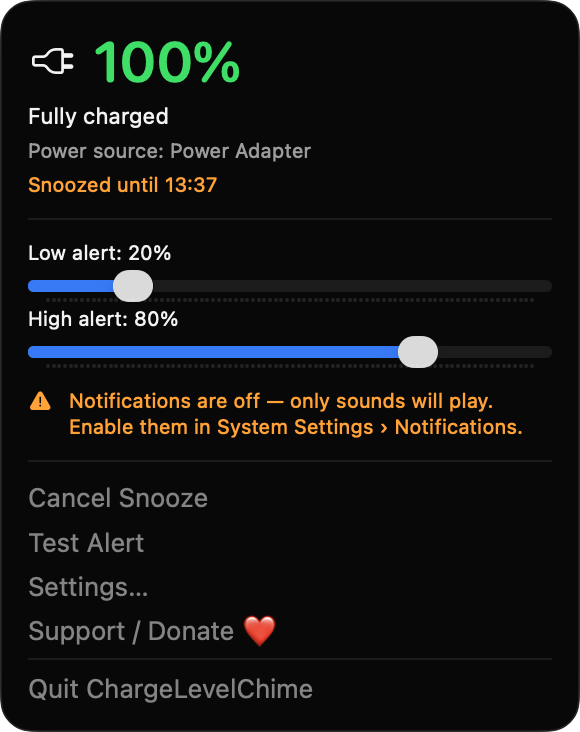
Repeat once or every 1 to 30 minutes until resolved. Quiet hours mute sounds but keep banners, and you can snooze for 30 minutes from the menu.
The menu bar shows a battery state icon, an optional percentage and a colored dot. The dropdown adds power source and time remaining when macOS provides it.
Alerts are held for 90 seconds after launch and re-arm with 2% hysteresis, so you are not spammed. It uses only Apple frameworks and makes no network calls.
Screenshots
Install
ChargeLevelChime is open source and not notarized with a paid Apple Developer ID, so macOS needs one extra step the first time.
xattr -cr /Applications/ChargeLevelChime.app
Download
Free, forever. Built for macOS 14 Sonoma or newer, Apple Silicon and Intel.
Not notarized: on first launch right-click ChargeLevelChime.app → Open.
FAQ
Yes. It is released under the MIT license and the full source is on GitHub. There are no ads, accounts or in-app purchases, and an optional Support button links to Ko-fi.
Only notifications, requested on first launch so banners can be shown. Launch at login and file access for a custom sound are optional. It does not ask for Accessibility, Screen Recording, Microphone, Location or network access.
Your settings are stored locally in the standard macOS preferences for the app. Nothing is sent anywhere, since the app has no network calls or analytics.
Notarization requires a paid Apple Developer account, and this is a free project. Right-click the app and choose Open once to get past Gatekeeper, or build it yourself from source.
Yes. ChargeLevelChime was generated by Claude Code from a written spec as a clean-room reimplementation, with no code or assets from any commercial app. The full source is on GitHub under MIT, so you can read every line before you run it. It has had less human review than a hand-written app, so bug reports are welcome.
Support ❤️
ChargeLevelChime is a free, open-source alternative to paid utilities. If it earns a spot on your Mac, a coffee keeps the updates coming.
☕ Support Or on Ko-fi