Multi-select and merge
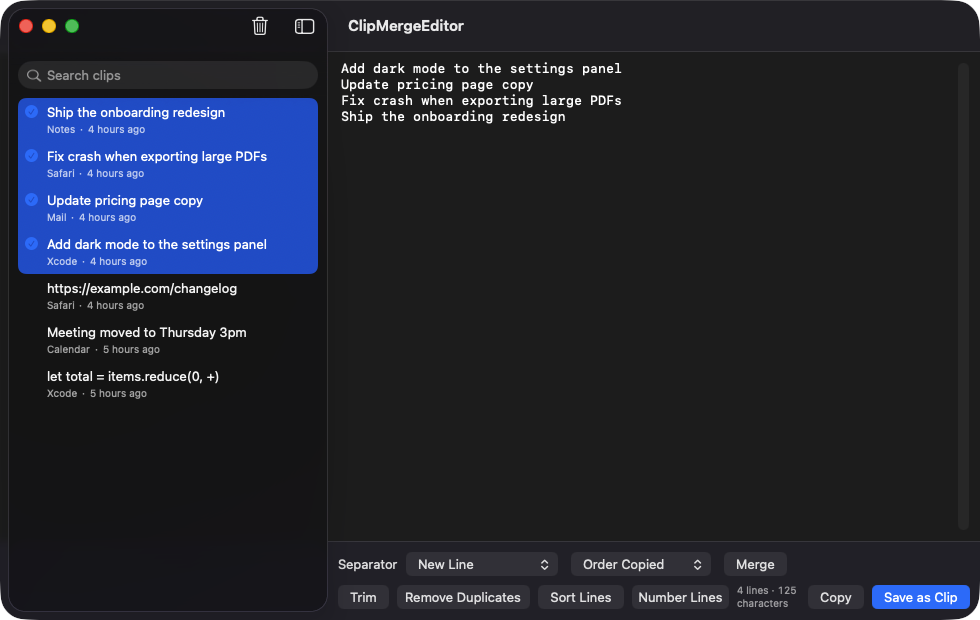
Hold ⌘ or ⇧ to pick several clips, then join them in the order copied or the order selected. Choose New Line, Blank Line, Comma and Space, Tab, or your own separator.
Open source · macOS 14+ · Universal binary · Clipboard
Select several items from your clipboard history, merge them with the separator you choose, tidy the result in the built-in editor, and paste it as one clip. Press ⌘⇧M to open it.
Free & MIT licensed · Apple Silicon & Intel · Latest release
Features
Everything is built around one workflow: combine copied text, clean it up, and put it back on the clipboard.
Hold ⌘ or ⇧ to pick several clips, then join them in the order copied or the order selected. Choose New Line, Blank Line, Comma and Space, Tab, or your own separator.
The merged result opens in a monospaced editor with standard undo and a live line and character count. You can also open any single clip in it.
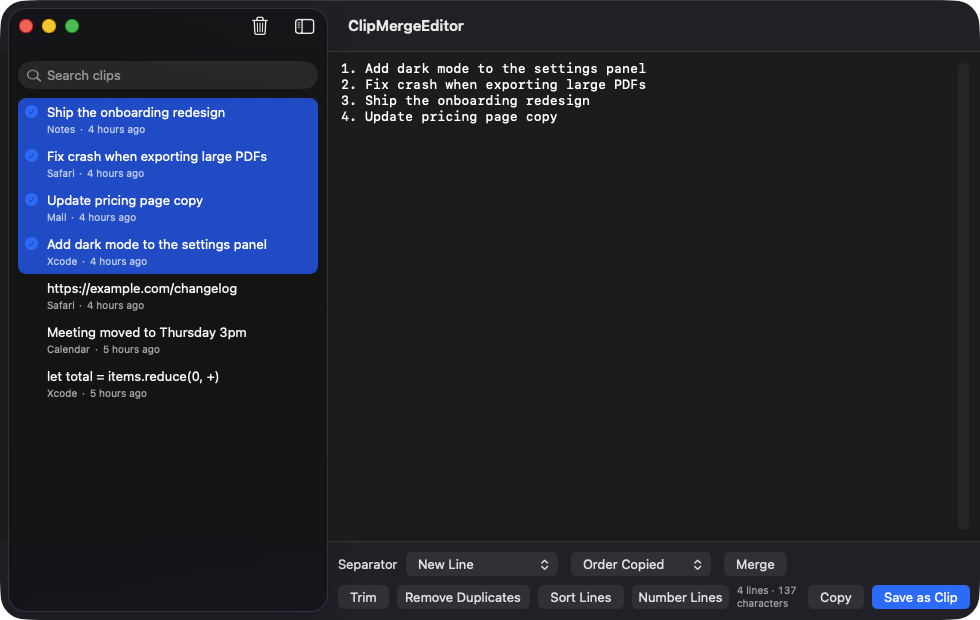
Trim whitespace, remove duplicate lines (keeping the first), sort lines, or number them. Then Copy the result or Save as Clip to add it to your history.
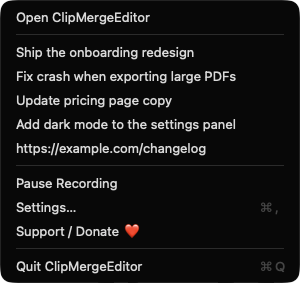
Open the window from anywhere with ⌘⇧M, or change the shortcut in Settings. The menu bar item lists your last five clips for quick copy and lets you pause recording.
Concealed and transient pasteboard types, such as those from password managers, are skipped. You can also ignore specific apps by name or bundle identifier.
Keeps up to 200 text clips (10 to 200, configurable), with search, optional duplicate skipping, and launch at login. Only plain text is recorded.
Screenshots
Install
ClipMergeEditor is open source and not notarized with a paid Apple Developer ID, so macOS needs one extra step the first time.
xattr -cr /Applications/ClipMergeEditor.app
Download
Free, forever. Built for macOS 14 Sonoma or newer, Apple Silicon and Intel.
Not notarized: on first launch right-click ClipMergeEditor.app → Open.
FAQ
Yes. It is released under the MIT license, with no account, subscription, or paid tier. If you find it useful, there is an optional Support / Donate button in the menu bar and in Settings.
None beyond normal clipboard access. It does not use Accessibility, Screen Recording, or Microphone, and its global hotkey works without Accessibility permission. It never pastes automatically it only writes to the clipboard when you press Copy or pick a menu bar clip.
Your history is a JSON file at ~/Library/Application Support/ClipMergeEditor/history.json on your Mac. The app makes no network connections, so nothing leaves your machine.
Notarization requires a paid Apple Developer account, and this is a free project. Right-click the app and choose Open once to launch it, or build it from source with Xcode.
Yes. ClipMergeEditor was generated by Claude Code from a written spec as a clean-room reimplementation, with no code or assets from any commercial app. The full source is on GitHub under MIT, so you can read every line before you run it. It has had less human review than a hand-written app, so bug reports are welcome.
Support ❤️
ClipMergeEditor is a free, open-source alternative to paid utilities. If it earns a spot on your Mac, a coffee keeps the updates coming.
☕ Support Or on Ko-fi