Conditions and ordered actions
Match on text, URLs, a regex, or the source app, then chain actions such as trim whitespace, change case, strip a prefix, or regex find and replace.
Open source · macOS 14+ · Universal binary · Clipboard
Write rules that clean or transform whatever you copy, like stripping tracking links or forcing plain text. It runs from the menu bar, automatically or on demand.
Free & MIT licensed · Apple Silicon & Intel · Latest release
Features
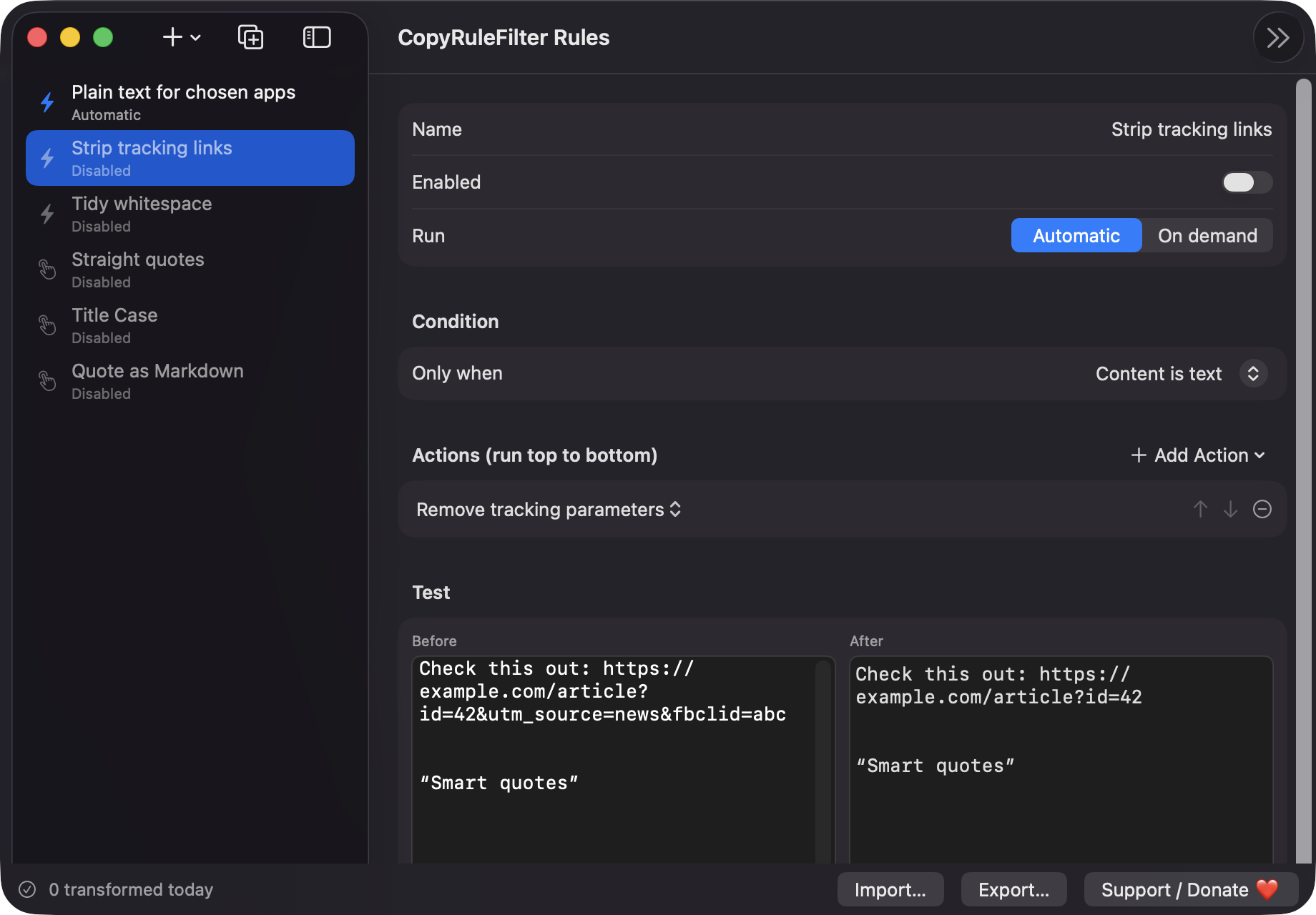
Combine a condition with ordered actions, then let the rule run on every copy or pick it from the menu when you need it.
Match on text, URLs, a regex, or the source app, then chain actions such as trim whitespace, change case, strip a prefix, or regex find and replace.
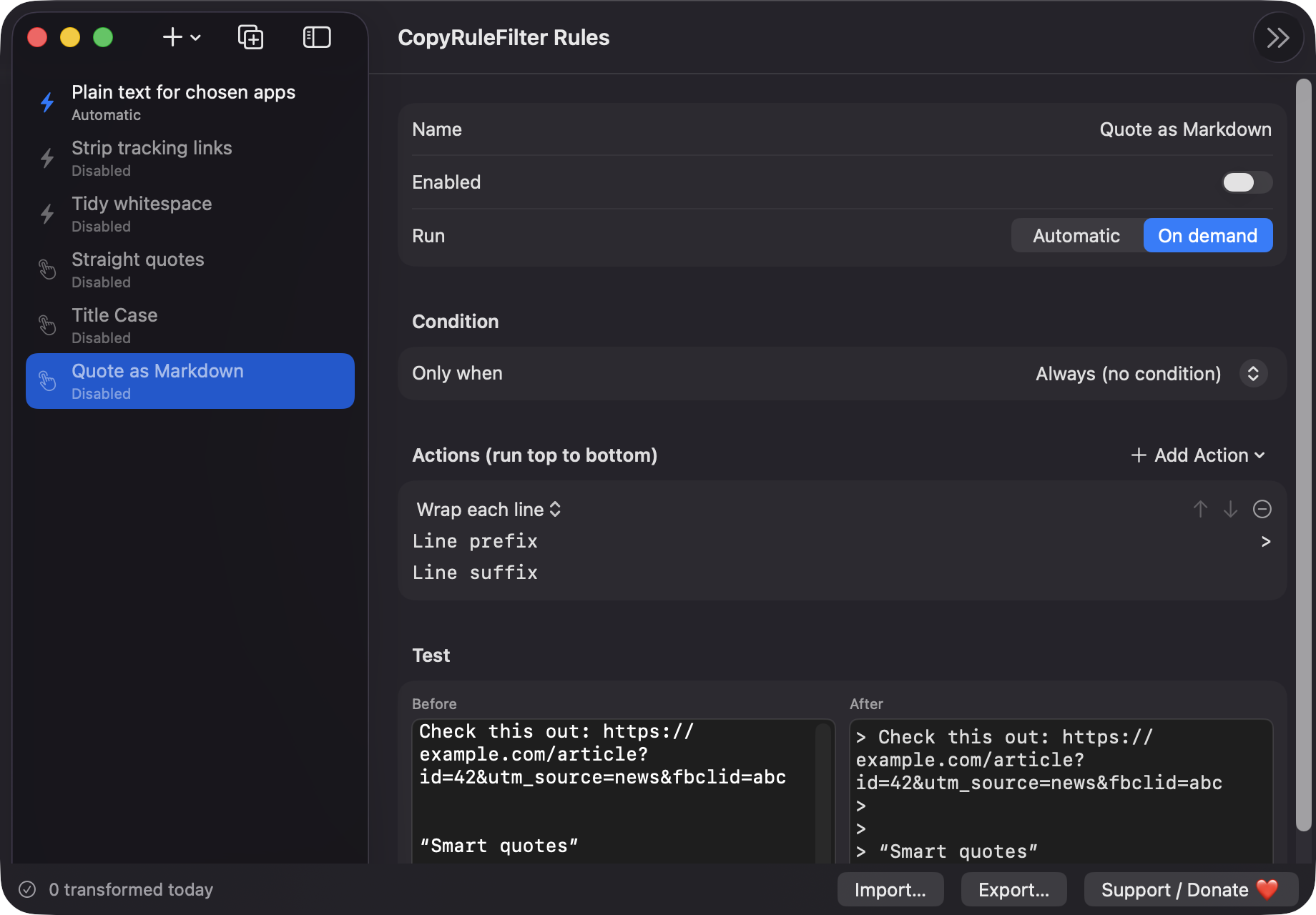
Automatic rules run on every copy. On-demand rules appear in the menu bar and transform the current clipboard when you choose them.
Paste sample text into the editor and see the before and after result update as you change the rule.
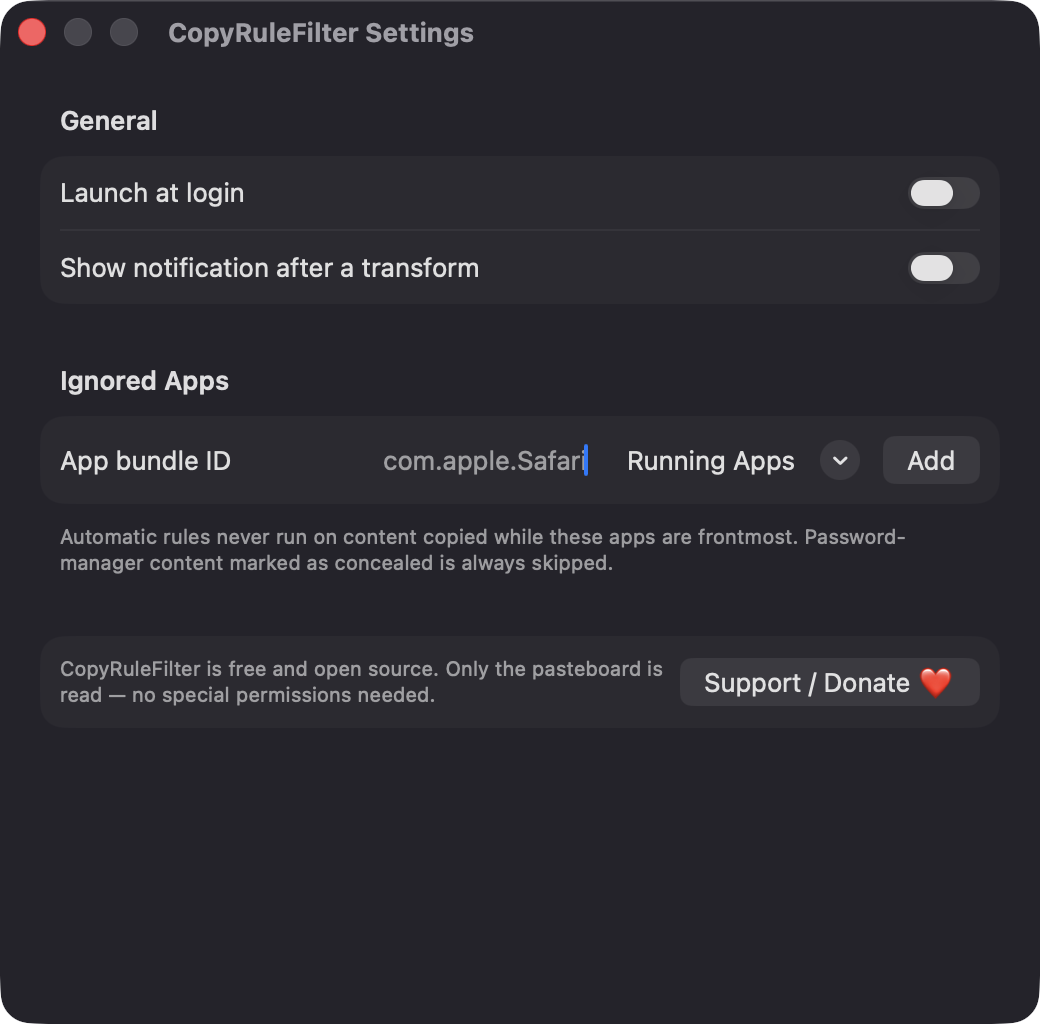
Concealed, transient, and 1Password content is skipped, as are file copies and clipboards over 2 MB. A rule that would produce empty output leaves your clipboard alone.
Start from Plain text for chosen apps, Strip tracking links, Tidy whitespace, Straight quotes, Title Case, and Quote as Markdown.
Share rules as JSON files. A malformed or newer-format file shows an error and never overwrites the rules you already have.
Screenshots
Install
CopyRuleFilter is open source and not notarized with a paid Apple Developer ID, so macOS needs one extra step the first time.
xattr -cr /Applications/CopyRuleFilter.app
Download
Free, forever. Built for macOS 14 Sonoma or newer, Apple Silicon and Intel.
Not notarized: on first launch right-click CopyRuleFilter.app → Open.
FAQ
Yes. It is released under the MIT license, with no accounts, servers, or analytics. If it saves you time, you can support development through the Support button, but nothing is locked behind it.
None beyond reading and writing the system pasteboard, so there is no Accessibility, Screen Recording, or Microphone prompt. Notifications are requested only if you enable them, and Launch at login is optional.
Everything stays on your Mac. Rules are saved as versioned JSON at ~/Library/Application Support/CopyRuleFilter/rules.json. If that file cannot be read, it is kept as rules.corrupt.json and the defaults are loaded.
Notarization requires a paid Apple Developer account, and this is a free project. Right-click the app and choose Open once to run it, or build it yourself from source with Xcode.
Yes. CopyRuleFilter was generated by Claude Code from a written spec as a clean-room reimplementation, with no code or assets from any commercial app. The full source is on GitHub under MIT, so you can read every line before you run it. It has had less human review than a hand-written app, so bug reports are welcome.
Support ❤️
CopyRuleFilter is a free, open-source alternative to paid utilities. If it earns a spot on your Mac, a coffee keeps the updates coming.
☕ Support Or on Ko-fi