Subject lifting with Vision
Uses Apple's foreground instance mask to separate the subject from the background. Large images are downscaled for the model and the mask is scaled back up.
Open source · macOS 14+ · Universal binary · Files & Conversion
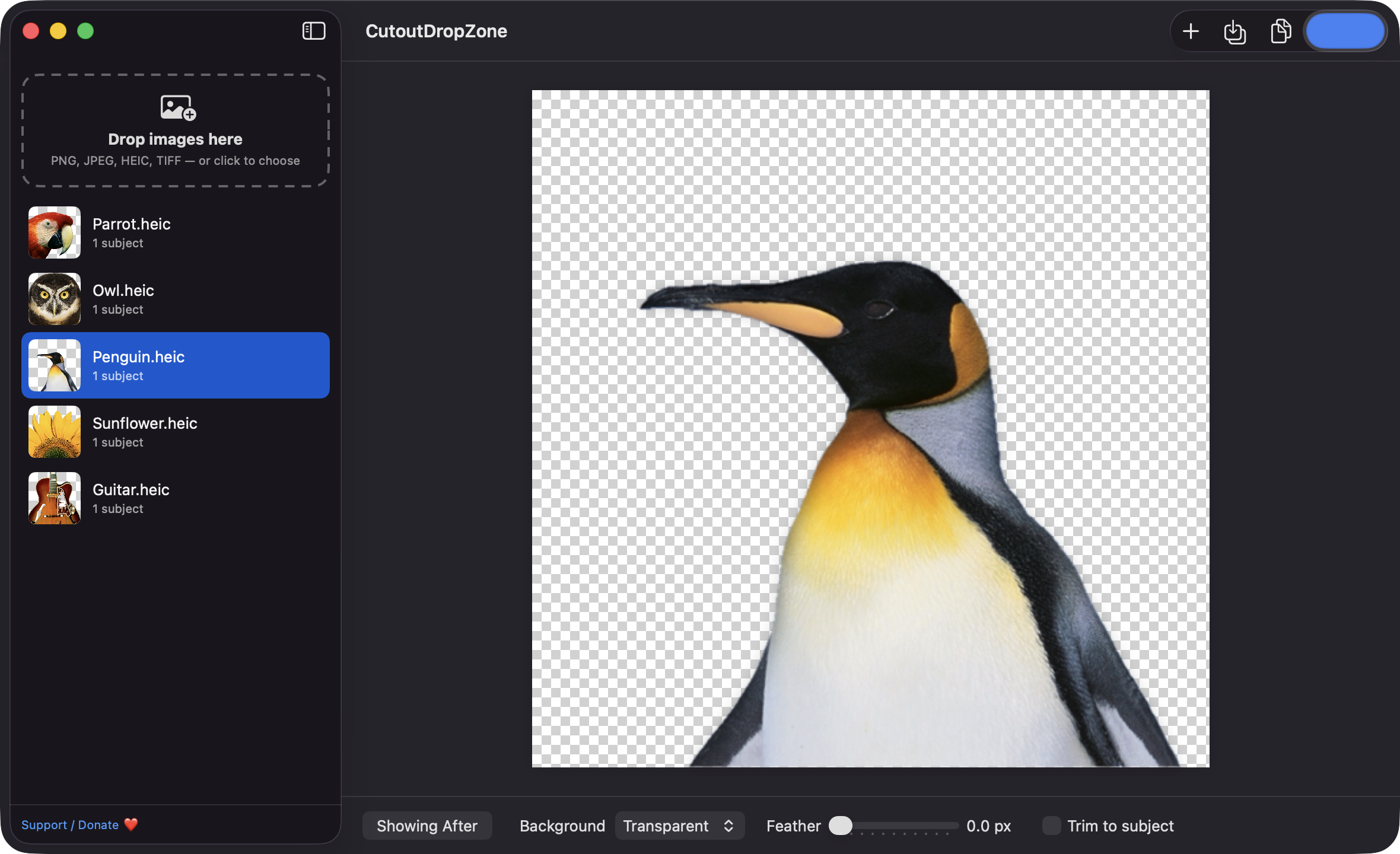
Drop one image or a whole batch and get a transparent-background cutout of the subject, made offline with Apple's Vision framework. Press Space to flip between before and after.
Free & MIT licensed · Apple Silicon & Intel · Latest release
Features
Everything runs on your Mac, from subject detection to export.
Uses Apple's foreground instance mask to separate the subject from the background. Large images are downscaled for the model and the mask is scaled back up.
Drop PNG, JPEG, HEIC or TIFF files, or whole folders, onto the window or the Dock icon. Images are processed in the background with per-image progress, and bad files do not stop the batch.
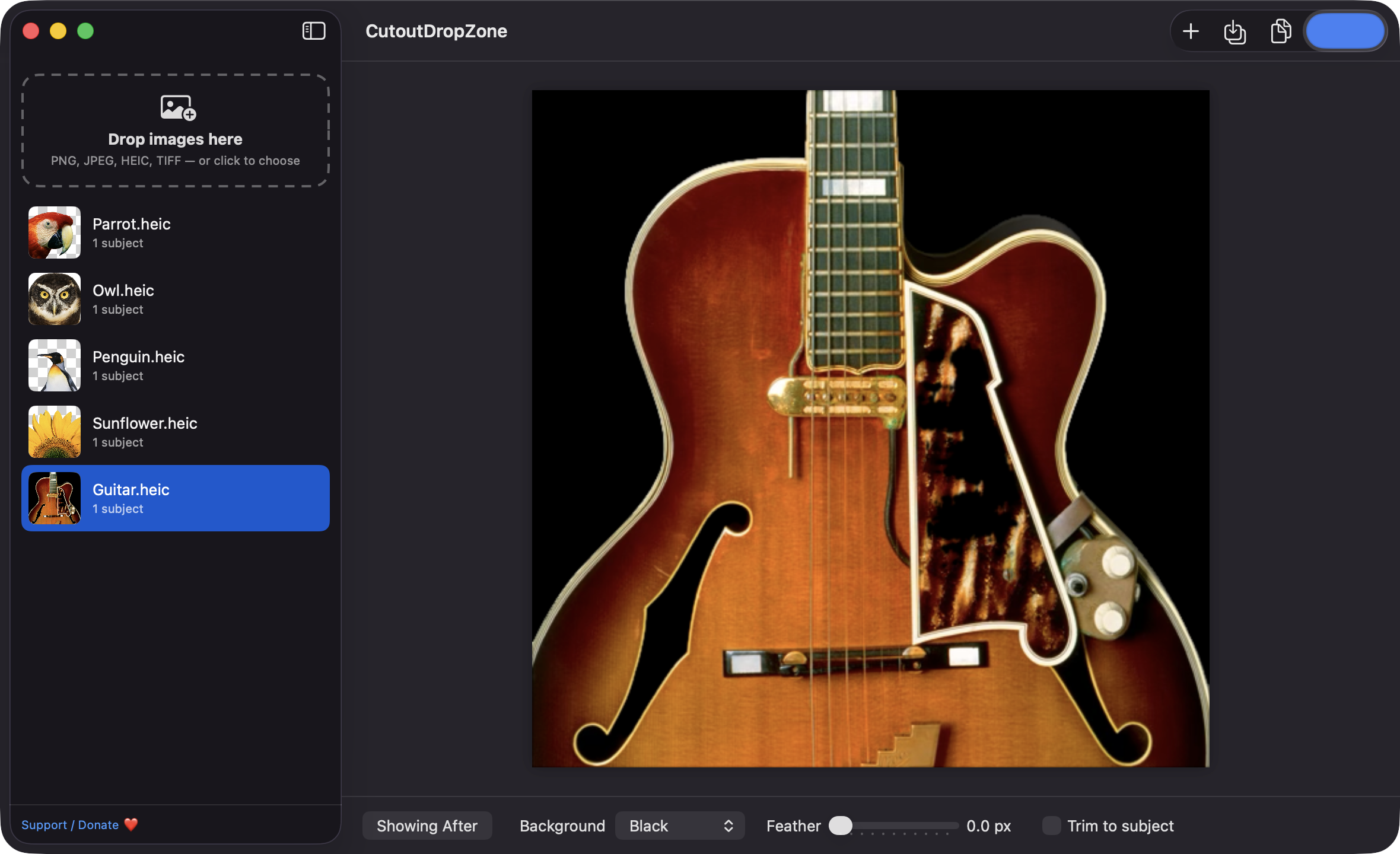
Choose a transparent, white, black or custom background, set an edge feather from 0 to 5 px, and trim to the subject bounds. Click a subject in the preview to include or exclude it.
Compare the original and the cutout on a checkerboard, toggled with the Space bar.
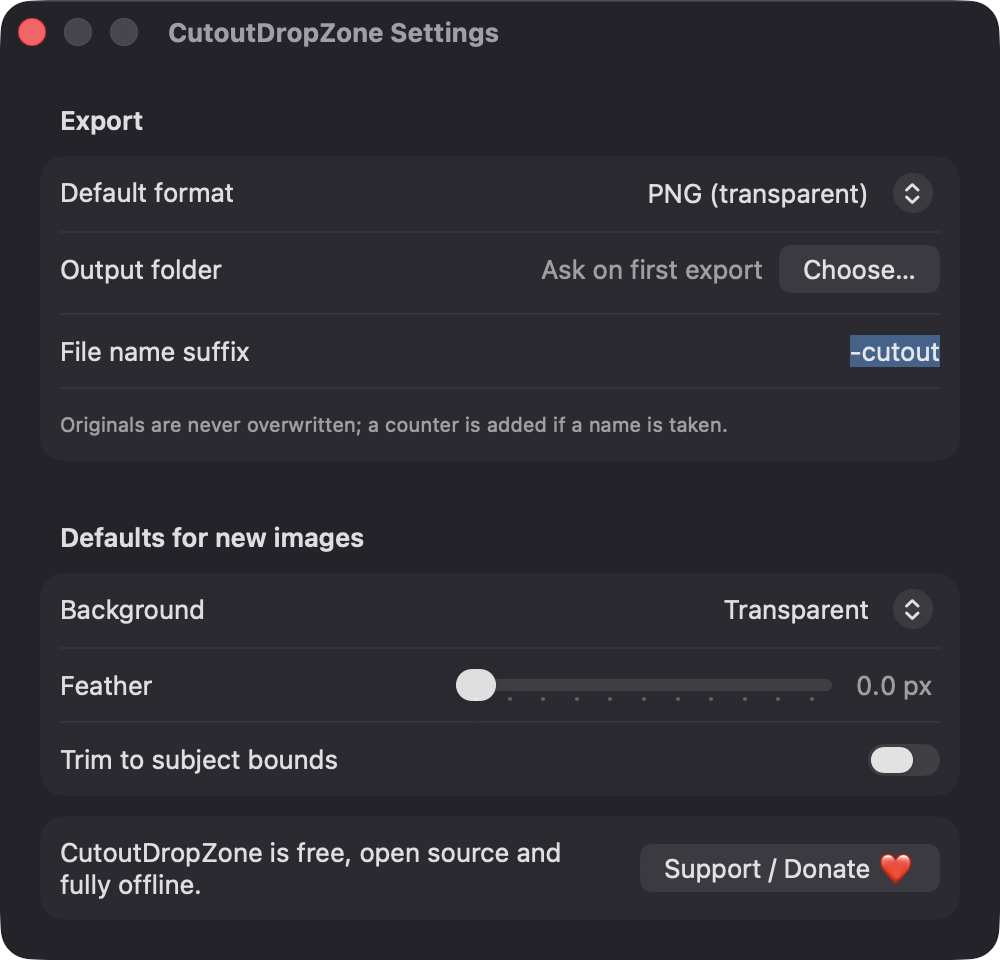
Save PNG with transparency or JPEG, export everything to a folder with a suffix like -cutout, copy to the clipboard, or drag a cutout straight into Finder. Originals are never overwritten.
No network calls, no analytics and no third-party dependencies. Your photos never leave your Mac.
Screenshots
Install
CutoutDropZone is open source and not notarized with a paid Apple Developer ID, so macOS needs one extra step the first time.
xattr -cr /Applications/CutoutDropZone.app
Download
Free, forever. Built for macOS 14 Sonoma or newer, Apple Silicon and Intel.
Not notarized: on first launch right-click CutoutDropZone.app → Open.
FAQ
Yes. It is free to use and released under the MIT license, with the full source on GitHub. If it saves you time, there is an optional Support / Donate button in the app.
None beyond the standard macOS panels. It reads only the images you drop or choose, and writes to the output folder you pick. It does not ask for Accessibility, Screen Recording, Camera or Microphone access.
Your images stay where they are, and cutouts are saved to the folder you choose in Settings. Temporary files for drag-out and for images dropped from browsers live in ~/Library/Caches/CutoutDropZone and are cleared on the next launch.
Notarization requires a paid Apple Developer account, and this is a free project. Right-click the app and choose Open once to get past Gatekeeper, or build it yourself from source with Xcode and XcodeGen.
Yes. CutoutDropZone was generated by Claude Code from a written spec as a clean-room reimplementation, with no code or assets from any commercial app. The full source is on GitHub under MIT, so you can read every line before you run it. It has had less human review than a hand-written app, so bug reports are welcome.
Support ❤️
CutoutDropZone is a free, open-source alternative to paid utilities. If it earns a spot on your Mac, a coffee keeps the updates coming.
☕ Support Or on Ko-fi