Live sunburst chart
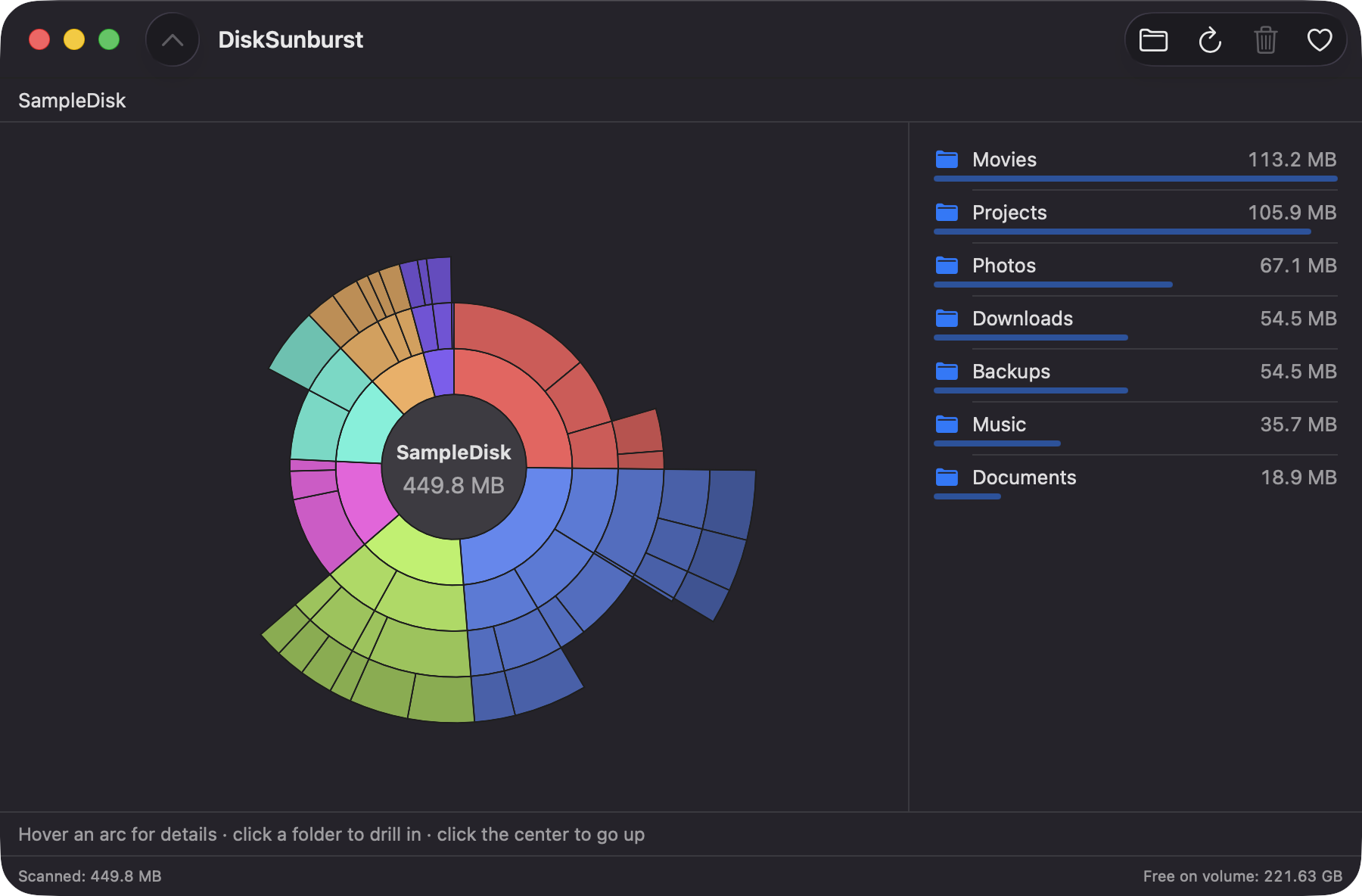
The scanned folder sits at the center and each ring is one level deeper, with arc angles proportional to size. The chart updates while the scan is still running.
Open source · macOS 14+ · Universal binary · Files & Conversion
Scan a folder or drive and explore it as an interactive sunburst chart, then reveal or trash what you don't need. Drop a folder on the window or press ⌘O to start.
Free & MIT licensed · Apple Silicon & Intel · Latest release
Features
DiskSunburst covers the core loop of disk cleanup and nothing else, in a native SwiftUI app.
The scanned folder sits at the center and each ring is one level deeper, with arc angles proportional to size. The chart updates while the scan is still running.
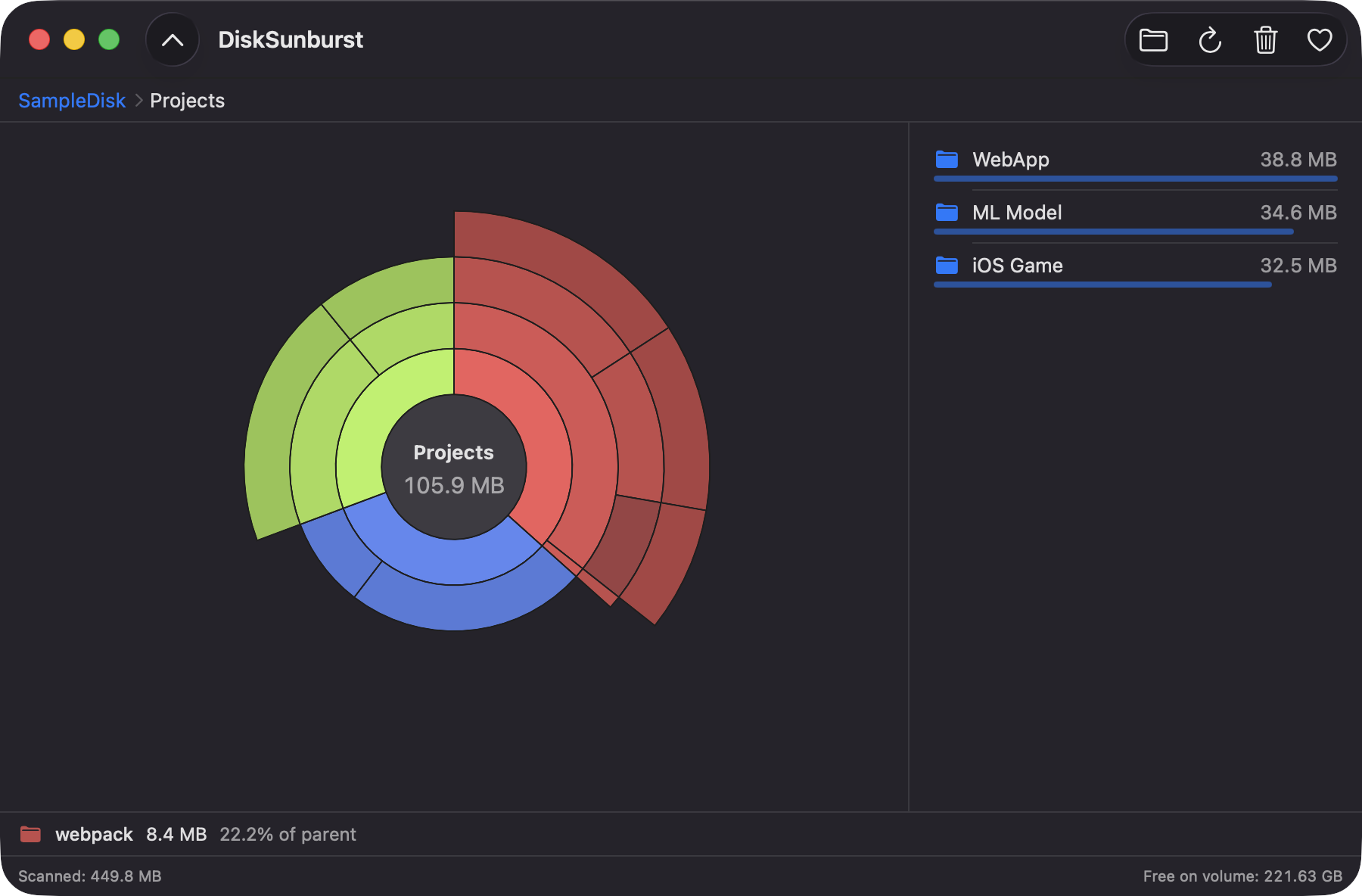
Hover an arc to see its name, size and share of its parent. Click a folder to make it the new center, and press Esc or use the breadcrumb to go back.
A sorted list beside the chart shows the biggest children with size bars. Double-click a folder to drill into it.
Reveal in Finder, open, copy the path, or move an item to the Trash after a confirmation. Trashed items stay recoverable, and the scan root can't be trashed.
Sums on-disk allocated sizes off the main thread. Symbolic links are skipped and hard links are counted once, so totals aren't inflated.
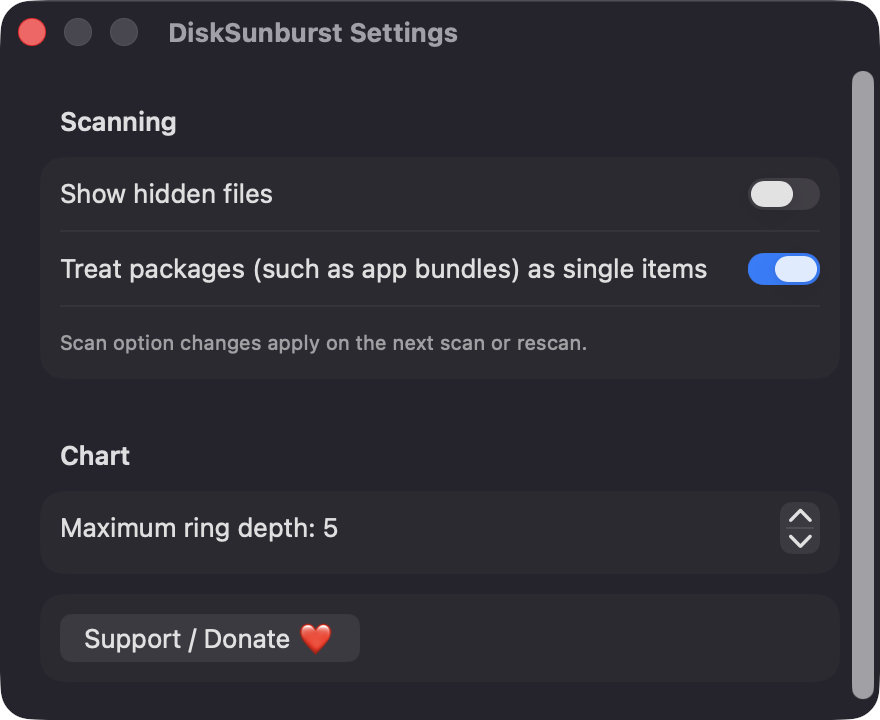
Show hidden files, treat app bundles as single items, and set the maximum ring depth from 2 to 8. Items under 1% merge into a gray Smaller items arc.
Screenshots
Install
DiskSunburst is open source and not notarized with a paid Apple Developer ID, so macOS needs one extra step the first time.
xattr -cr /Applications/DiskSunburst.app
Download
Free, forever. Built for macOS 14 Sonoma or newer, Apple Silicon and Intel.
Not notarized: on first launch right-click DiskSunburst.app → Open.
FAQ
Yes. It is released under the MIT license and the full source is on GitHub. There are no accounts, no ads and no paid tier. If it saves you space, there is an optional Support button.
None beyond the standard macOS file-access prompts, which appear the first time a scan reads Desktop, Documents, Downloads or removable volumes. Full Disk Access is optional and only needed for protected locations. Without it, unreadable folders are counted and reported, and the scan continues.
Nothing leaves your Mac. DiskSunburst makes no network calls and has no analytics, and scan results live in memory only while the app is open. Only your settings are saved locally, as standard macOS preferences.
Notarization requires a paid Apple Developer account, which this free project doesn't have. Right-click the app and choose Open once to get past Gatekeeper, or build it yourself from source with Xcode and XcodeGen.
Yes. DiskSunburst was generated by Claude Code from a written spec as a clean-room reimplementation, with no code or assets from any commercial app. The full source is on GitHub under MIT, so you can read every line before you run it. It has had less human review than a hand-written app, so bug reports are welcome.
Support ❤️
DiskSunburst is a free, open-source alternative to paid utilities. If it earns a spot on your Mac, a coffee keeps the updates coming.
☕ Support Or on Ko-fi