Live window thumbnails
Hover a Dock icon and a floating card shows one tile per window. Thumbnails come from ScreenCaptureKit at reduced size and are cached for about two seconds.
Open source · macOS 14+ · Universal binary · Window Management
Rest the pointer on a running app's Dock icon and a card appears with a live thumbnail of each window. Click a tile to raise it. No hotkey needed, and it lives in the menu bar.
Free & MIT licensed · Apple Silicon & Intel · Latest release
Features
DockWindowPeek does one job, hover previews with basic window actions, and stays out of the way otherwise.
Hover a Dock icon and a floating card shows one tile per window. Thumbnails come from ScreenCaptureKit at reduced size and are cached for about two seconds.
Clicking a tile raises that window, unminimizes it if needed, and activates the app. Each tile also has a close button.
The card sits above the icon, or beside it when the Dock is on the left or right. Auto-hide Docks are handled by recomputing the frame on each hover.
Without Screen Recording, the card lists window titles as clickable rows. Minimized windows and windows on other Spaces show the app icon as a placeholder.
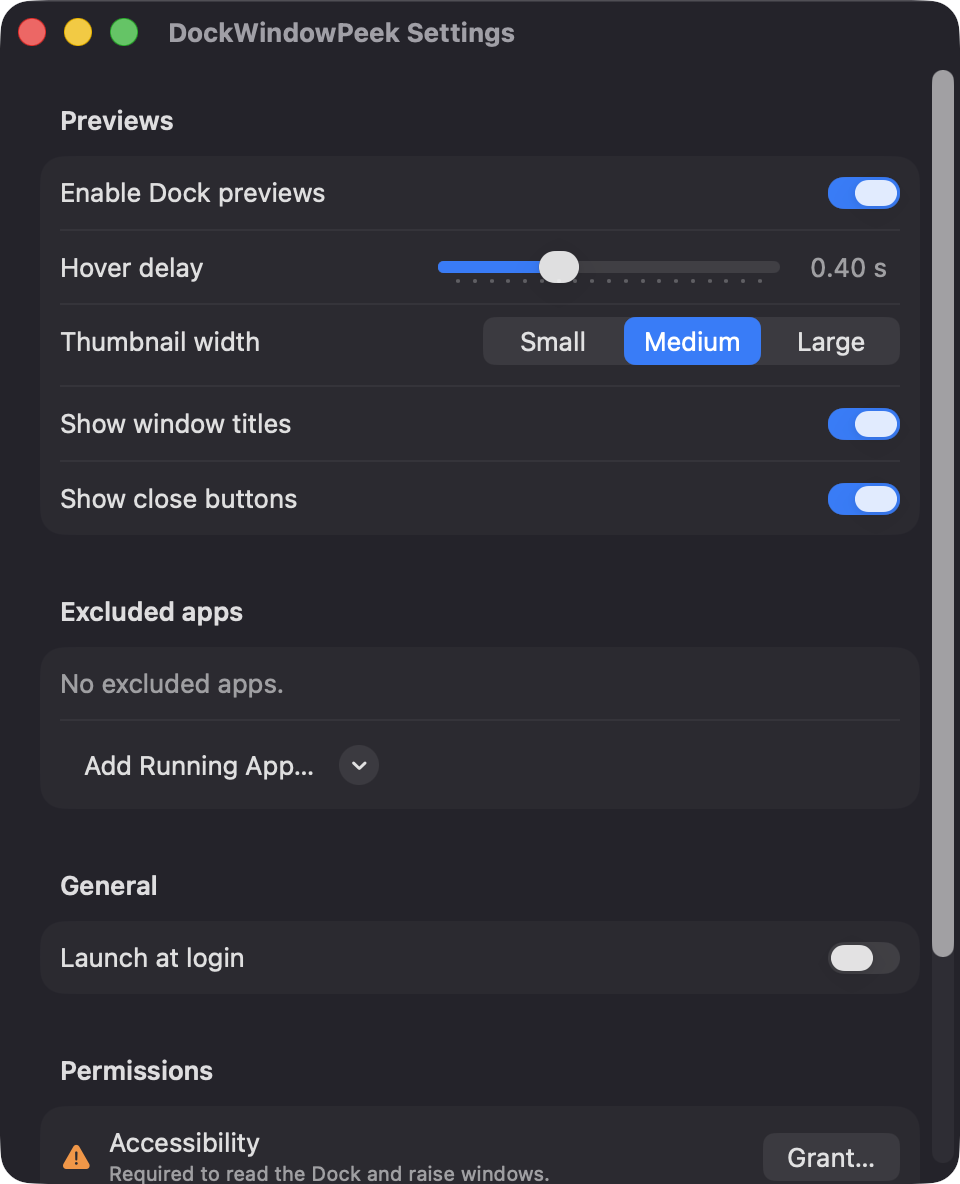
Set the hover delay from 0.1 to 1.0 seconds, choose small, medium or large thumbnails, toggle titles and close buttons, and exclude specific apps.
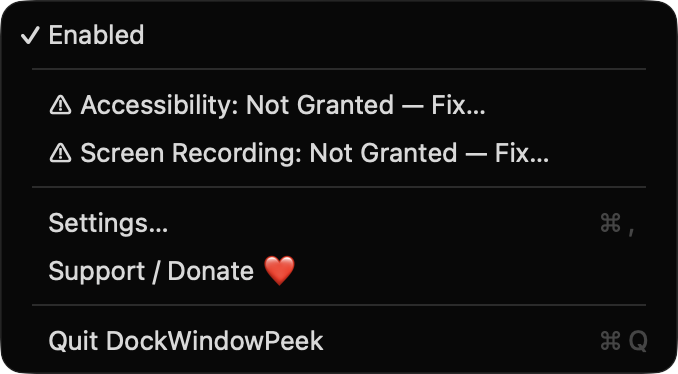
It has no Dock icon of its own. The menu bar item has an Enabled toggle, permission status rows, Settings and Quit, and launch at login is optional.
Screenshots
Install
DockWindowPeek is open source and not notarized with a paid Apple Developer ID, so macOS needs one extra step the first time.
xattr -cr /Applications/DockWindowPeek.app
Download
Free, forever. Built for macOS 14 Sonoma or newer, Apple Silicon and Intel.
Not notarized: on first launch right-click DockWindowPeek.app → Open.
FAQ
Yes. It is free, released under the MIT license, and the full source is on GitHub. It has no accounts, no servers and no network code. If it saves you time, you can support it through the Ko-fi button.
Accessibility is required so it can read the Dock, list an app's windows, and raise or close them. Screen Recording is optional and only enables live thumbnails without it you get window titles. It does not use the microphone, camera, location or the network.
Only your preferences are stored, locally in the standard macOS user defaults for the app. Nothing is sent anywhere, and no window images are saved to disk. Thumbnails are held in memory for about two seconds.
Notarization requires a paid Apple Developer account, and this is a free open-source project. Right-click the app and choose Open once to get past Gatekeeper, or build it from source with Xcode and XcodeGen.
Yes. DockWindowPeek was generated by Claude Code from a written spec as a clean-room reimplementation, with no code or assets from any commercial app. The full source is on GitHub under MIT, so you can read every line before you run it. It has had less human review than a hand-written app, so bug reports are welcome.
Support ❤️
DockWindowPeek is a free, open-source alternative to paid utilities. If it earns a spot on your Mac, a coffee keeps the updates coming.
☕ Support Or on Ko-fi