Floating edge shelf
A non-activating panel slides in from the left or right edge of the screen under your cursor. It floats above other windows, on every Space and over full-screen apps.
Open source · macOS 14+ · Universal binary · Menu Bar Utility
A free menu bar shelf that holds files, images, text and links while you switch apps. Drag something to the screen edge or press Option-Shift-Y, then drag it back out.
Free & MIT licensed · Apple Silicon & Intel · Latest release
Features
Everything you need to carry items between apps, with no accounts, no network and no third-party code.
A non-activating panel slides in from the left or right edge of the screen under your cursor. It floats above other windows, on every Space and over full-screen apps.
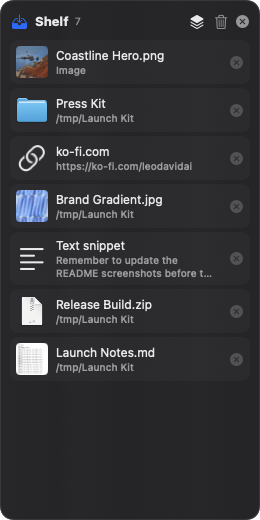
Each drop becomes a row with a thumbnail or icon, a name and a remove button. Quick Look thumbnails fall back to Finder icons, and duplicate drops are ignored.
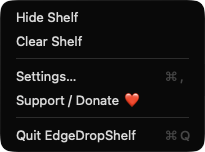
Drag any item into another app, or use the Drag all items handle to move the whole shelf at once. Optionally remove items automatically after they leave.
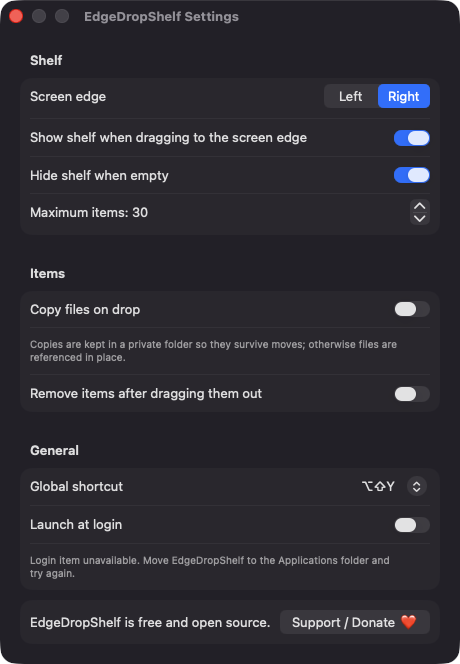
Toggle the shelf with Option-Shift-Y by default, or pick another preset or none. The shelf can also appear when you drag something to the chosen screen edge.
Files are referenced in place by default and survive relaunch. Switch on copy mode to keep private copies in Application Support, so items survive if the originals move.
Set a maximum item count from 5 to 200, hide the shelf when empty, and launch at login. Contents are restored on relaunch, and moved or deleted files show as Missing.
Screenshots
Install
EdgeDropShelf is open source and not notarized with a paid Apple Developer ID, so macOS needs one extra step the first time.
xattr -cr /Applications/EdgeDropShelf.app
Download
Free, forever. Built for macOS 14 Sonoma or newer, Apple Silicon and Intel.
Not notarized: on first launch right-click EdgeDropShelf.app → Open.
FAQ
Yes. It is released under the MIT license, with no accounts, no ads and no paid tier. If it saves you time, you can support development through the Support button, but nothing is locked behind it.
None. The hotkey uses Carbon RegisterEventHotKey, and edge-drag detection only reads the cursor position and whether the drag pasteboard changed. It never reads key presses, and it does not ask for Accessibility or Screen Recording access.
On your Mac only, in ~/Library/Application Support/EdgeDropShelf. That folder holds the shelf's metadata and any private copies you chose to make. The app uses no network.
Notarization requires a paid Apple Developer account, and this project is free. Right-click the app and choose Open once to launch it, or build it yourself from source with Xcode.
Yes. EdgeDropShelf was generated by Claude Code from a written spec as a clean-room reimplementation, with no code or assets from any commercial app. The full source is on GitHub under MIT, so you can read every line before you run it. It has had less human review than a hand-written app, so bug reports are welcome.
Support ❤️
EdgeDropShelf is a free, open-source alternative to paid utilities. If it earns a spot on your Mac, a coffee keeps the updates coming.
☕ Support Or on Ko-fi