Dims every other window
A click-through overlay sits directly beneath the active app's top window, on every connected display. It keeps working across Spaces, full-screen apps and display changes.
Open source · macOS 14+ · Universal binary · Focus & Productivity
FocusWindowDimmer darkens every window behind the one you are using, on every display. Toggle it from the menu bar or with the global hotkey, Option-Command-D by default.
Free & MIT licensed · Apple Silicon & Intel · Latest release
Features
A small menu bar utility with the controls that matter and nothing that phones home.
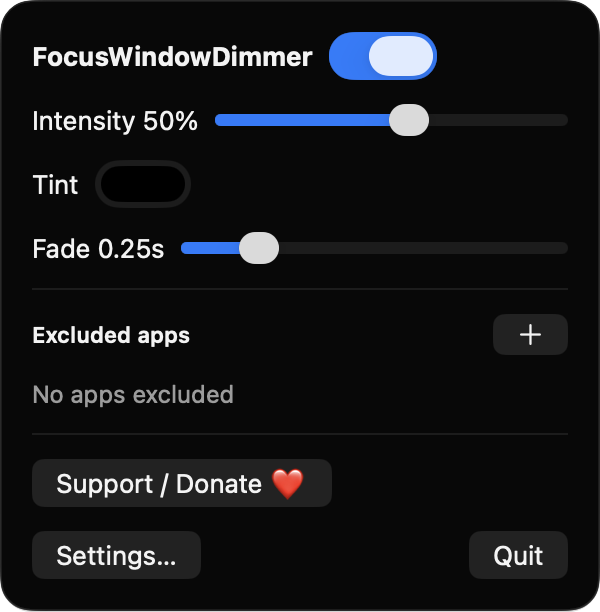
A click-through overlay sits directly beneath the active app's top window, on every connected display. It keeps working across Spaces, full-screen apps and display changes.
Set dimming from 0% to 90%, choose black or any tint color, and adjust the fade duration up to 1.5 seconds. You can also dim the menu bar.
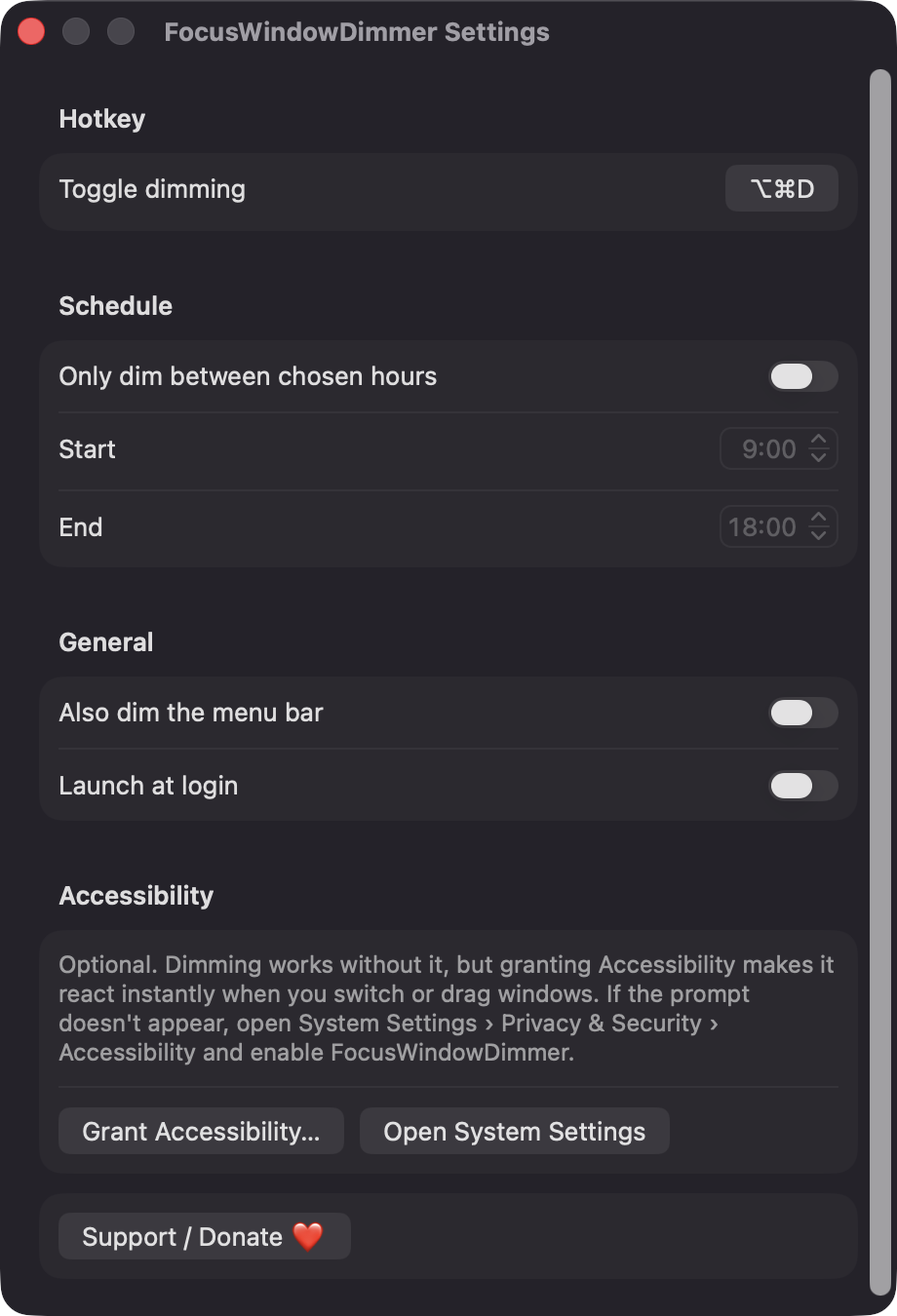
Turn dimming on or off from anywhere with Option-Command-D, or record your own shortcut in Settings.
Pick a start and end time and dimming runs only in that window. Ranges that wrap past midnight are supported.
Choose running apps that should never be dimmed. Dimming switches off while one of them is active.
Built only with Apple frameworks, with no network calls, analytics or third-party dependencies. It lives in the menu bar with no Dock icon and can launch at login.
Screenshots
Install
FocusWindowDimmer is open source and not notarized with a paid Apple Developer ID, so macOS needs one extra step the first time.
xattr -cr /Applications/FocusWindowDimmer.app
Download
Free, forever. Built for macOS 14 Sonoma or newer, Apple Silicon and Intel.
Not notarized: on first launch right-click FocusWindowDimmer.app → Open.
FAQ
Yes. It is released under the MIT license and the full source is on GitHub. There is no account, subscription or paywall. If it helps you, you can optionally support it on Ko-fi.
None to dim your windows. Accessibility is optional and only requested when you click Grant Accessibility in Settings it makes the overlay react instantly to focus changes and window drags. Without it, the app falls back to app-switch notifications and a 5 Hz timer. It never requests Screen Recording and never captures screen contents.
Your settings, such as intensity, tint, schedule, hotkey and excluded apps, are saved locally in the app's preferences on your Mac. Nothing is sent anywhere, because the app makes no network connections.
Notarization requires a paid Apple Developer account, and this is a free project. The first time you open it, right-click the app and choose Open. You can also build it yourself from source with Xcode and XcodeGen.
Yes. FocusWindowDimmer was generated by Claude Code from a written spec as a clean-room reimplementation, with no code or assets from any commercial app. The full source is on GitHub under MIT, so you can read every line before you run it. It has had less human review than a hand-written app, so bug reports are welcome.
Support ❤️
FocusWindowDimmer is a free, open-source alternative to paid utilities. If it earns a spot on your Mac, a coffee keeps the updates coming.
☕ Support Or on Ko-fi