Blocks every key
Swallows key presses, modifier keys and media keys through a session-level event tap. Touch ID and the power button cannot be blocked, and the app tells you so.
Open source · macOS 14+ · Universal binary · Text & Input
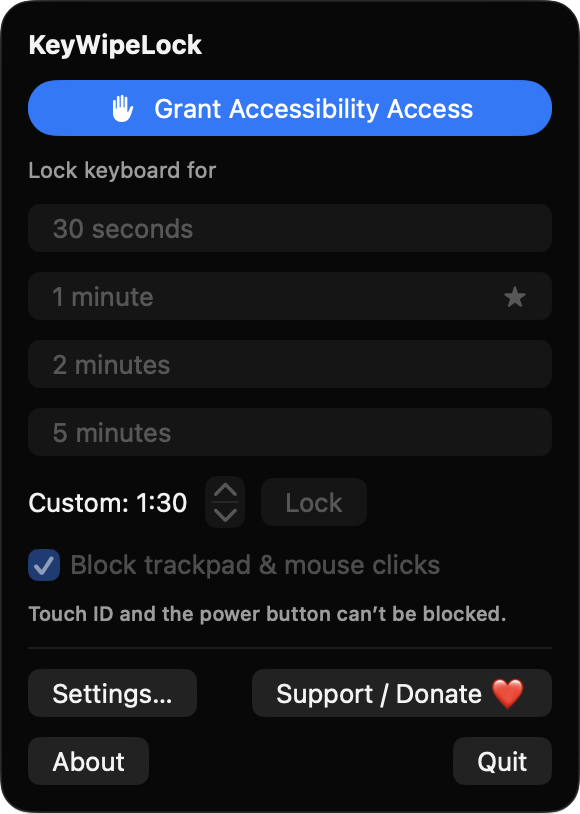
KeyWipeLock blocks your keyboard and, optionally, your trackpad for a countdown while you wipe them down. Start a lock from the menu bar hold Escape for 3 seconds to exit early.
Free & MIT licensed · Apple Silicon & Intel · Latest release
Features
A small native menu bar app that does one job and releases your keyboard the moment it is done.
Swallows key presses, modifier keys and media keys through a session-level event tap. Touch ID and the power button cannot be blocked, and the app tells you so.
Turn on pointer blocking to also ignore clicks, drags, scrolling and trackpad gestures. Toggle it from the menu or in Settings.
Choose 30 seconds, 1, 2 or 5 minutes, or set anything from 10 seconds to 30 minutes. Starting another lock while one is running adds time.
A dimmed full-screen overlay with a countdown ring appears on each screen. It is rebuilt after display changes or sleep, keeping the same end time.
Hold Escape for 3 seconds, wait for the timer, or quit the app. The block lives in the app process, so the keyboard cannot stay locked.
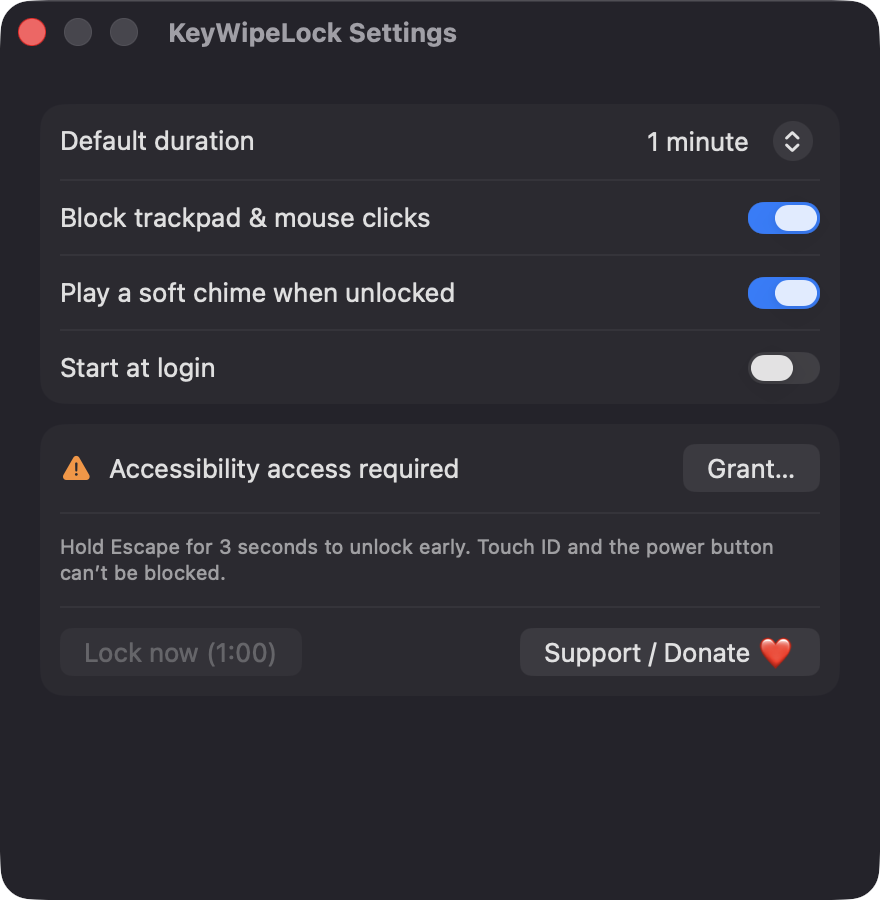
Set the default duration, pointer blocking, a soft end-of-lock chime and start at login. A first-run sheet walks you through granting access.
Screenshots
Install
KeyWipeLock is open source and not notarized with a paid Apple Developer ID, so macOS needs one extra step the first time.
xattr -cr /Applications/KeyWipeLock.app
Download
Free, forever. Built for macOS 14 Sonoma or newer, Apple Silicon and Intel.
Not notarized: on first launch right-click KeyWipeLock.app → Open.
FAQ
Yes. It is released under the MIT license and the full source is on GitHub. There are no accounts, no ads, no analytics and no third-party dependencies, only Apple frameworks.
Accessibility access is required, because macOS only lets trusted apps intercept keyboard and pointer events. Notifications are requested only if macOS disables the blocker mid-lock, and the login item is used only if you enable start at login. It does not ask for Screen Recording or Microphone access, and it does not read what you type.
Nothing leaves your Mac. The app makes no network calls, and your few preferences, such as default duration and chime, are stored locally in the app's standard macOS settings.
Notarization requires a paid Apple Developer account, and this is a free project. Right-click the app and choose Open once to get past Gatekeeper, or build it yourself from source with Xcode.
Yes. KeyWipeLock was generated by Claude Code from a written spec as a clean-room reimplementation, with no code or assets from any commercial app. The full source is on GitHub under MIT, so you can read every line before you run it. It has had less human review than a hand-written app, so bug reports are welcome.
Support ❤️
KeyWipeLock is a free, open-source alternative to paid utilities. If it earns a spot on your Mac, a coffee keeps the updates coming.
☕ Support Or on Ko-fi