Plain-language entry
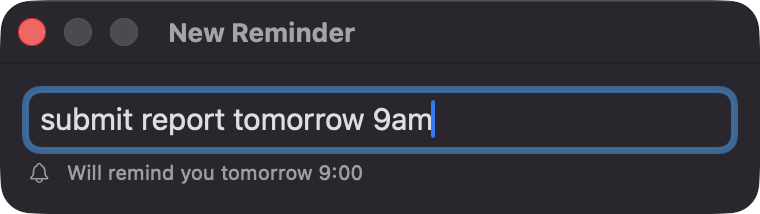
Write 'call the dentist in 20 minutes', 'submit report tomorrow 9am' or 'stretch every 2 hours'. A live preview shows exactly when you'll be reminded.
Open source · macOS 14+ · Universal binary · Timers & Reminders
Type a reminder in plain words and NagReminderBar re-alerts you every few minutes until you mark it done. Press ⌃⌥R from anywhere to add one.
Free & MIT licensed · Apple Silicon & Intel · Latest release
Features
One text field, persistent nudges, and nothing leaves your Mac.
Write 'call the dentist in 20 minutes', 'submit report tomorrow 9am' or 'stretch every 2 hours'. A live preview shows exactly when you'll be reminded.
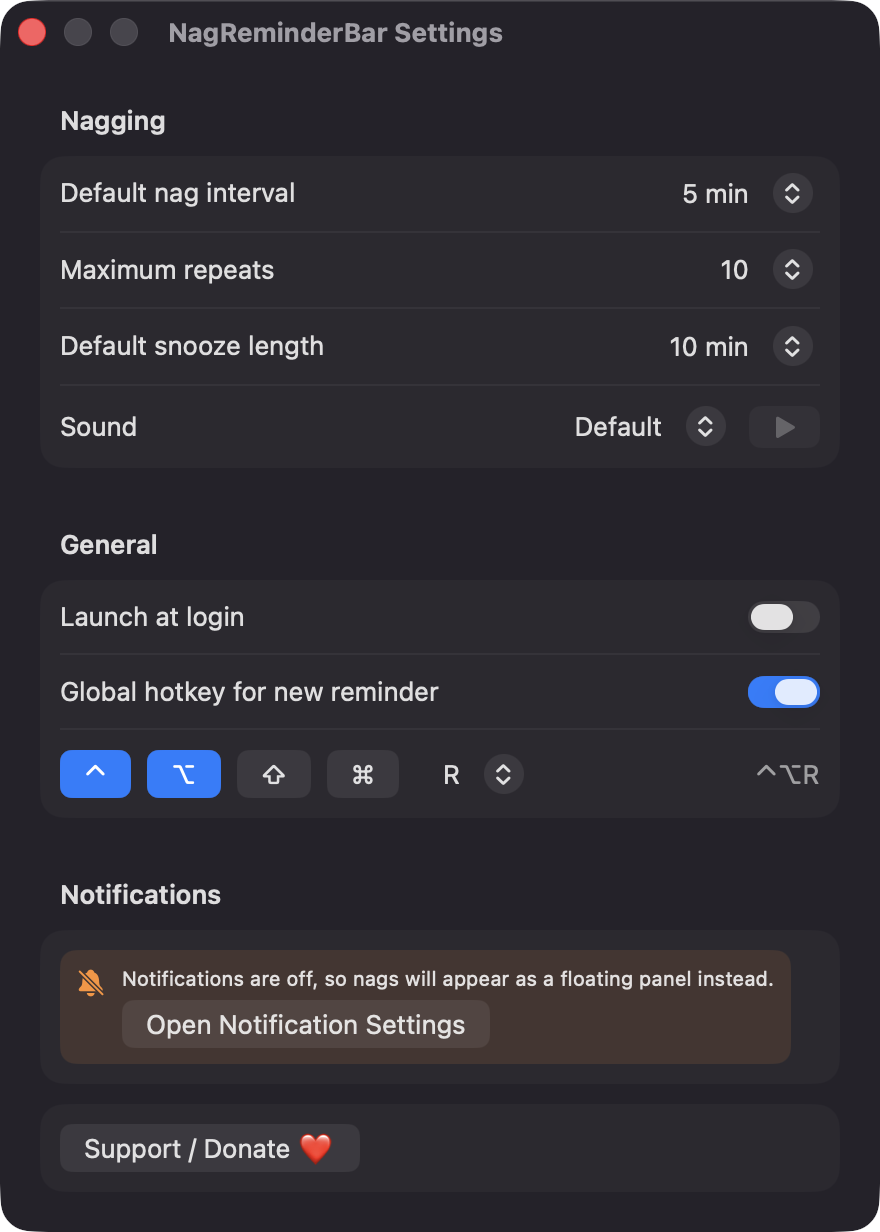
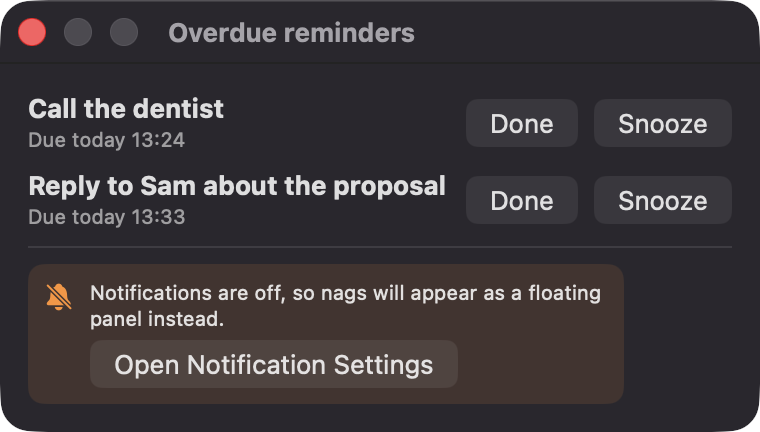
Overdue reminders are re-delivered every 1, 5, 10, 15, 30 or 60 minutes, up to a repeat limit you choose or without limit. Done, Snooze and Tomorrow are one click away in the notification.
Press ⌃⌥R in any app to open a floating entry panel. The shortcut is configurable in Settings.
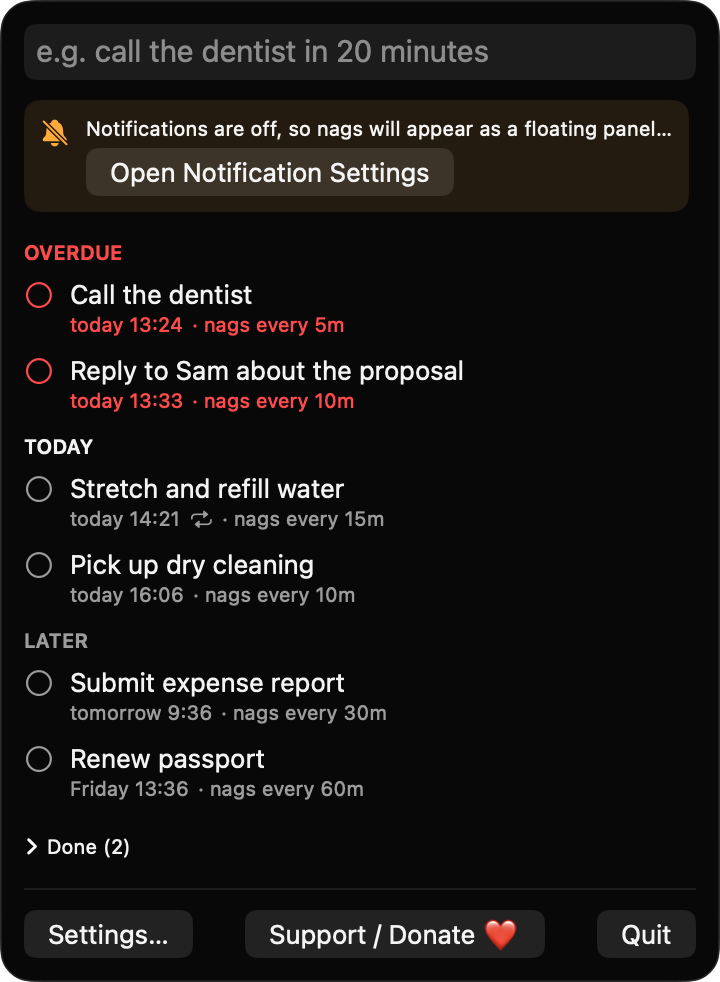
Recurring reminders move to their next occurrence when completed. The menu bar list groups items into Overdue, Today and Later, with a badge counting what's overdue.
After your Mac wakes you get a single catch-up notification instead of a burst. If notifications are off, nags fall back to a floating panel.
Reminders are stored as JSON on your Mac. There are no accounts, no analytics and no third-party dependencies.
Screenshots
Install
NagReminderBar is open source and not notarized with a paid Apple Developer ID, so macOS needs one extra step the first time.
xattr -cr /Applications/NagReminderBar.app
Download
Free, forever. Built for macOS 14 Sonoma or newer, Apple Silicon and Intel.
Not notarized: on first launch right-click NagReminderBar.app → Open.
FAQ
Yes. It is free to use and released under the MIT license, with the full source on GitHub. If you find it useful, there is an optional Support button that links to Ko-fi.
Only Notifications, so it can deliver reminders with Done, Snooze and Tomorrow actions. Launch at login is optional. It does not ask for Accessibility, Screen Recording, Calendar, Contacts or network access.
Reminders are saved as a JSON file at ~/Library/Application Support/NagReminderBar/reminders.json. Nothing is sent anywhere, and you can delete the file at any time.
Notarization requires a paid Apple Developer account, which this free project doesn't have. Right-click the app and choose Open once to get past Gatekeeper, or build it yourself from source.
Yes. NagReminderBar was generated by Claude Code from a written spec as a clean-room reimplementation, with no code or assets from any commercial app. The full source is on GitHub under MIT, so you can read every line before you run it. It has had less human review than a hand-written app, so bug reports are welcome.
Support ❤️
NagReminderBar is a free, open-source alternative to paid utilities. If it earns a spot on your Mac, a coffee keeps the updates coming.
☕ Support Or on Ko-fi