Paste with a hotkey
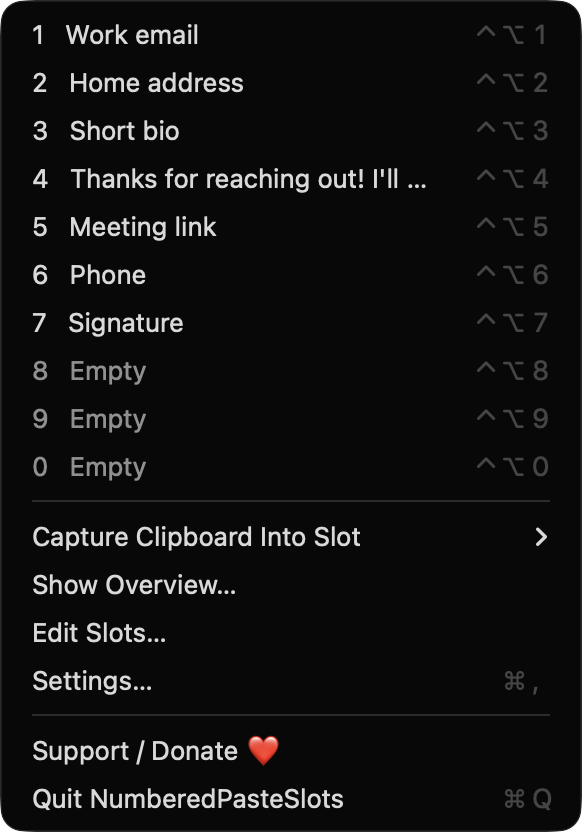
Press Control+Option and a digit (1 to 9, then 0) to paste that slot into the frontmost app. Hotkeys use digit-row key codes, so they work across keyboard layouts.

Open source · macOS 14+ · Universal binary · Clipboard
Save the text and images you paste all the time into ten fixed slots, then fire any of them into the frontmost app with Control+Option plus a digit. Free, native and offline.
Free & MIT licensed · Apple Silicon & Intel · Latest release
Features
Everything lives in the menu bar and a few global hotkeys, so your most-used snippets are always one keystroke away.
Press Control+Option and a digit (1 to 9, then 0) to paste that slot into the frontmost app. Hotkeys use digit-row key codes, so they work across keyboard layouts.
Press Control+Option+Shift and a digit to save whatever you just copied into that slot. Text is preferred, with PNG or TIFF images as the fallback.
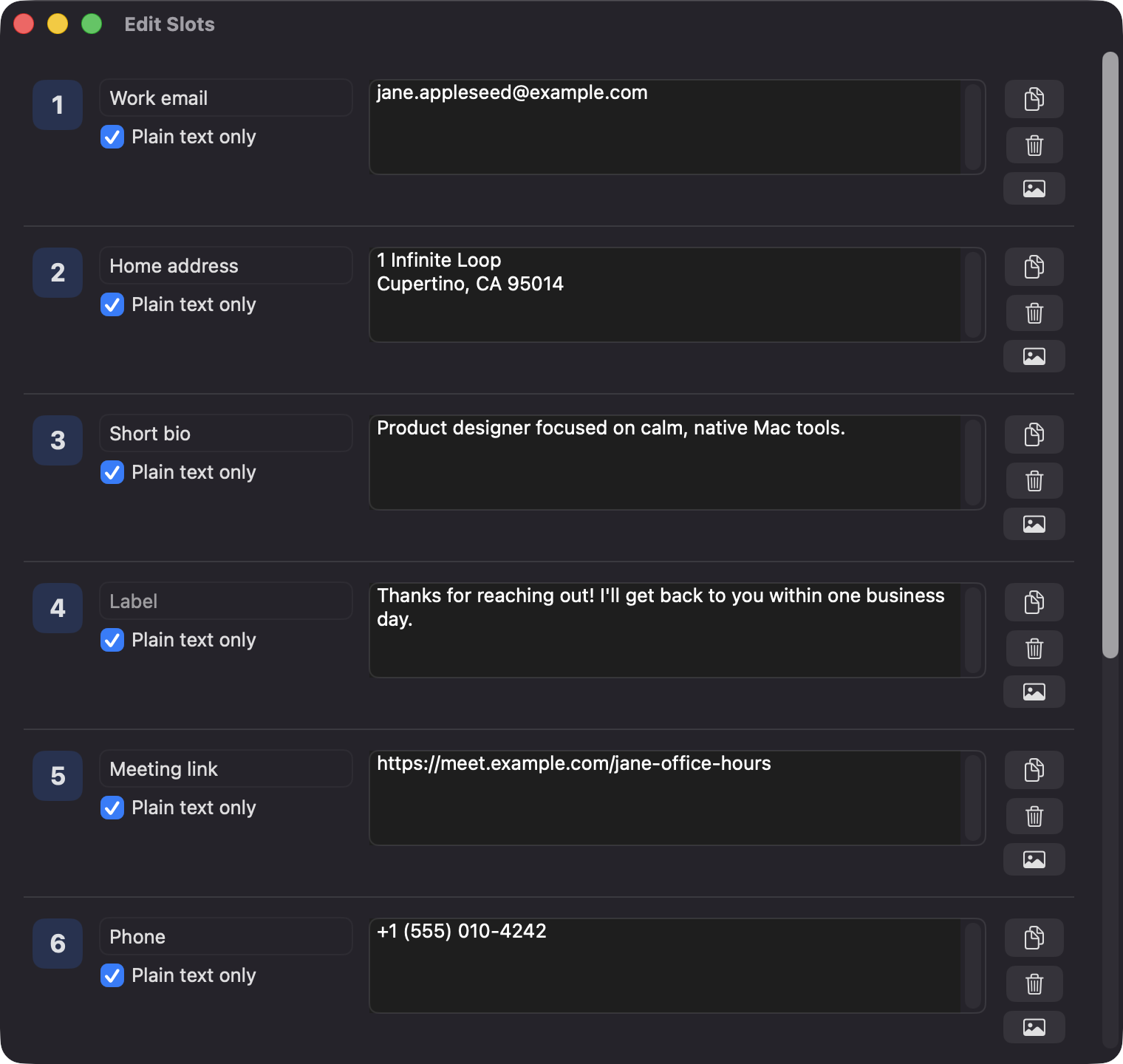
Each slot holds either text or an image, with an optional label. A per-slot plain-text option strips rich-text formatting from captured text.
Edit Slots lets you label and edit every slot, and drag a digit badge onto another row to swap them. Drop image files straight onto an image slot.
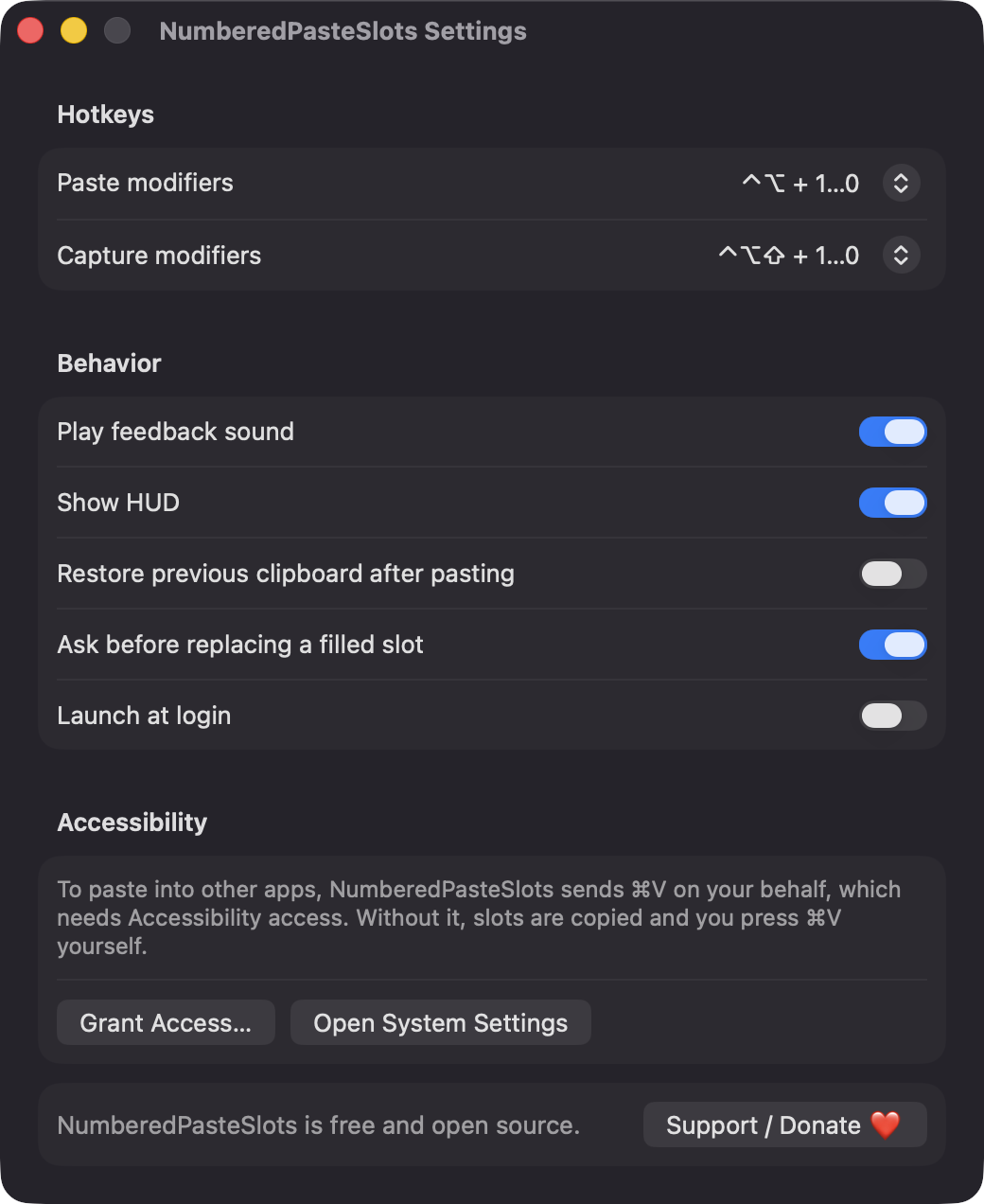
Choose from nine modifier presets per hotkey, with warnings for identical combinations and known macOS shortcuts. It asks before replacing a filled slot, unless you turn that off.
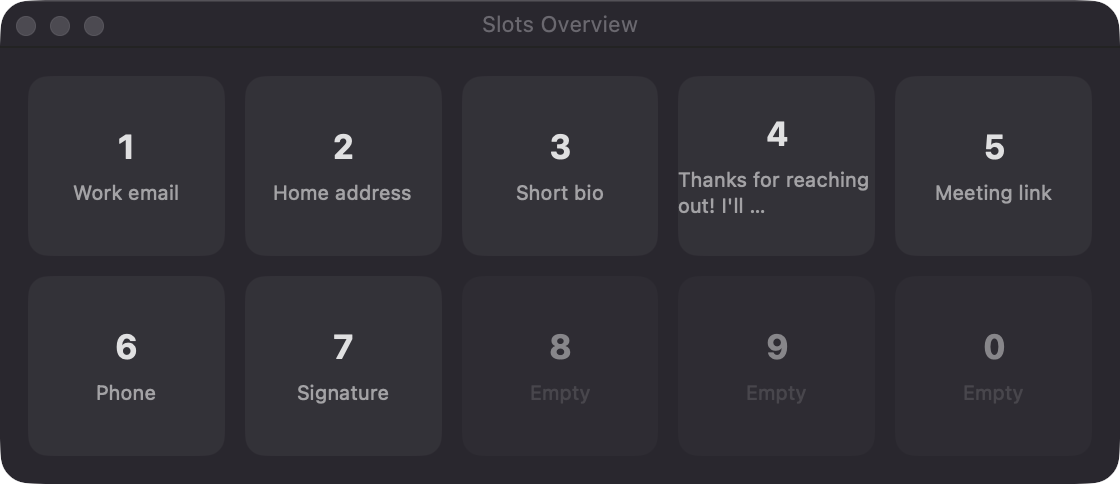
Lives in the menu bar with no Dock icon. A floating overview shows all ten slots in a grid, and a click pastes into the app you were using.
Screenshots
Install
NumberedPasteSlots is open source and not notarized with a paid Apple Developer ID, so macOS needs one extra step the first time.
xattr -cr /Applications/NumberedPasteSlots.app
Download
Free, forever. Built for macOS 14 Sonoma or newer, Apple Silicon and Intel.
Not notarized: on first launch right-click NumberedPasteSlots.app → Open.
FAQ
Yes. It is released under the MIT license, with no accounts, no servers and no analytics. If it saves you time you can optionally support development through the Support button, but nothing is locked behind it.
Only Accessibility, which is required to send Command+V to the app you are using. Without it, the slot is still copied to the clipboard and a message tells you to press Command+V yourself. It does not request Screen Recording, Microphone, Camera or Contacts.
Locally on your Mac in ~/Library/Application Support/NumberedPasteSlots. Text and slot metadata are kept in a JSON file and images are saved as PNG files. Nothing is sent anywhere.
Notarization requires a paid Apple Developer account, and this is a free project. Right-click the app and choose Open once to run it, or build it yourself from source with Xcode and XcodeGen.
Yes. NumberedPasteSlots was generated by Claude Code from a written spec as a clean-room reimplementation, with no code or assets from any commercial app. The full source is on GitHub under MIT, so you can read every line before you run it. It has had less human review than a hand-written app, so bug reports are welcome.
Support ❤️
NumberedPasteSlots is a free, open-source alternative to paid utilities. If it earns a spot on your Mac, a coffee keeps the updates coming.
☕ Support Or on Ko-fi