Drag to rank devices
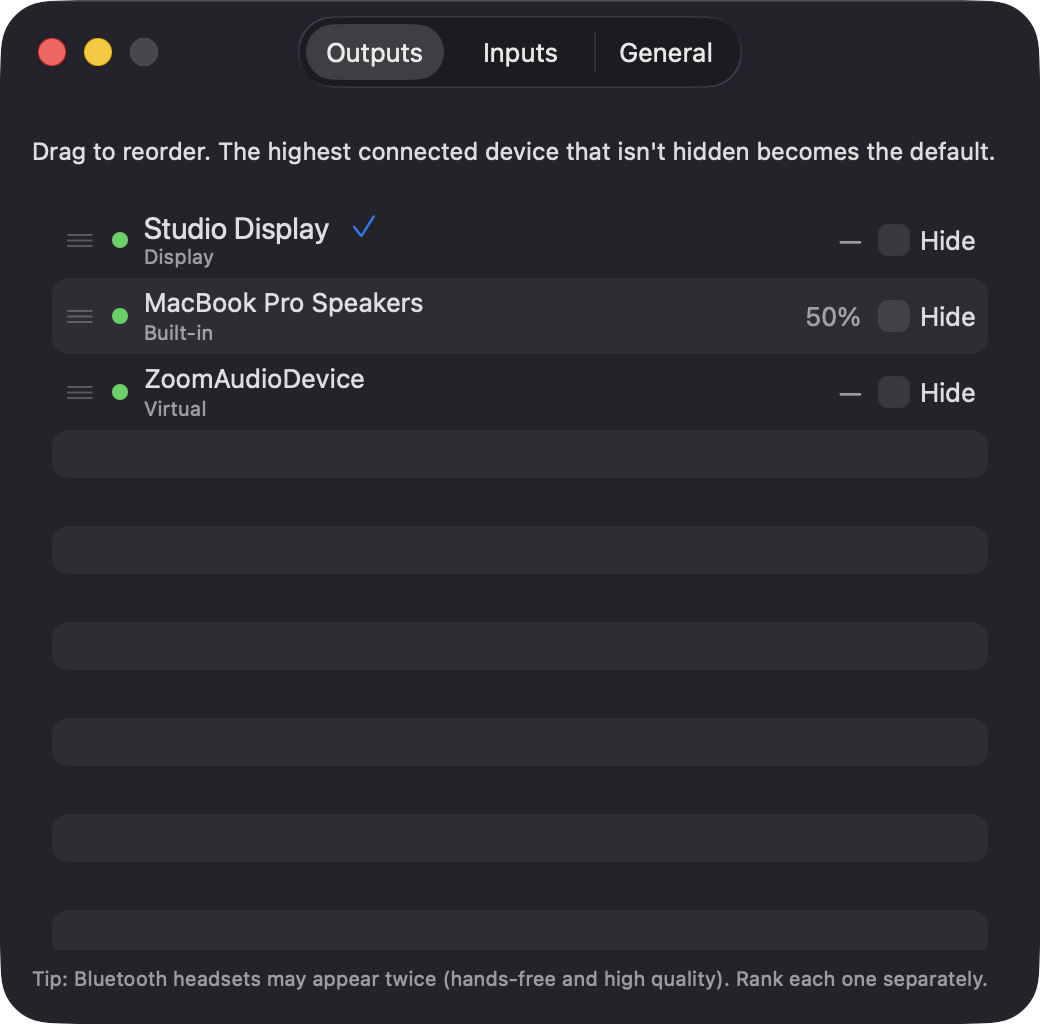
Outputs and inputs each get their own list that you reorder by dragging in Settings. Disconnected devices stay greyed out in place, so their rank is kept.
Open source · macOS 14+ · Universal binary · Audio
OutputRanker lives in the menu bar and switches your Mac to the highest-ranked connected input and output. Cycle devices anytime with global hotkeys, with a volume HUD.
Free & MIT licensed · Apple Silicon & Intel · Latest release
Features
One job done well: decide which device the Mac should use, and switch to it for you.
Outputs and inputs each get their own list that you reorder by dragging in Settings. Disconnected devices stay greyed out in place, so their rank is kept.
When a device appears or disappears, the highest-ranked connected one becomes the default. If a device fails to take over, the next in the list is tried.
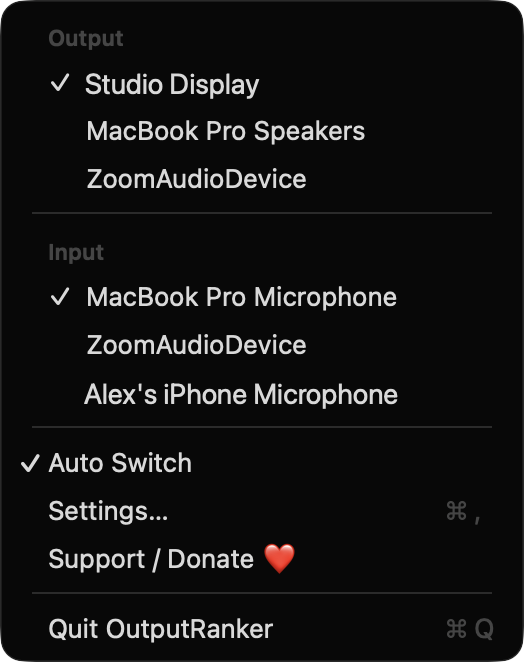
Pick a device from the menu and it holds until the device list next changes. Inputs and outputs are overridden separately, and Auto Switch can be turned off entirely.
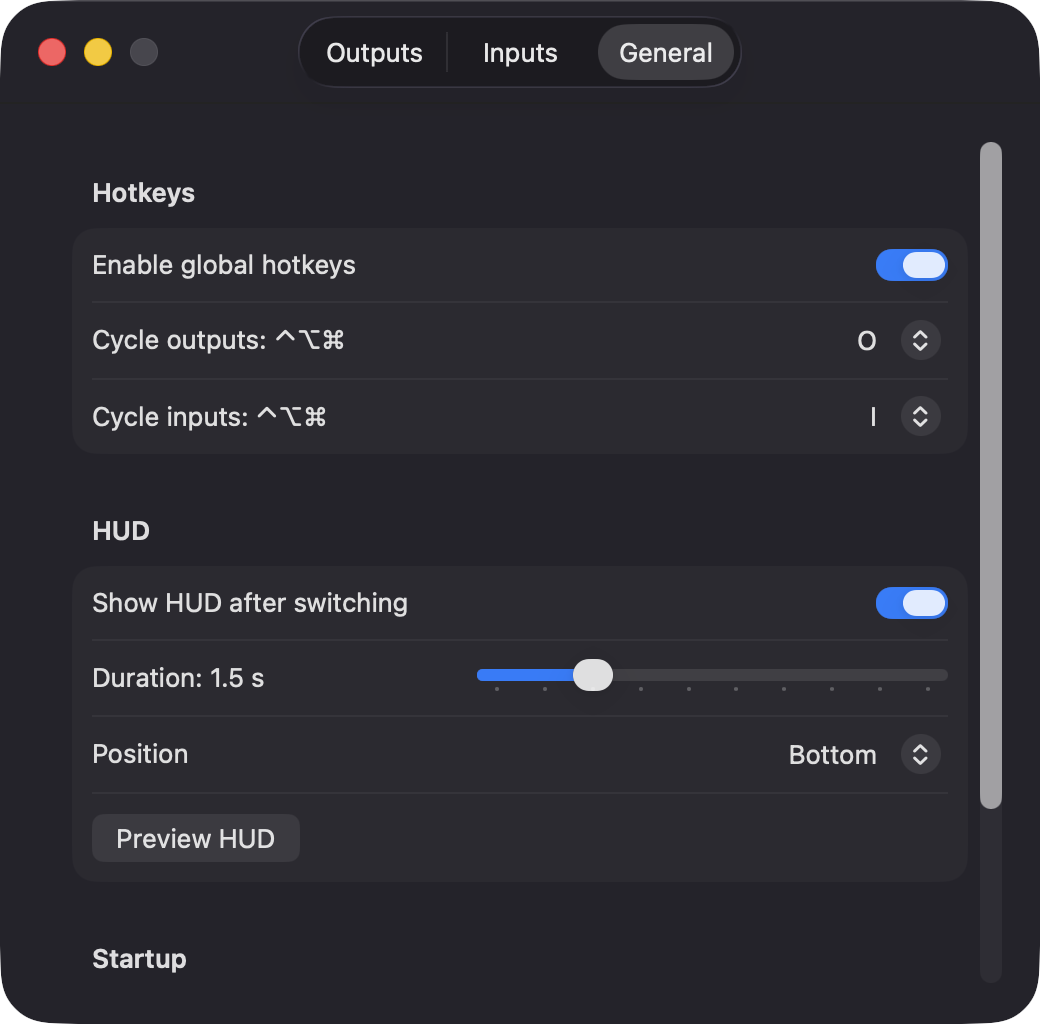
Cycle outputs and inputs from anywhere with Control-Option-Command plus a letter you choose. The defaults are O for outputs and I for inputs.
After a switch, a click-through panel shows the device name and its volume. Choose its duration from 0.5 to 5 seconds and its position at top, center or bottom.
Each device's volume is saved and restored when you switch back to it. You can also hide devices, such as virtual drivers, from switching and cycling.
Screenshots
Install
OutputRanker is open source and not notarized with a paid Apple Developer ID, so macOS needs one extra step the first time.
xattr -cr /Applications/OutputRanker.app
Download
Free, forever. Built for macOS 14 Sonoma or newer, Apple Silicon and Intel.
Not notarized: on first launch right-click OutputRanker.app → Open.
FAQ
Yes. It is released under the MIT license and the full source is on GitHub. There is no account, no server and no analytics, and optional donations on Ko-fi are the only way to support it.
None. Hotkeys use Carbon, so Accessibility is not needed, and the HUD is just a window the app draws, so Screen Recording is not needed. It never captures audio, so it does not ask for Microphone access either.
Only on your Mac, in UserDefaults. That includes your device rankings (as device IDs), hidden devices, device names and per-device volumes. Nothing is sent anywhere.
Notarization requires a paid Apple Developer account, and this is a free project. Right-click the app and choose Open once to run it, or build it yourself from source with Xcode and XcodeGen.
Yes. OutputRanker was generated by Claude Code from a written spec as a clean-room reimplementation, with no code or assets from any commercial app. The full source is on GitHub under MIT, so you can read every line before you run it. It has had less human review than a hand-written app, so bug reports are welcome.
Support ❤️
OutputRanker is a free, open-source alternative to paid utilities. If it earns a spot on your Mac, a coffee keeps the updates coming.
☕ Support Or on Ko-fi