Two global hotkeys
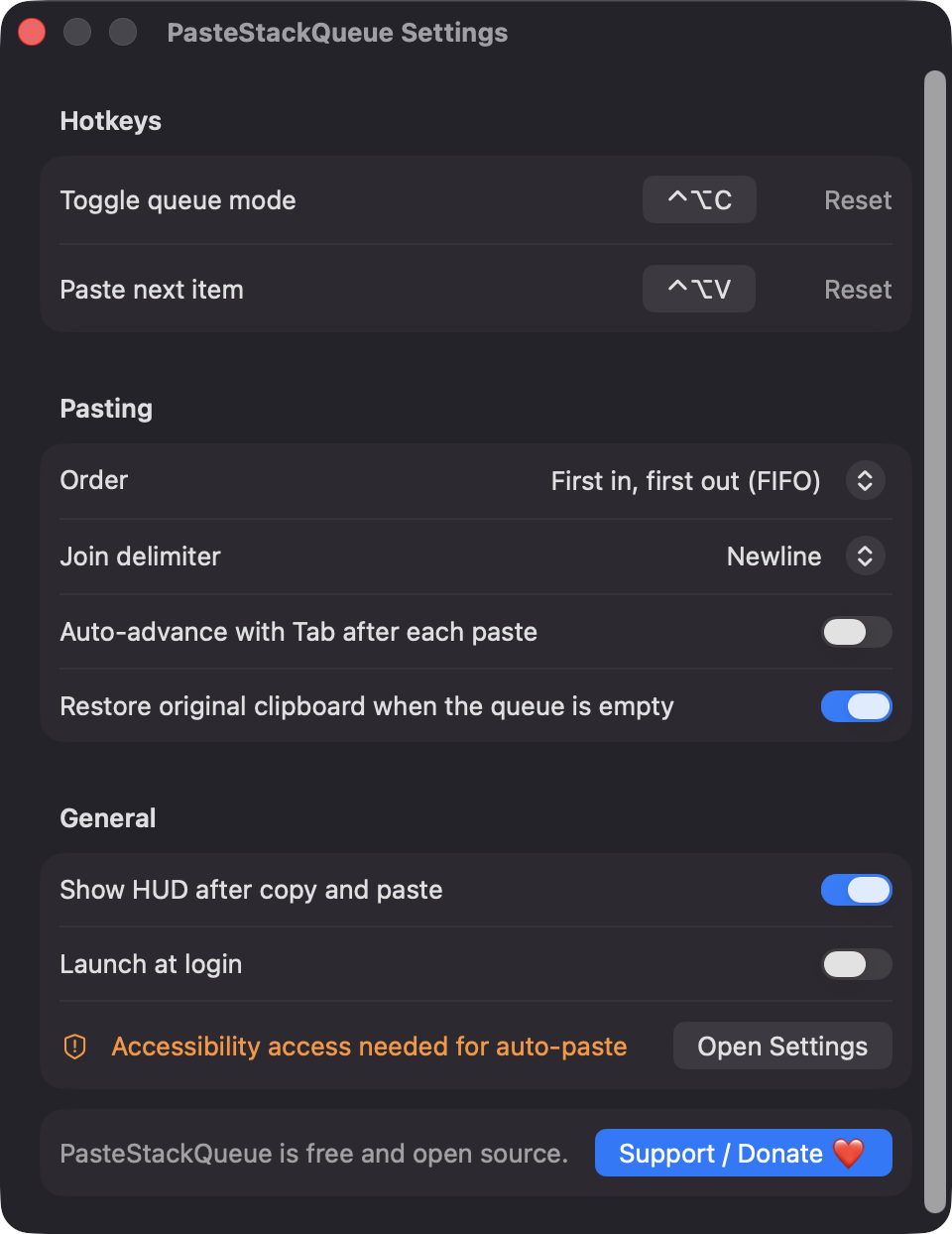
Toggle queue mode with Control-Option-C and paste the next item with Control-Option-V. Both can be re-recorded in Settings, with a warning if a shortcut is unavailable.

Open source · macOS 14+ · Universal binary · Clipboard
PasteStackQueue turns on a copy queue with Control-Option-C, then pastes each item into the frontmost app in order with Control-Option-V. Free, native and offline.
Free & MIT licensed · Apple Silicon & Intel · Latest release
Features
A small menu bar app that does multi-item copy and paste and nothing else.
Toggle queue mode with Control-Option-C and paste the next item with Control-Option-V. Both can be re-recorded in Settings, with a warning if a shortcut is unavailable.
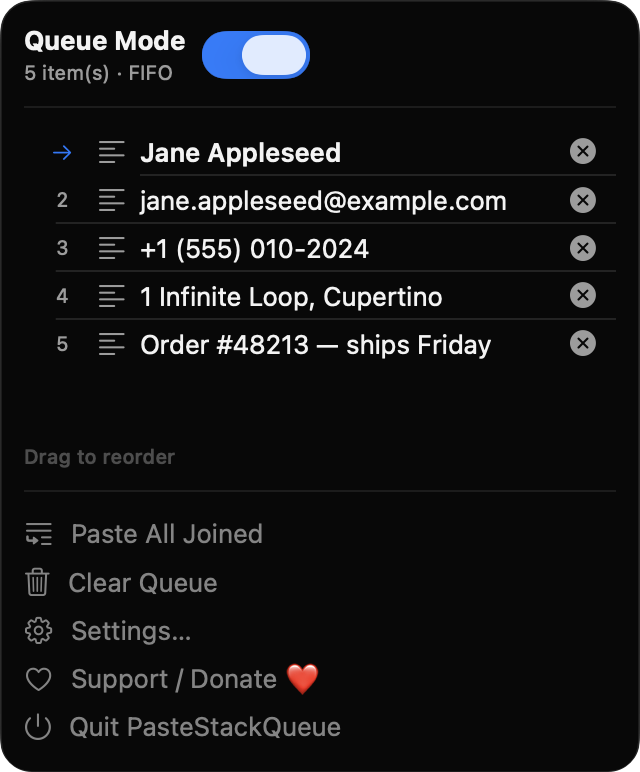
Paste oldest-first or newest-first, or paste the whole queue at once joined by a newline, comma, tab, space or semicolon.
Optionally send a Tab keypress after each paste so values land in successive fields. Text, files and images can all be queued.
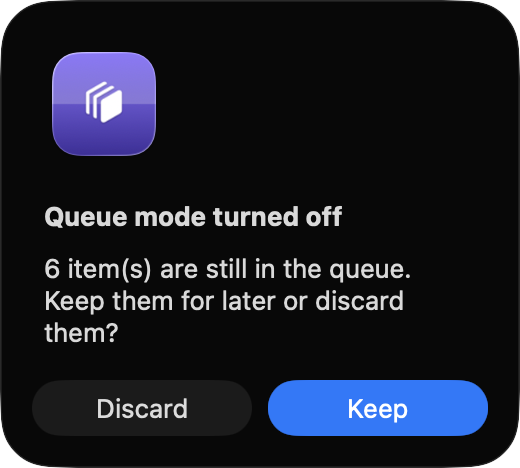
See queued items with the next one marked by an arrow. Drag to reorder, delete single items or clear the queue. A brief HUD confirms each copy and paste.
Concealed, transient and auto-generated pasteboard types such as password manager copies are ignored. Items over 1 MB are skipped and the queue is capped at 200.
The queue is mirrored to a small JSON file, and your original clipboard can be restored when the queue empties. Launch at login is optional.
Screenshots
Install
PasteStackQueue is open source and not notarized with a paid Apple Developer ID, so macOS needs one extra step the first time.
xattr -cr /Applications/PasteStackQueue.app
Download
Free, forever. Built for macOS 14 Sonoma or newer, Apple Silicon and Intel.
Not notarized: on first launch right-click PasteStackQueue.app → Open.
FAQ
Yes. It is released under the MIT license, with no accounts, no ads and no paid tier. The full source is on GitHub, and a donation link is there if you want to support development.
Only Accessibility, which is used to send Command-V (and the optional Tab) to the frontmost app. Without it, the paste hotkey still places the next item on your clipboard and you press Command-V yourself. The app has no network access.
Only on your Mac. While the queue has items, it is mirrored to a small JSON file in ~/Library/Application Support/PasteStackQueue/ so a crash does not lose it. Nothing is sent anywhere.
Notarization requires a paid Apple Developer account, and this is a free project. Right-click the app and choose Open once to launch it, or build it yourself from source with Xcode.
Yes. PasteStackQueue was generated by Claude Code from a written spec as a clean-room reimplementation, with no code or assets from any commercial app. The full source is on GitHub under MIT, so you can read every line before you run it. It has had less human review than a hand-written app, so bug reports are welcome.
Support ❤️
PasteStackQueue is a free, open-source alternative to paid utilities. If it earns a spot on your Mac, a coffee keeps the updates coming.
☕ Support Or on Ko-fi