Global pin hotkey
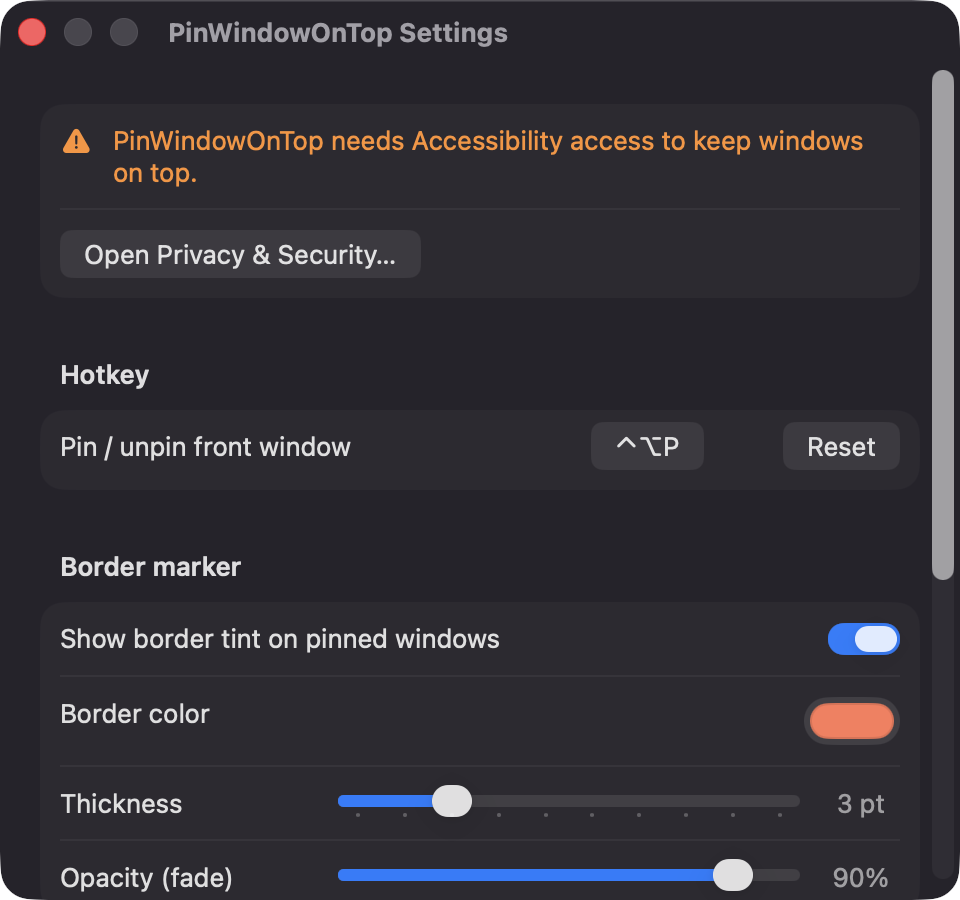
Pin or unpin the frontmost window from any app with Control-Option-P. You can re-record the shortcut in Settings or reset it to the default.

Open source · macOS 14+ · Universal binary · Window Management
PinWindowOnTop is a free menu bar utility that keeps the windows you choose above everything else. Press Control-Option-P to pin the frontmost window, and again to unpin it.
Free & MIT licensed · Apple Silicon & Intel · Latest release
Features
Everything runs locally on your Mac, with no accounts, servers or network access.
Pin or unpin the frontmost window from any app with Control-Option-P. You can re-record the shortcut in Settings or reset it to the default.
Pin as many windows as you need. Their order stays stable, and windows with identical titles are told apart by window ID.
Draw a click-through colored border around pinned windows. Choose the color, thickness from 1 to 10 pt, and opacity.
Gentle mode raises pinned windows only when the active app changes. Pins also pause while a non-pinned app is full screen.
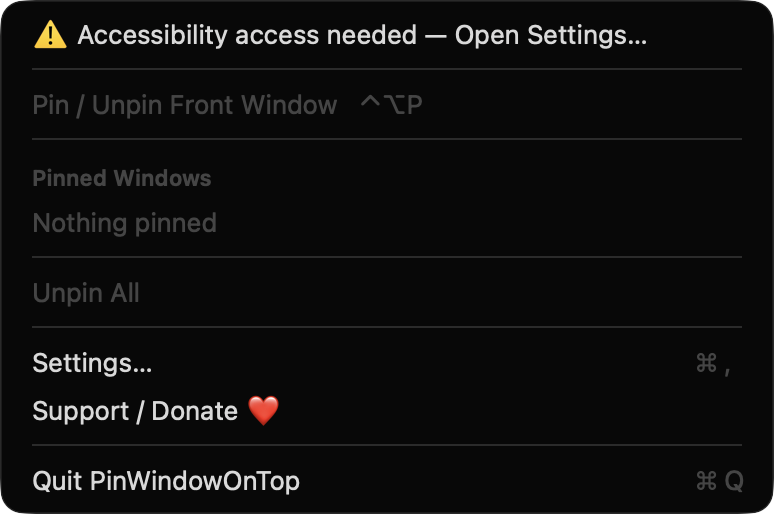
The pin icon fills when something is pinned. The menu lists each pinned window by app and title, with Focus, Unpin and Unpin All actions.
Pins are dropped when a window closes or its app quits. Minimized windows and windows on other Spaces pause, then resume when visible. Launch at login is optional.
Screenshots
Install
PinWindowOnTop is open source and not notarized with a paid Apple Developer ID, so macOS needs one extra step the first time.
xattr -cr /Applications/PinWindowOnTop.app
Download
Free, forever. Built for macOS 14 Sonoma or newer, Apple Silicon and Intel.
Not notarized: on first launch right-click PinWindowOnTop.app → Open.
FAQ
Yes. It is released under the MIT license, and the full source is on GitHub. There are no accounts, subscriptions or paid tiers, and optional donations help support development.
It needs Accessibility access to find the focused window, raise pinned windows, and watch for move, resize, minimize and close events. It does not request Screen Recording, Microphone, Camera or network access, and it reads only window titles, positions and sizes.
Only on your Mac. Your hotkey and border appearance settings are saved in the app's local preferences. Pinned windows are tracked in memory and are not persisted or sent anywhere.
Notarization requires a paid Apple Developer account, and this is a free project. Right-click the app and choose Open once to launch it, or build it yourself from source with Xcode and XcodeGen.
Yes. PinWindowOnTop was generated by Claude Code from a written spec as a clean-room reimplementation, with no code or assets from any commercial app. The full source is on GitHub under MIT, so you can read every line before you run it. It has had less human review than a hand-written app, so bug reports are welcome.
Support ❤️
PinWindowOnTop is a free, open-source alternative to paid utilities. If it earns a spot on your Mac, a coffee keeps the updates coming.
☕ Support Or on Ko-fi