Secret detection built in
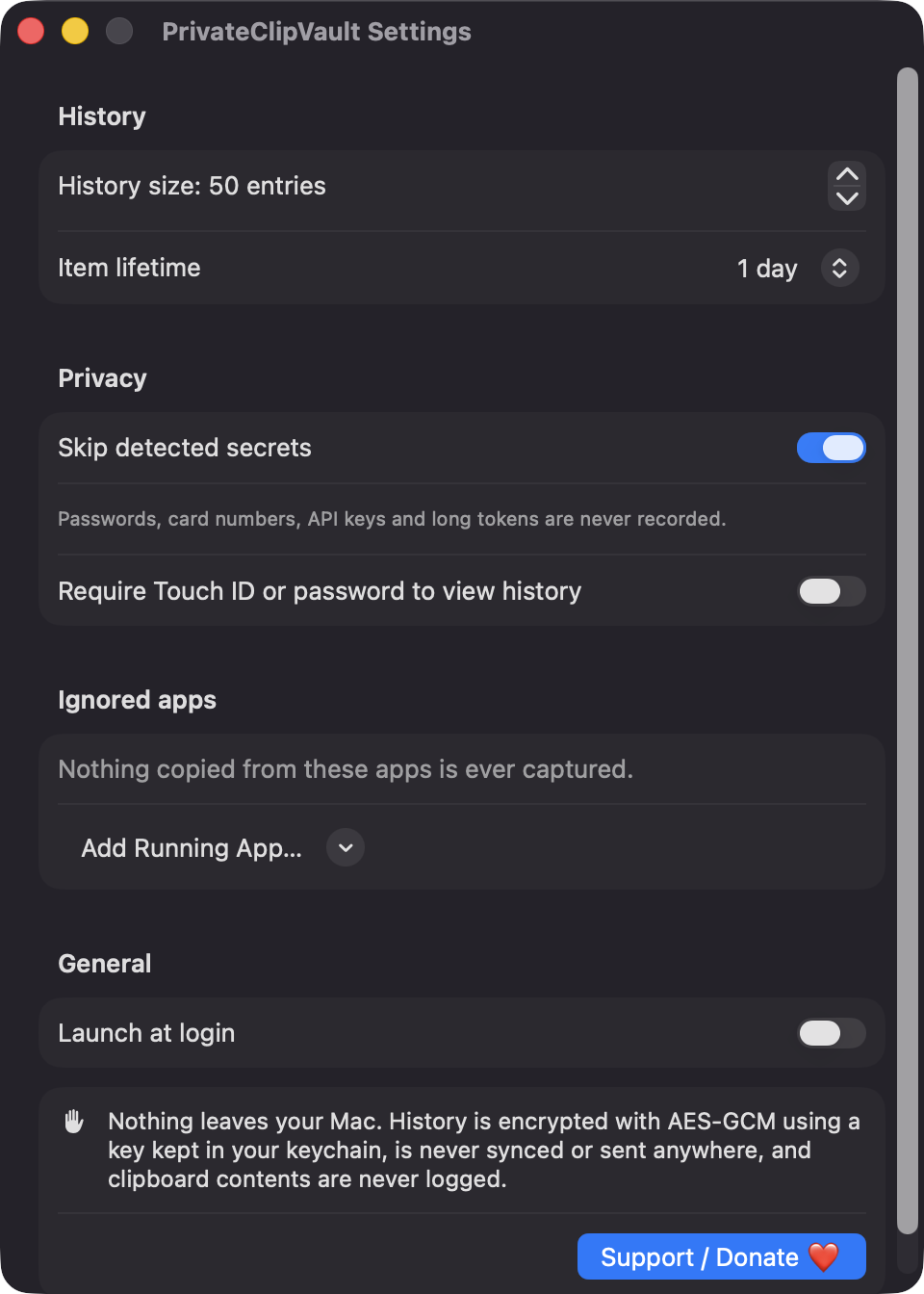
Skips items flagged concealed by password managers, Luhn-valid card numbers, known key prefixes like ghp_ and AKIA, and long high-entropy tokens.
Open source · macOS 14+ · Universal binary · Clipboard
PrivateClipVault lives in your menu bar and remembers what you copy, minus passwords, card numbers and API keys. History expires on its own and is encrypted on your Mac.
Free & MIT licensed · Apple Silicon & Intel · Latest release
Features
Everything stays on your Mac, with no server, no account and no network code.
Skips items flagged concealed by password managers, Luhn-valid card numbers, known key prefixes like ghp_ and AKIA, and long high-entropy tokens.
Choose a lifetime of 1 minute, 5 minutes, 1 hour, 1 day or never. Expired items are removed from disk on the next write.
History is sealed with AES-GCM. The 256-bit key lives in your login keychain, not next to the data.
Require Touch ID or your account password to view history. It re-locks after 60 seconds of inactivity and when the screen locks.
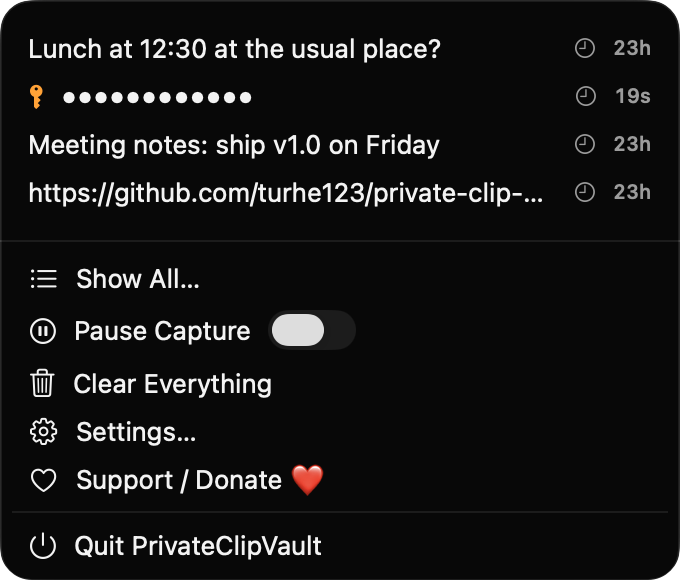
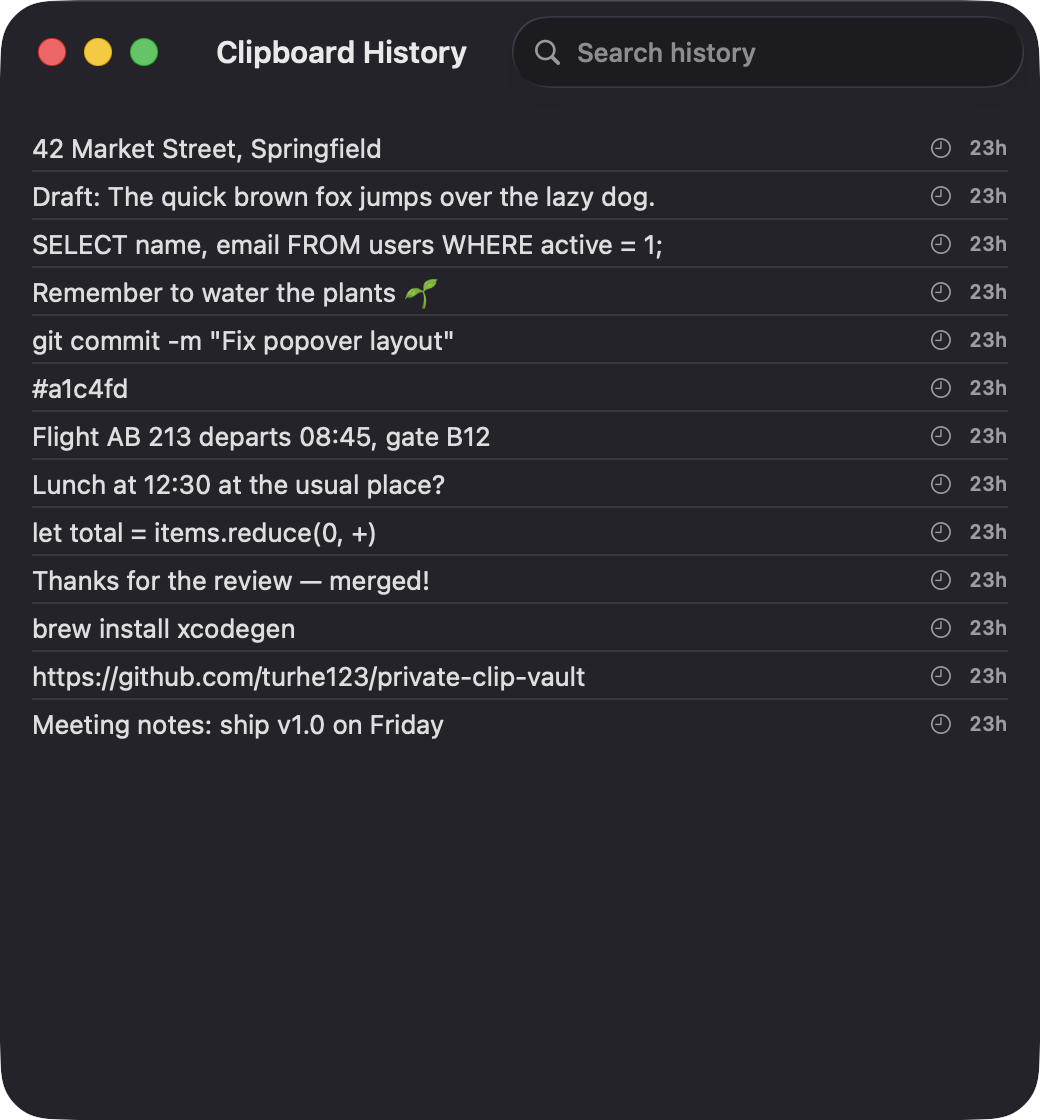
The menu shows your 10 most recent clips. Show All opens a searchable list, and clicking an entry copies it back.
Ignore specific apps, pause capture, clear everything, and set history size from 10 to 500 entries. Launch at login is optional.
Screenshots
Install
PrivateClipVault is open source and not notarized with a paid Apple Developer ID, so macOS needs one extra step the first time.
xattr -cr /Applications/PrivateClipVault.app
Download
Free, forever. Built for macOS 14 Sonoma or newer, Apple Silicon and Intel.
Not notarized: on first launch right-click PrivateClipVault.app → Open.
FAQ
Yes. It is released under the MIT license, and the full source is on GitHub. There are no ads, accounts, analytics or paid tiers.
None of the privacy permissions: no Accessibility, Screen Recording or Microphone access. It uses the keychain for its own encryption key, and Touch ID only if you turn on the lock.
In an encrypted file at ~/Library/Application Support/PrivateClipVault/vault.sealed on your Mac. The key is in your login keychain, and nothing is ever sent over the network.
Notarization requires a paid Apple Developer account, which this free project does not have. Right-click the app and choose Open once to approve it, or build it yourself from source.
Yes. PrivateClipVault was generated by Claude Code from a written spec as a clean-room reimplementation, with no code or assets from any commercial app. The full source is on GitHub under MIT, so you can read every line before you run it. It has had less human review than a hand-written app, so bug reports are welcome.
Support ❤️
PrivateClipVault is a free, open-source alternative to paid utilities. If it earns a spot on your Mac, a coffee keeps the updates coming.
☕ Support Or on Ko-fi