One global hotkey
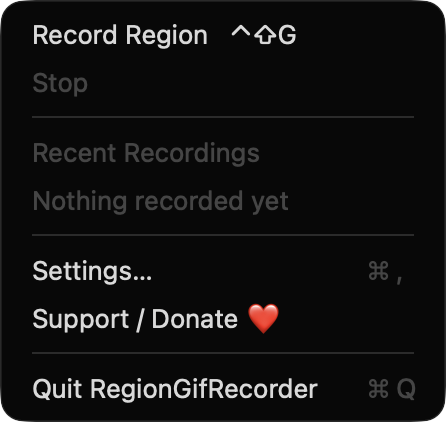
Start region selection from any app with ⌃⇧G, or rebind it in Settings. Press it again, or click the menu bar item, to stop.

Open source · macOS 14+ · Universal binary · Screen & OCR
Press ⌃⇧G, drag over any part of your screen, and press it again to stop. RegionGifRecorder saves a looping GIF to your folder and copies it to the clipboard.
Free & MIT licensed · Apple Silicon & Intel · Latest release
Features
A small menu bar app that covers the full path from hotkey to a shareable file, with limits that keep the output small.
Start region selection from any app with ⌃⇧G, or rebind it in Settings. Press it again, or click the menu bar item, to stop.
A dimmed overlay with a crosshair shows the live pixel size as you drag. Press Esc to cancel selections under 20 px are discarded.
The icon becomes a red dot with elapsed time while recording, and a red outline marks the region without appearing in the GIF. An optional 3-second countdown is available.
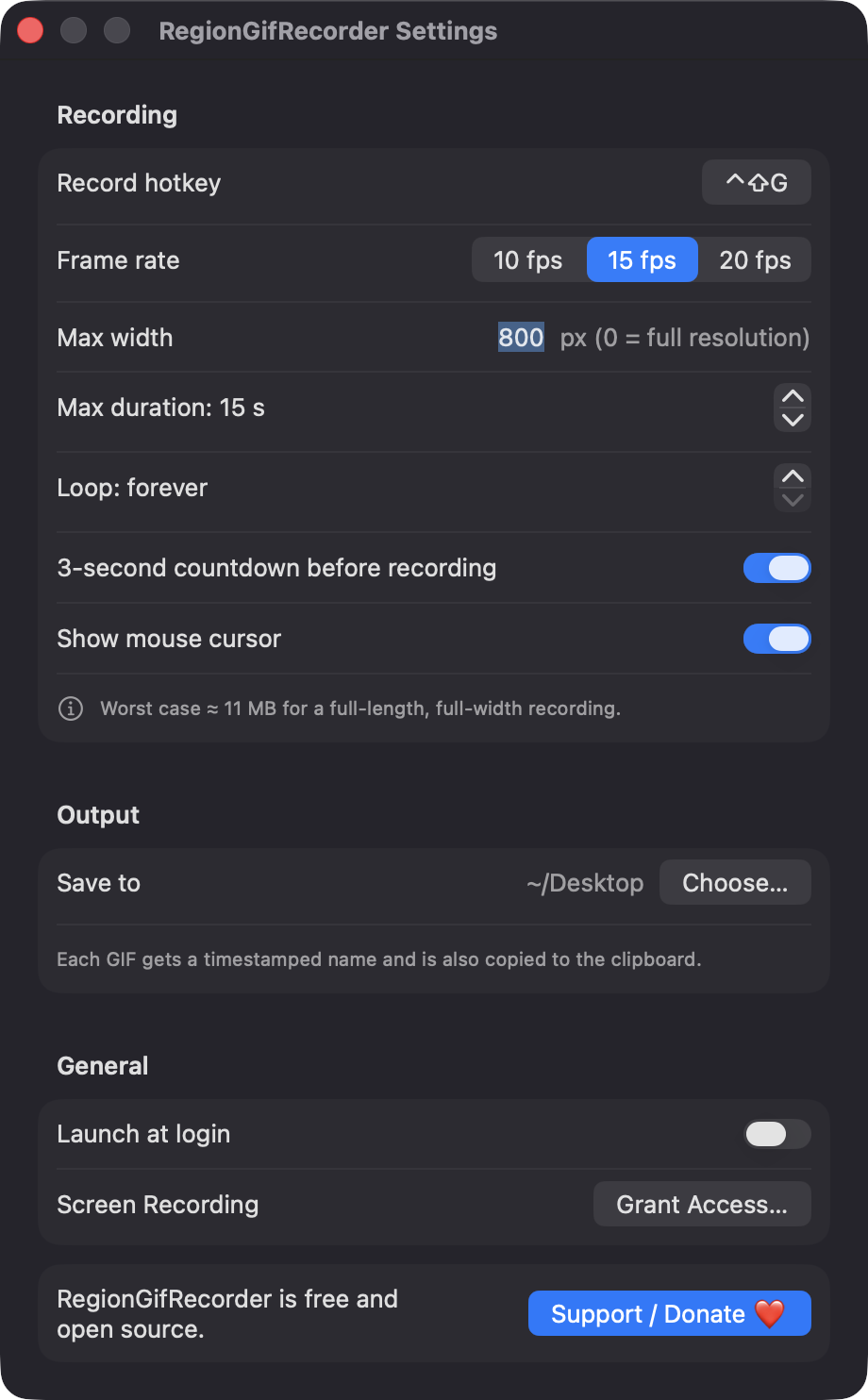
Choose 10, 15 or 20 fps, a max width, a max duration of 3 to 30 seconds, cursor on or off, and a loop count. Settings show an estimate of the largest possible file.
Each GIF gets a timestamped name in your chosen folder and is copied to the clipboard as a file. A notification offers Reveal in Finder, and the last ten recordings stay in the menu.
Frames are written to disk as JPEGs and assembled on stop, and frames are skipped if the encoder falls behind. Frame delays come from capture timestamps.
Screenshots
Install
RegionGifRecorder is open source and not notarized with a paid Apple Developer ID, so macOS needs one extra step the first time.
xattr -cr /Applications/RegionGifRecorder.app
Download
Free, forever. Built for macOS 14 Sonoma or newer, Apple Silicon and Intel.
Not notarized: on first launch right-click RegionGifRecorder.app → Open.
FAQ
Yes. It is released under the MIT license, and the full source is on GitHub. There is no paid tier, and the optional Support button simply opens a Ko-fi page.
Screen Recording is required, because ScreenCaptureKit uses it to capture your selected region. Notifications are optional and only used to tell you when a GIF is saved. It needs no Accessibility or Microphone access, and it records video only.
GIFs are saved in the folder you choose in Settings, which is the Desktop by default. Your preferences are kept in the app's local settings on your Mac, and the app makes no network calls and has no analytics.
Notarization requires a paid Apple Developer account, and this is a free project. Right-click the app and choose Open once to get past Gatekeeper, or build it yourself from source with Xcode.
Yes. RegionGifRecorder was generated by Claude Code from a written spec as a clean-room reimplementation, with no code or assets from any commercial app. The full source is on GitHub under MIT, so you can read every line before you run it. It has had less human review than a hand-written app, so bug reports are welcome.
Support ❤️
RegionGifRecorder is a free, open-source alternative to paid utilities. If it earns a spot on your Mac, a coffee keeps the updates coming.
☕ Support Or on Ko-fi