Global hotkey region scan
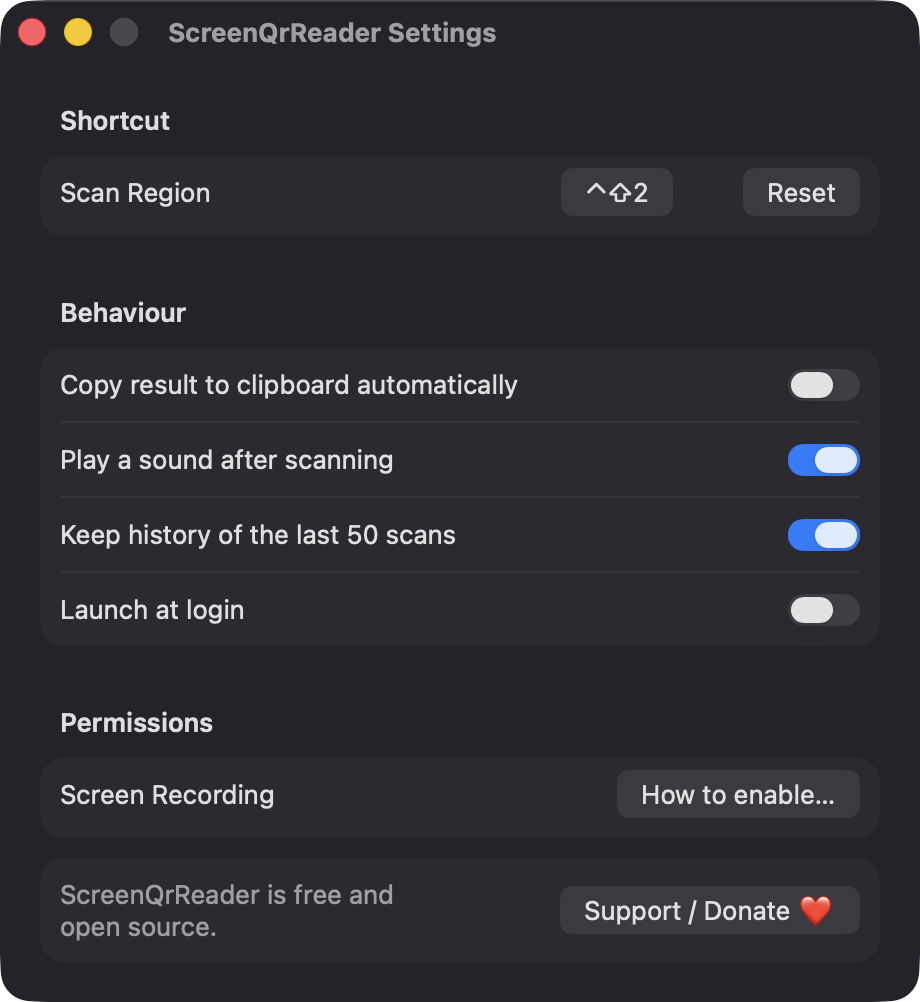
Press Control-Shift-2 to dim the screen and drag a box around the code. Escape cancels, and you can record a different shortcut in Settings.
Open source · macOS 14+ · Universal binary · Screen & OCR
Press Control-Shift-2, drag over a QR code or barcode in a web page, video call or PDF, and copy or open what it contains. Free, native and fully offline.
Free & MIT licensed · Apple Silicon & Intel · Latest release
Features
A small menu-bar utility that decodes what you point at and never opens anything without your say-so.
Press Control-Shift-2 to dim the screen and drag a box around the code. Escape cancels, and you can record a different shortcut in Settings.
Uses Apple Vision to read QR, Micro QR, Data Matrix, Aztec, PDF417, EAN, UPC, Code 128, Code 39 and more. If a small code is missed, it retries at 2x upscale.
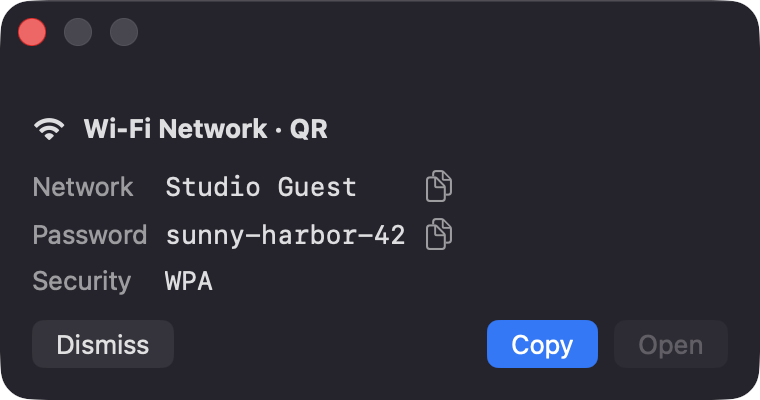
Payloads are classified as link, Wi-Fi network, contact, product code or plain text. Wi-Fi codes show the network name, password and security type, each with its own copy button.
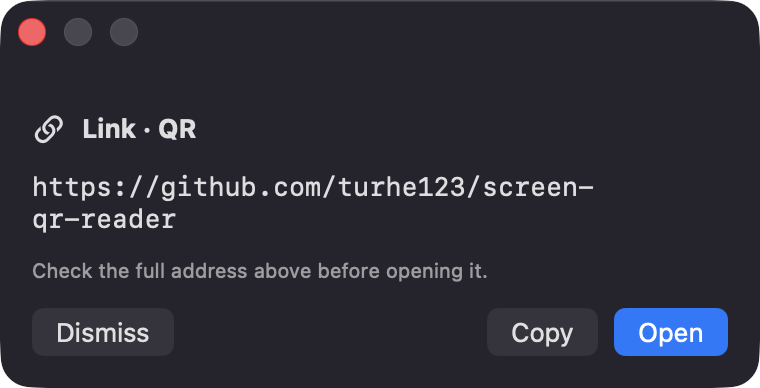
The full address is shown first, and Open is only enabled for links. If a selection contains several codes, you pick which one to use.
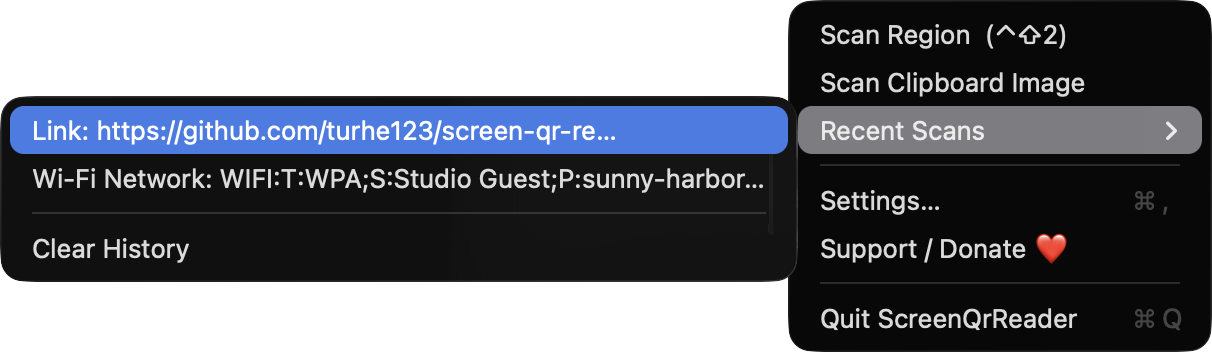
Scan a copied screenshot from the menu, and revisit the last 50 scans in Recent Scans. History is optional, and turning it off clears it immediately.
Captures the exact region you select at full resolution on any connected display. It lives in the menu bar, with no Dock icon.
Screenshots
Install
ScreenQrReader is open source and not notarized with a paid Apple Developer ID, so macOS needs one extra step the first time.
xattr -cr /Applications/ScreenQrReader.app
Download
Free, forever. Built for macOS 14 Sonoma or newer, Apple Silicon and Intel.
Not notarized: on first launch right-click ScreenQrReader.app → Open.
FAQ
Yes. It is free to use and released under the MIT license, with the full source on GitHub. It uses only Apple frameworks, with no third-party dependencies, analytics or network calls.
Only Screen Recording, so it can capture the region you select. Only that area is captured, and nothing is saved or sent anywhere. It does not ask for Accessibility, Camera or Microphone access.
Everything stays on your Mac. Recent Scans are kept locally in UserDefaults, up to 50 entries, and you can turn history off or clear it at any time.
Notarization requires a paid Apple Developer account, and this is a free open-source project. Right-click the app and choose Open once to get past Gatekeeper, or build it from source with Xcode.
Yes. ScreenQrReader was generated by Claude Code from a written spec as a clean-room reimplementation, with no code or assets from any commercial app. The full source is on GitHub under MIT, so you can read every line before you run it. It has had less human review than a hand-written app, so bug reports are welcome.
Support ❤️
ScreenQrReader is a free, open-source alternative to paid utilities. If it earns a spot on your Mac, a coffee keeps the updates coming.
☕ Support Or on Ko-fi