On-device text recognition
Uses Apple's Vision framework to read each screenshot and pick up to three keywords from the most prominent text near the top. Nothing is uploaded.

Open source · macOS 14+ · Universal binary · Files & Conversion
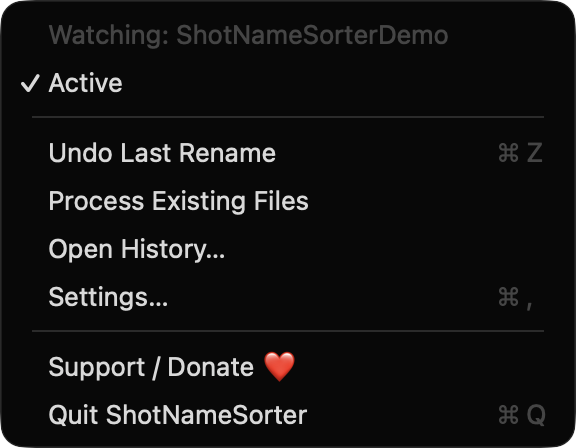
ShotNameSorter lives in your menu bar, watches your screenshot folder and renames each new capture by app and on-screen text. Set it to Active once and it works in the background.
Free & MIT licensed · Apple Silicon & Intel · Latest release
Features
Everything runs on your Mac using Apple's own frameworks, with no network access.
Uses Apple's Vision framework to read each screenshot and pick up to three keywords from the most prominent text near the top. Nothing is uploaded.
Remembers the frontmost app at capture time, so files start with names like Safari or Xcode instead of Screenshot.
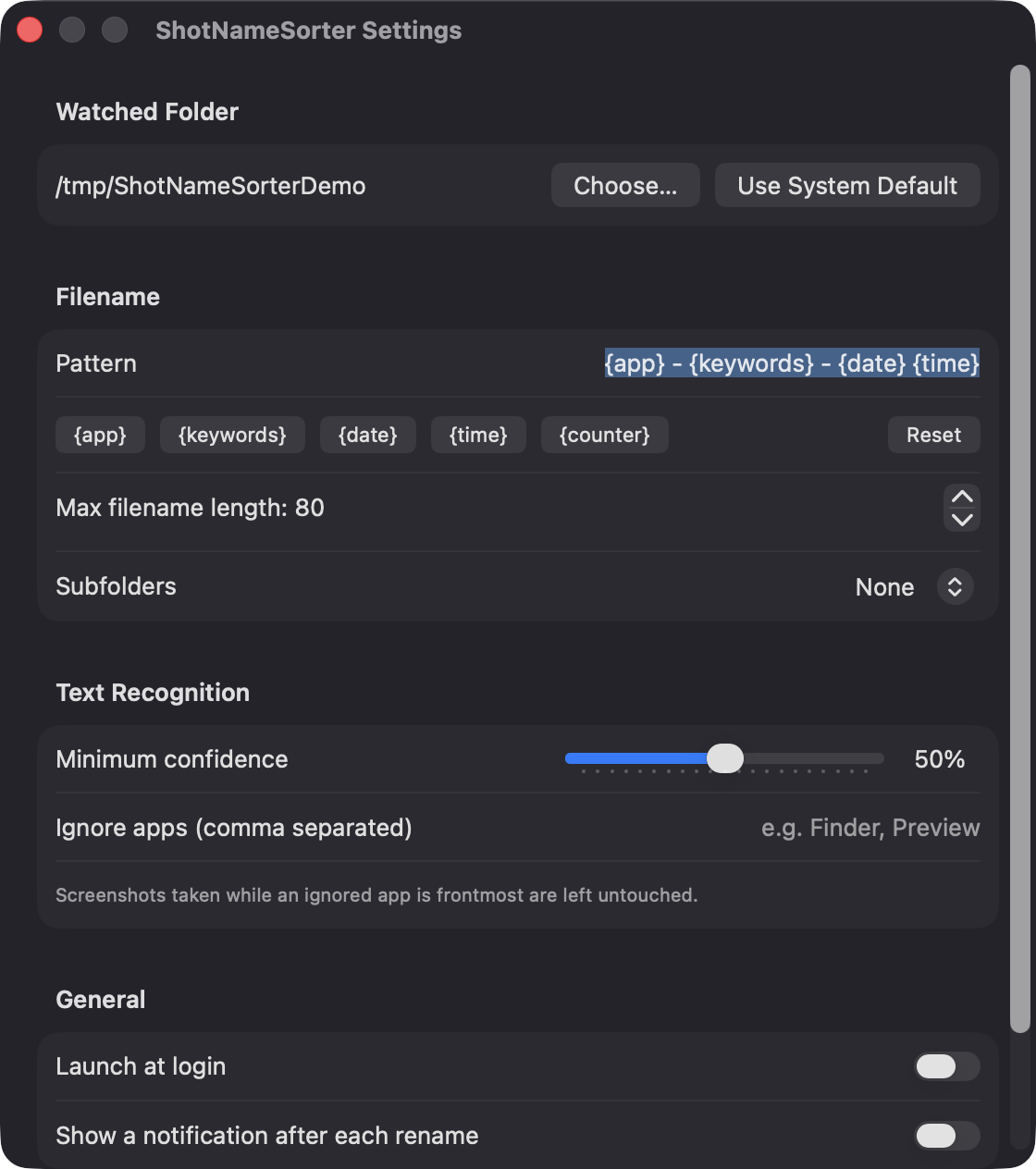
Combine the tokens app, keywords, date, time and counter. Set a maximum length, a minimum text confidence and a list of apps to ignore.
Keep everything in one place, or sort into folders by app or by month. The watched folder is detected automatically or chosen by you.
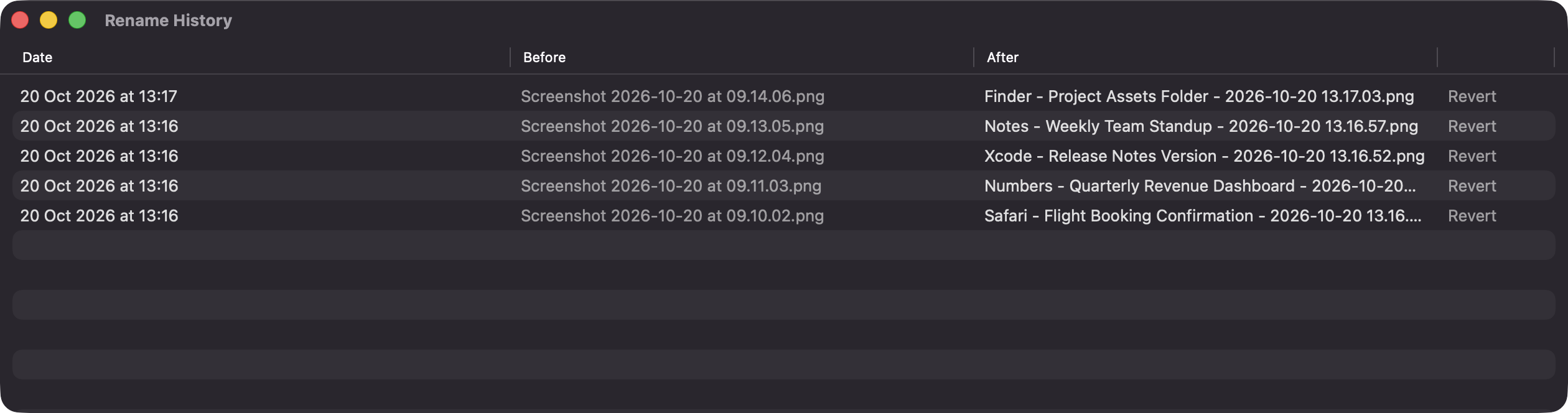
The last 200 renames are saved with before and after names. Revert any row, or use Undo Last Rename, even after a restart.
It only renames or moves files. Screenshots that already existed at launch are left alone unless you choose Process Existing Files.
Screenshots
Install
ShotNameSorter is open source and not notarized with a paid Apple Developer ID, so macOS needs one extra step the first time.
xattr -cr /Applications/ShotNameSorter.app
Download
Free, forever. Built for macOS 14 Sonoma or newer, Apple Silicon and Intel.
Not notarized: on first launch right-click ShotNameSorter.app → Open.
FAQ
Yes. It is released under the MIT license and the full source is on GitHub. It has no ads, no analytics and no third-party dependencies, and you can support its development on Ko-fi if you like.
Only access to the folder you watch, so it can see new screenshots and rename them. Notifications and launch at login are optional and requested only if you turn them on. It does not need Accessibility or Screen Recording.
Your rename history is a JSON file in ~/Library/Application Support/ShotNameSorter, and settings live in the app's preferences. Screenshots stay on your Mac, and the app makes no network calls.
Notarization requires a paid Apple Developer account. Right-click the app and choose Open once to get past Gatekeeper, or build it yourself from source with Xcode and XcodeGen.
Yes. ShotNameSorter was generated by Claude Code from a written spec as a clean-room reimplementation, with no code or assets from any commercial app. The full source is on GitHub under MIT, so you can read every line before you run it. It has had less human review than a hand-written app, so bug reports are welcome.
Support ❤️
ShotNameSorter is a free, open-source alternative to paid utilities. If it earns a spot on your Mac, a coffee keeps the updates coming.
☕ Support Or on Ko-fi