Global capture hotkey
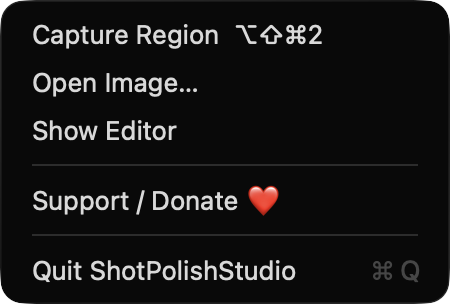
Press ⌥⇧⌘2 or use the menu bar item to select a region, with a live size readout while you drag. You can also drop, paste (⌘V) or open (⌘O) an image.
Open source · macOS 14+ · Universal binary · Menu Bar Utility
Capture a region with ⌥⇧⌘2, or drop and paste an image. ShotPolishStudio adds a gradient backdrop, padding, shadow and rounded corners, then copies or saves it. Everything stays on your Mac.
Free & MIT licensed · Apple Silicon & Intel · Latest release
Features
Capture, tune the look with a live preview, and export at full resolution.
Press ⌥⇧⌘2 or use the menu bar item to select a region, with a live size readout while you drag. You can also drop, paste (⌘V) or open (⌘O) an image.
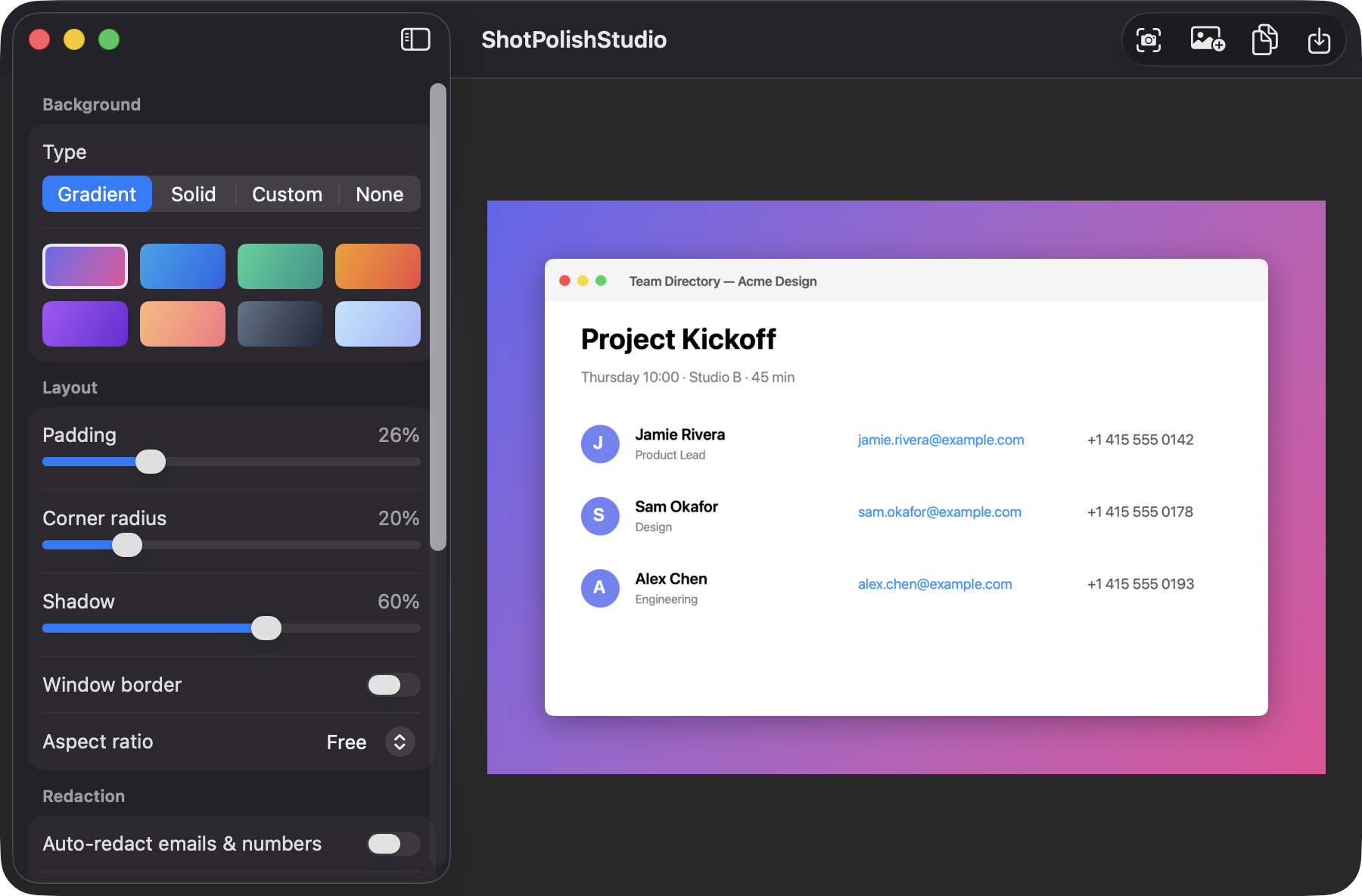
Choose from 8 gradients, a solid color, a custom color pair or a transparent background. Sliders control padding, corner radius and shadow, with an optional window-style border.
Export as Free, 1:1, 16:9 or 4:3, with the screenshot centered and scaled inside the frame.
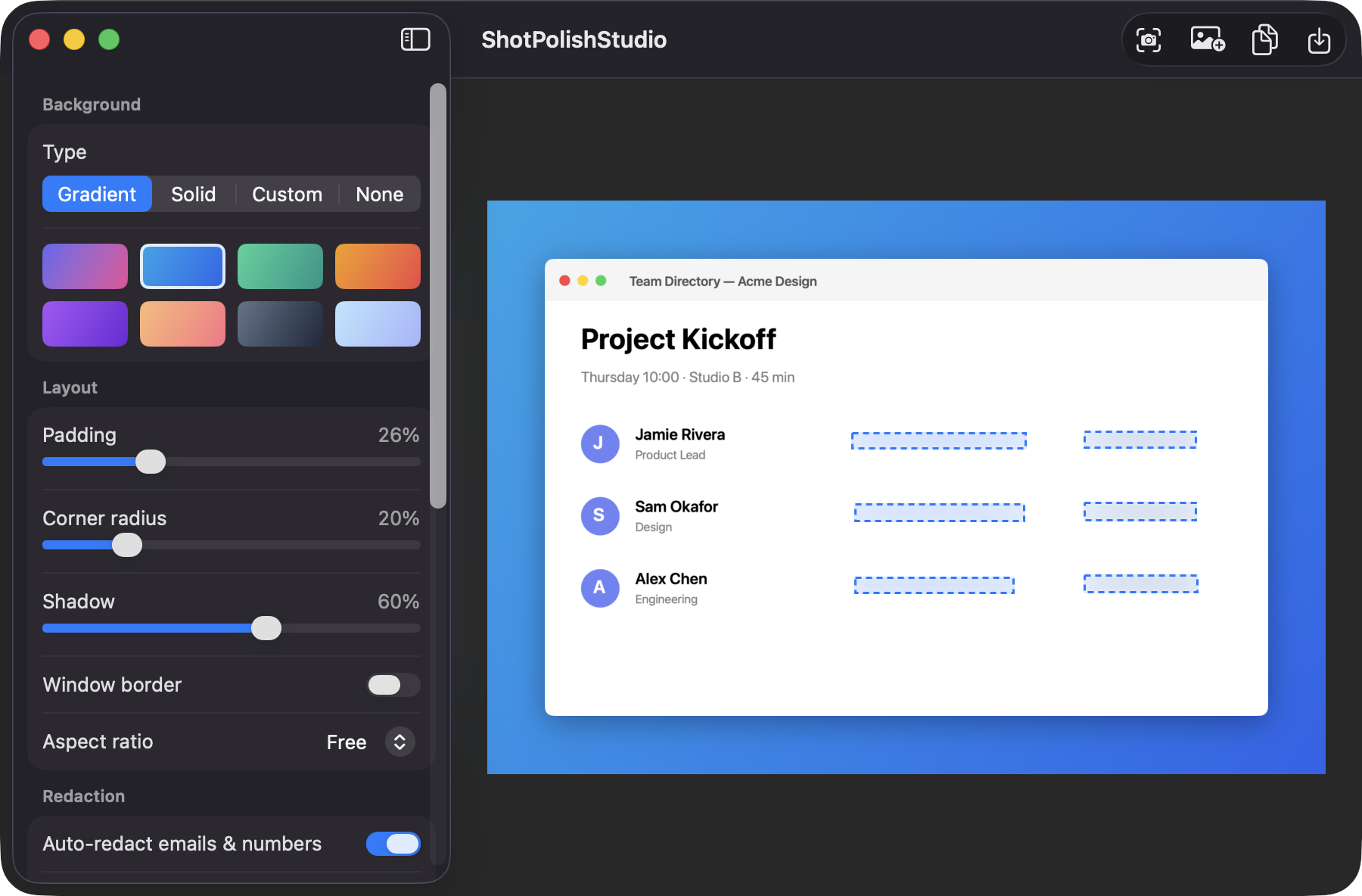
Off by default. Vision text recognition finds emails, phone numbers and long digit sequences and covers them with Blur, Pixelate or a Solid Box. Click a box to remove it. Always review the preview before sharing.
Copy with ⌘C, Save As with ⌘S, or save straight to your default folder with ⌥⌘S. Exports render from the full-resolution original, and PNG keeps transparency.
No account, no backend, no uploads. Your settings are remembered between launches.
Screenshots
Install
ShotPolishStudio is open source and not notarized with a paid Apple Developer ID, so macOS needs one extra step the first time.
xattr -cr /Applications/ShotPolishStudio.app
Download
Free, forever. Built for macOS 14 Sonoma or newer, Apple Silicon and Intel.
Not notarized: on first launch right-click ShotPolishStudio.app → Open.
FAQ
Yes. It is released under the MIT license and the full source is on GitHub. There are no accounts, subscriptions or paywalls. If it saves you time, you can optionally support development through the Support button.
Screen Recording, and only for Capture Region. The app asks the first time you capture. Dropping, pasting and opening images needs no permission, and it never requests Accessibility, Microphone or Camera access.
Your images are processed on your Mac and never uploaded. Preferences such as background, padding and format are stored locally, and your default save folder is remembered as a bookmark to the folder you picked.
Notarization requires a paid Apple Developer account, and this is a free project. Right-click the app and choose Open once to launch it, or build it from source with Xcode and XcodeGen.
Yes. ShotPolishStudio was generated by Claude Code from a written spec as a clean-room reimplementation, with no code or assets from any commercial app. The full source is on GitHub under MIT, so you can read every line before you run it. It has had less human review than a hand-written app, so bug reports are welcome.
Support ❤️
ShotPolishStudio is a free, open-source alternative to paid utilities. If it earns a spot on your Mac, a coffee keeps the updates coming.
☕ Support Or on Ko-fi