Volume keys, your step size
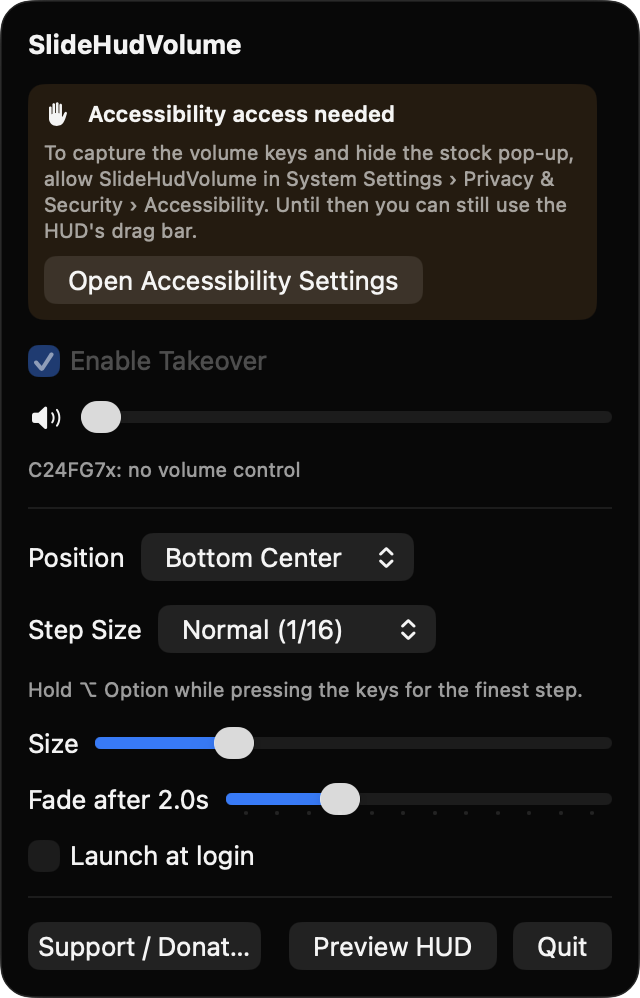
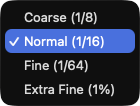
Takes over volume up, down and mute, and hides the stock overlay. Choose Coarse (1/8), Normal (1/16), Fine (1/64) or Extra Fine (1%).
Open source · macOS 14+ · Universal binary · Audio
SlideHudVolume replaces the stock volume pop-up with a slim floating bar. Click or drag it to set an exact level, or use your volume keys in fine steps. Hold Option for 1% steps.
Free & MIT licensed · Apple Silicon & Intel · Latest release
Features
A small native menu bar app that talks directly to Core Audio, with no accounts and no network access.
Takes over volume up, down and mute, and hides the stock overlay. Choose Coarse (1/8), Normal (1/16), Fine (1/64) or Extra Fine (1%).
Set an exact volume directly on the bar. The HUD stays up while you hover or drag, and never blocks clicks otherwise.
A speaker glyph that reflects the level, the output device name, and a percentage or Muted. It stays in sync with changes from other sources and when you switch devices.
The HUD appears on the display with your pointer and floats over full-screen apps. It is not shown while the screen is locked.
Set HUD position, size from 0.75x to 1.75x, fade delay from 0.5 to 6 seconds, and Launch at login.
If an output has no software volume, such as some HDMI monitors, the HUD says so and the key press passes through to macOS untouched.
Screenshots

Install
SlideHudVolume is open source and not notarized with a paid Apple Developer ID, so macOS needs one extra step the first time.
xattr -cr /Applications/SlideHudVolume.app
Download
Free, forever. Built for macOS 14 Sonoma or newer, Apple Silicon and Intel.
Not notarized: on first launch right-click SlideHudVolume.app → Open.
FAQ
Yes. It is free to use and released under the MIT license, with the full source on GitHub. There are no accounts, no telemetry and no network access. If it is useful to you, there is an optional Support button in the menu.
Accessibility access, which macOS requires for the event tap that captures the volume and mute keys. Without it the HUD and drag bar still work from the menu bar, but key capture is off. Launch at login is optional and uses the standard login item API.
Only your settings, such as step size, position and fade delay, are stored locally in the standard macOS preferences (UserDefaults). Nothing is sent anywhere, and the app reads and sets volume through Core Audio on your Mac.
Notarization requires a paid Apple Developer account, and this is a free project. Right-click the app and choose Open once to launch it, or build it yourself from source with Xcode.
Support ❤️
SlideHudVolume is a free, open-source alternative to paid utilities. If it earns a spot on your Mac, a coffee keeps the updates coming.
☕ Support Or on Ko-fi