Global hotkey palette
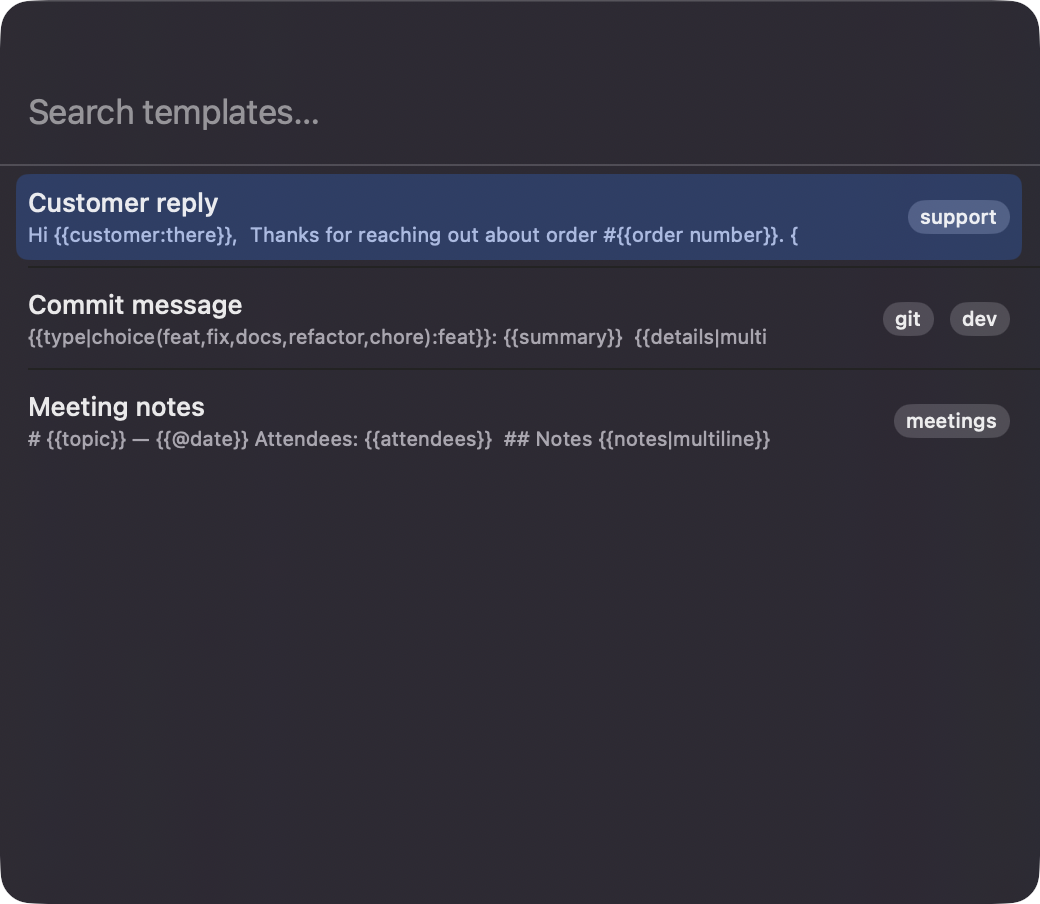
Option+Space opens a centered floating panel with a searchable list sorted by recent use. The hotkey can be re-recorded in Settings.

Open source · macOS 14+ · Universal binary · Menu Bar Utility
Press Option+Space to open a floating palette, pick a template, fill in its fields, and paste the finished text into the app you were using.
Free & MIT licensed · Apple Silicon & Intel · Latest release
Features
Customer replies, meeting notes, and commit messages get a form instead of find-and-replace.
Option+Space opens a centered floating panel with a searchable list sorted by recent use. The hotkey can be re-recorded in Settings.
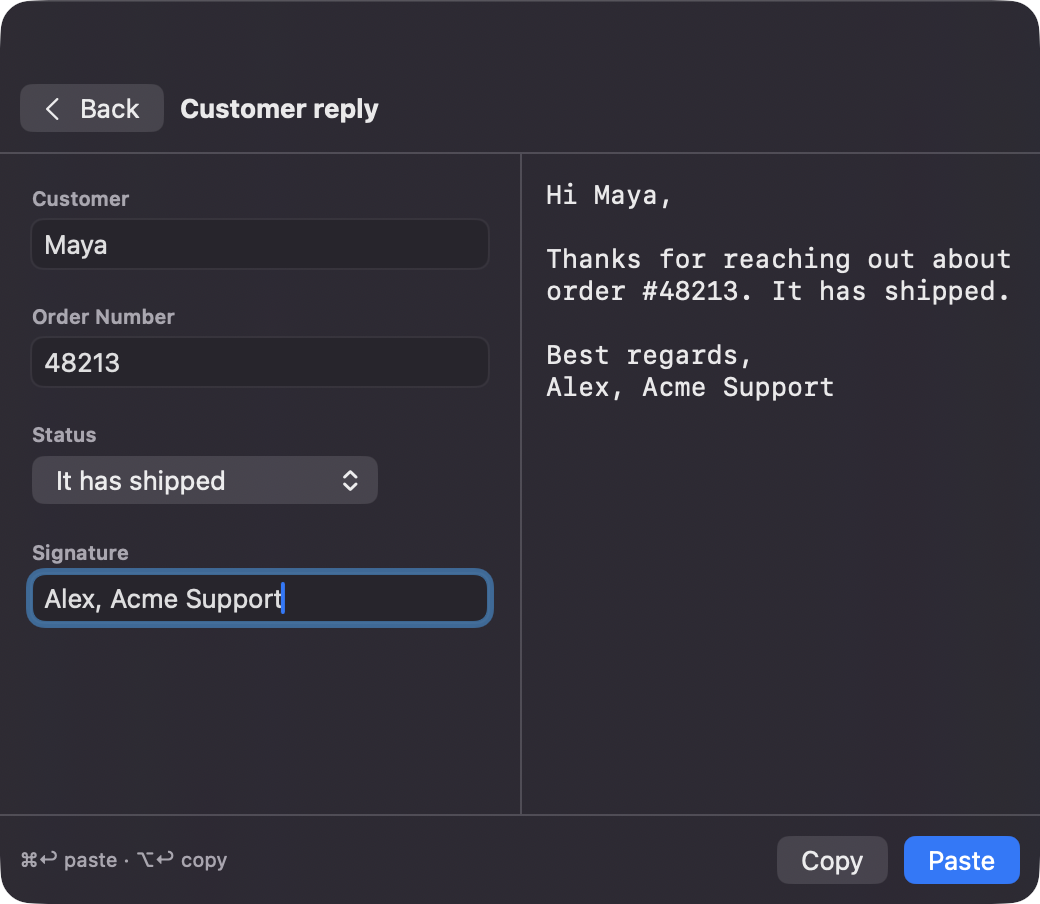
Write {{name}}, defaults, multi-line text, dates with day offsets, or choice lists. Each placeholder becomes the right input, with a live preview beside it.
Command+Return pastes into the previous app and Option+Return only copies. You can optionally restore your original clipboard afterward.
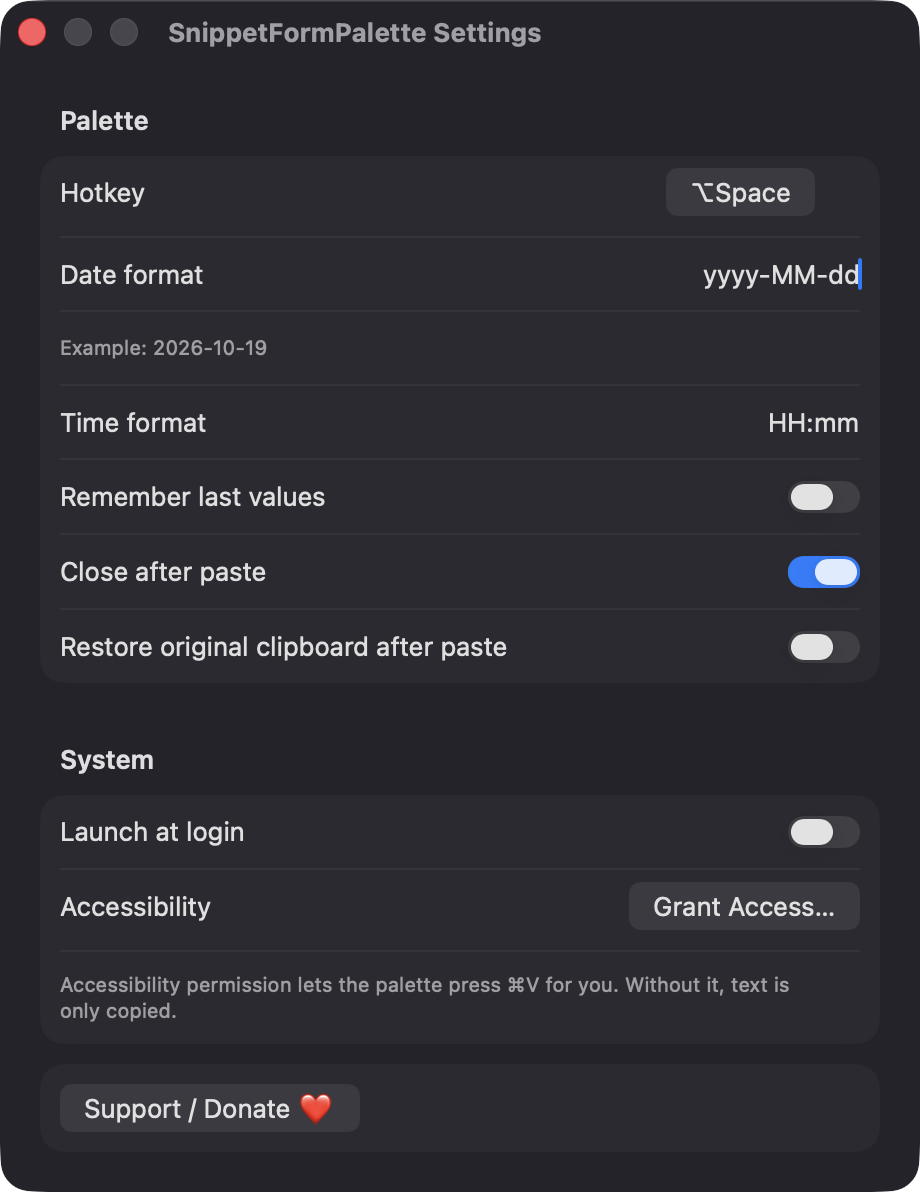
Use {{@date}}, {{@date(-1)}}, {{@time}}, and {{@clipboard}} without typing anything. Date and time formats are configurable.
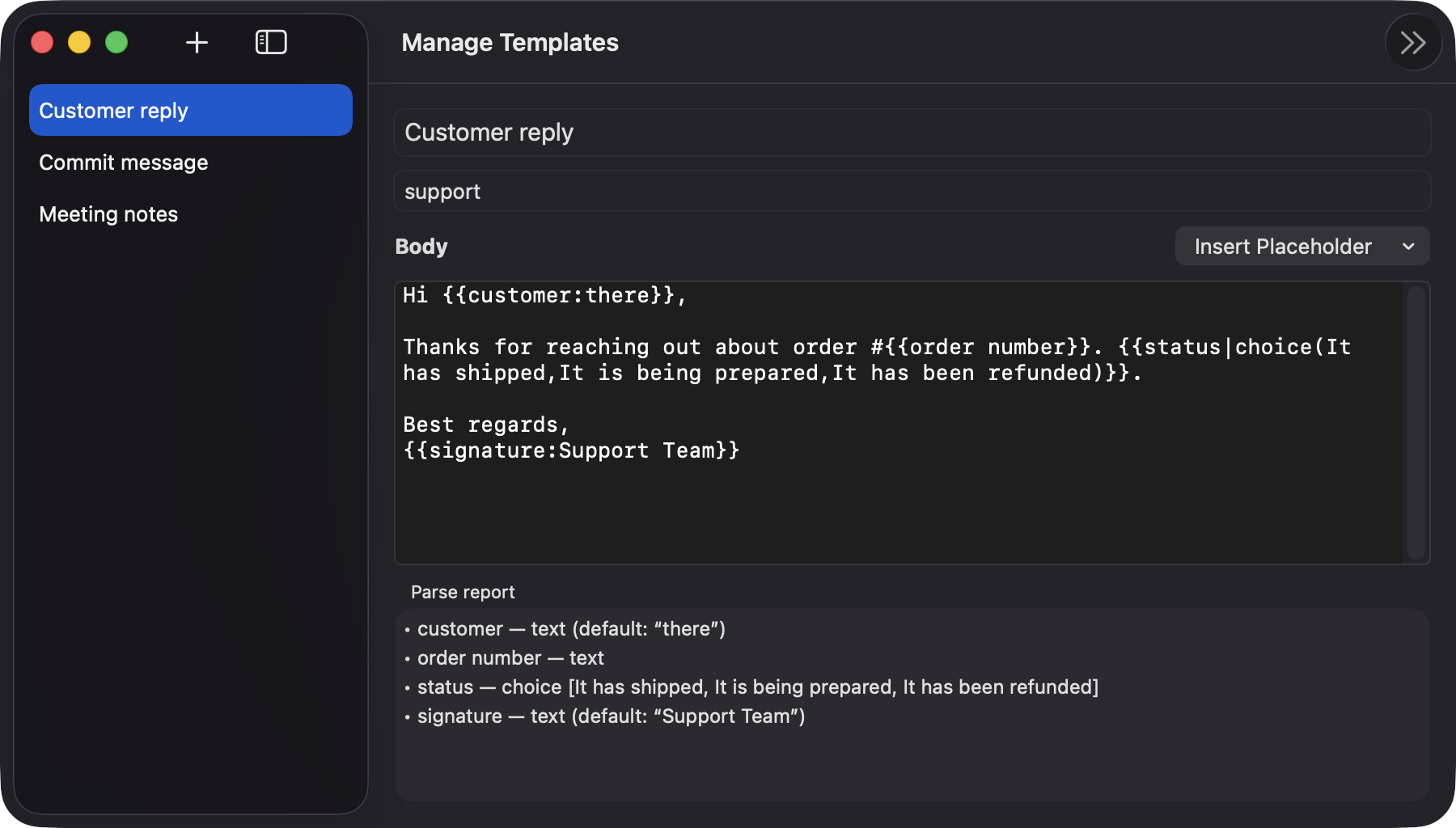
Edit titles, tags, and bodies, insert placeholders from a menu, and check a parse report that flags unclosed braces or empty choices.
Templates live in a JSON file on your Mac, with import and export. There is no account, server, or network access.
Screenshots
Install
SnippetFormPalette is open source and not notarized with a paid Apple Developer ID, so macOS needs one extra step the first time.
xattr -cr /Applications/SnippetFormPalette.app
Download
Free, forever. Built for macOS 14 Sonoma or newer, Apple Silicon and Intel.
Not notarized: on first launch right-click SnippetFormPalette.app → Open.
FAQ
Yes. It is free to use and released under the MIT license, and the full source is on GitHub. If it saves you time, there is an optional Support button in the app.
Accessibility, so it can press Command+V in the app you were using. If you decline, the finished text is copied to the clipboard and a notice is shown. Launch at login uses a standard macOS login item and needs no prompt.
Templates are saved as JSON at ~/Library/Application Support/SnippetFormPalette/templates.json, and settings are kept in UserDefaults. Nothing is sent anywhere, and you can export your templates to a JSON file at any time.
Notarization requires a paid Apple Developer account, and this is a free open-source project. Right-click the app and choose Open once to launch it, or build it yourself from source with Xcode.
Yes. SnippetFormPalette was generated by Claude Code from a written spec as a clean-room reimplementation, with no code or assets from any commercial app. The full source is on GitHub under MIT, so you can read every line before you run it. It has had less human review than a hand-written app, so bug reports are welcome.
Support ❤️
SnippetFormPalette is a free, open-source alternative to paid utilities. If it earns a spot on your Mac, a coffee keeps the updates coming.
☕ Support Or on Ko-fi