One slider per app
Each app making sound gets a row with its icon, name, volume slider, percent label and mute button. Browser helper processes are grouped under the parent app.
Open source · macOS 14+ · Universal binary · Audio
A menu bar mixer that gives each app playing sound its own slider, from 0 to 150%, with no virtual audio driver. Click the menu bar icon to mix, or use the optional ⌃⌥⌘M hotkey to solo the frontmost app.
Free & MIT licensed · Apple Silicon & Intel · Latest release
Features
Built on Apple's own Core Audio process taps, so there is nothing extra to install in your audio system.
Each app making sound gets a row with its icon, name, volume slider, percent label and mute button. Browser helper processes are grouped under the parent app.
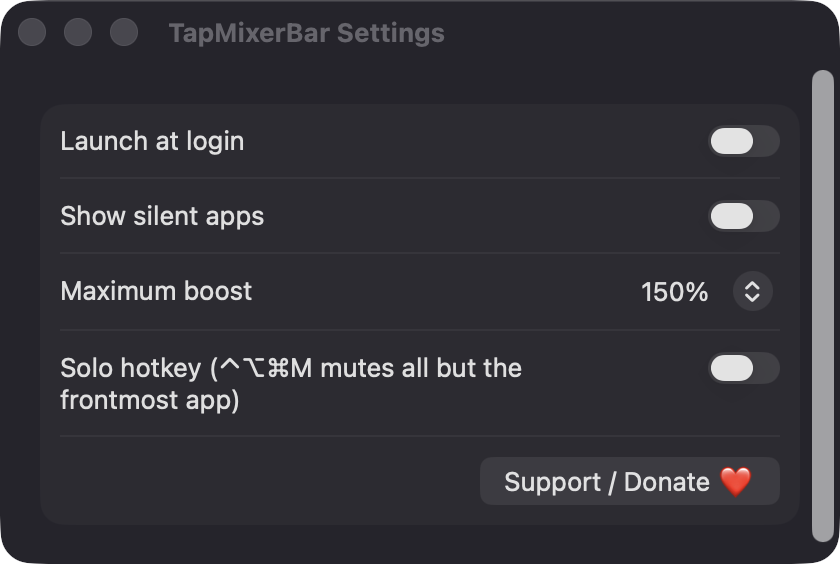
Raise quiet apps past full volume, and cap the boost at 100%, 125% or 150% in Settings. A soft clipper keeps boosted peaks from hard-clipping.
Volume and mute are remembered by bundle identifier and re-applied the next time the app plays. Reset All clears everything in one click.
Press ⌃⌥⌘M to mute every app except the frontmost one, and press it again to restore the previous state. It is off until you enable it in Settings.
No kernel extension or virtual audio device is installed. An app left at 100% and unmuted gets no tap, so it adds no latency.
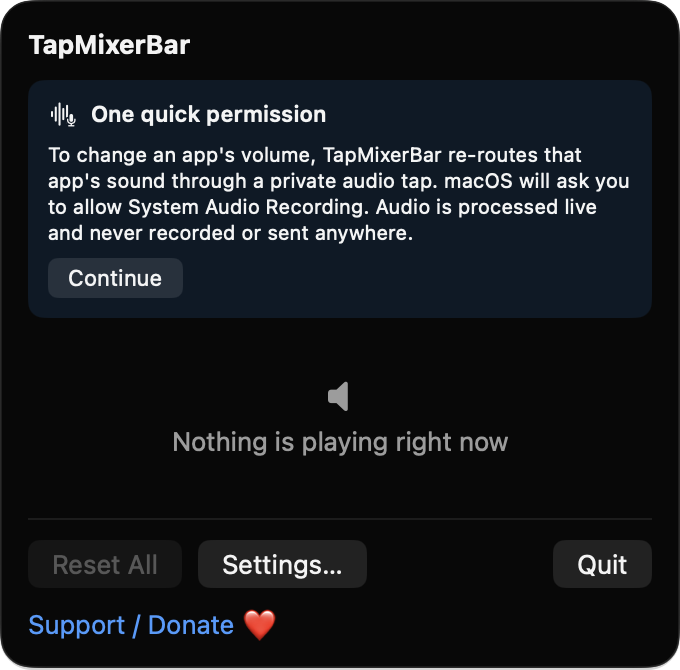
It runs without a Dock icon and can launch at login. The menu bar icon becomes a slashed speaker while any app is muted, and taps follow your output device when it changes.
Screenshots
Install
TapMixerBar is open source and not notarized with a paid Apple Developer ID, so macOS needs one extra step the first time.
xattr -cr /Applications/TapMixerBar.app
Download
Free, forever. Built for macOS 14 Sonoma or newer, Apple Silicon and Intel.
Not notarized: on first launch right-click TapMixerBar.app → Open.
FAQ
Yes. It is released under the MIT license and the full source is on GitHub. It has no server, no account and no network access, and it will stay free donations through Ko-fi are optional.
System Audio Recording, requested the first time a tap is created, after an in-app explanation. Audio is processed live and is never recorded or sent anywhere. Accessibility is requested only if you enable the solo hotkey, and it does not ask for Screen Recording or Microphone access.
Your per-app volume and mute levels and your settings are kept locally in macOS UserDefaults on your Mac, keyed by app bundle identifier. Nothing leaves your machine.
Notarization requires a paid Apple Developer account, and this is a free project. Right-click the app and choose Open once to launch it, or build it from source with Xcode. Per-app volume needs macOS 14.2 or later.
Support ❤️
TapMixerBar is a free, open-source alternative to paid utilities. If it earns a spot on your Mac, a coffee keeps the updates coming.
☕ Support Or on Ko-fi