22 toggleable cleaners
Strip HTML and decode entities, fix curly quotes, collapse spaces, join hard-wrapped lines, remove duplicates, sort, change case and more.

Open source · macOS 14+ · Universal binary · Text & Input
TextTidyWindow shows your original and cleaned text side by side, updating live as you toggle cleaners. Press Shift-Command-V to paste, then Shift-Command-C to copy the result.
Free & MIT licensed · Apple Silicon & Intel · Latest release
Features
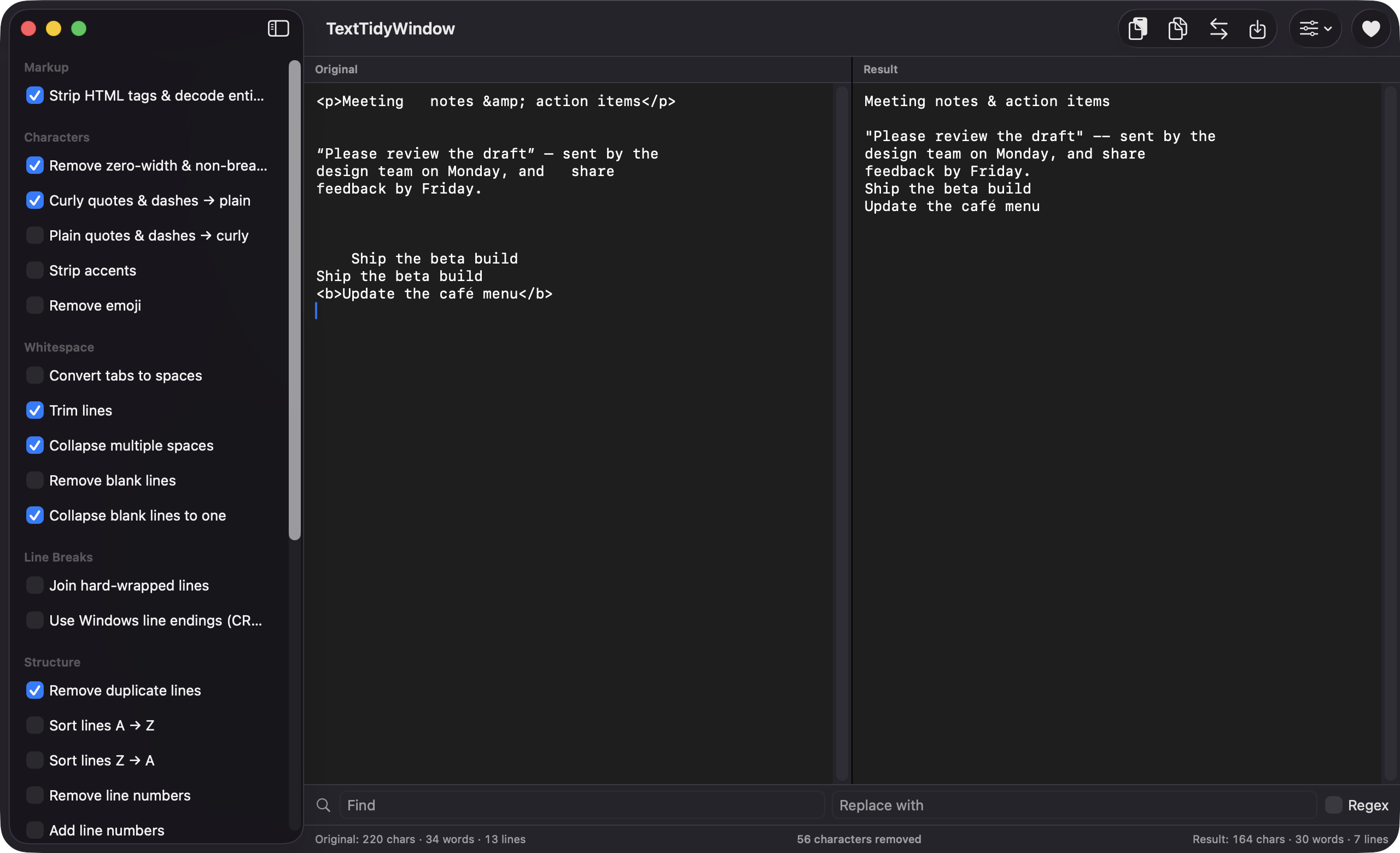
Twenty-two toggleable cleaners run in an order you control, with your original text left untouched.
Strip HTML and decode entities, fix curly quotes, collapse spaces, join hard-wrapped lines, remove duplicates, sort, change case and more.
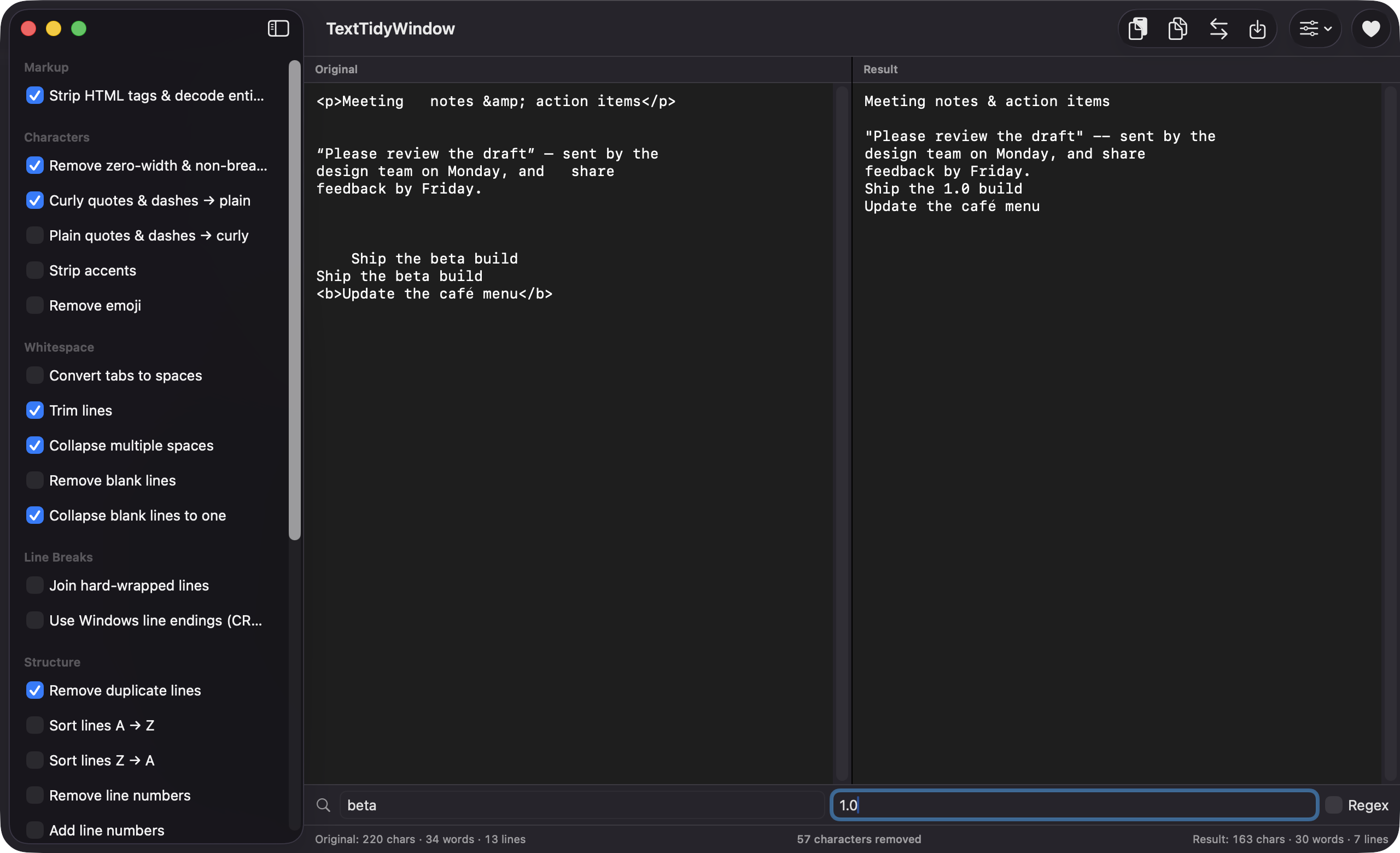
Type, paste or drop a text file into the Original pane and the Result updates as you go. Footer stats show characters, words, lines and what was removed.
Drag cleaners in the Pipeline list to change the order they run in, or reset to the default. Find and Replace, with optional regex, runs as the final step.
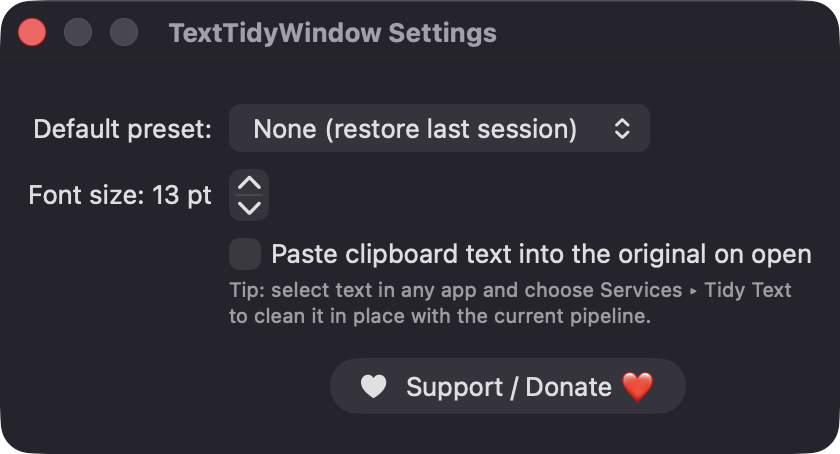
Save your enabled cleaners and their order under a name, apply them from the toolbar, and choose a default preset in Settings.
Nothing replaces your source text until you choose Swap Result Into Original, and the swap can be undone. Large inputs over 2 MB trigger a warning.
Shift-Command-V pastes into the original, Shift-Command-C copies the result, and Command-O opens a text file. You can also auto-paste the clipboard on launch.
Screenshots
Install
TextTidyWindow is open source and not notarized with a paid Apple Developer ID, so macOS needs one extra step the first time.
xattr -cr /Applications/TextTidyWindow.app
Download
Free, forever. Built for macOS 14 Sonoma or newer, Apple Silicon and Intel.
Not notarized: on first launch right-click TextTidyWindow.app → Open.
FAQ
Yes. It is released under the MIT license and the full source is on GitHub. There are no ads, accounts, analytics or paywalls. If it saves you time, there is an optional Support button that links to Ko-fi.
None beyond the ordinary. It does not need Accessibility, Screen Recording or Microphone access, and it makes no network connections. It reads the clipboard when you paste and reads files you open or drop onto the window.
Only on your Mac. Presets are saved as JSON at ~/Library/Application Support/TextTidyWindow/presets.json, and your current pipeline and settings live in user defaults. Your text is never sent anywhere.
Notarization requires a paid Apple Developer account, and this is a free project. The first time you launch it, right-click the app and choose Open once. You can also build it from source with Xcode.
Yes. TextTidyWindow was generated by Claude Code from a written spec as a clean-room reimplementation, with no code or assets from any commercial app. The full source is on GitHub under MIT, so you can read every line before you run it. It has had less human review than a hand-written app, so bug reports are welcome.
Support ❤️
TextTidyWindow is a free, open-source alternative to paid utilities. If it earns a spot on your Mac, a coffee keeps the updates coming.
☕ Support Or on Ko-fi