Seven remappable gestures
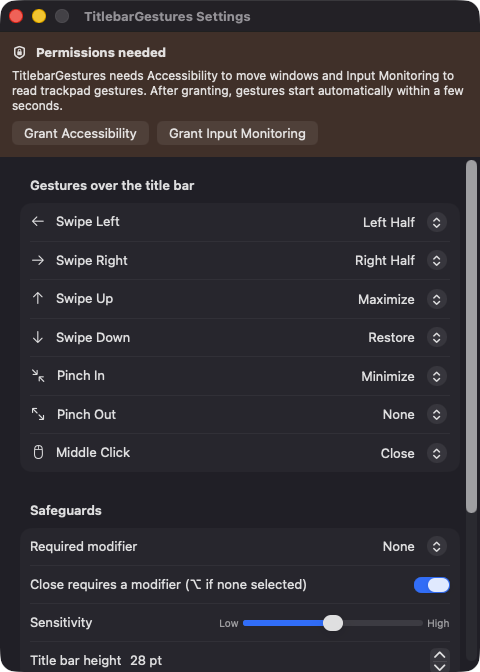
Swipe left, right, up and down, pinch in, pinch out and middle click each map to an action you choose in Settings.
Open source · macOS 14+ · Universal binary · Window Management
Swipe, pinch or middle-click on any window's title bar to snap, maximize, minimize, center or close it. Every gesture is remappable, and an optional modifier key prevents accidents.
Free & MIT licensed · Apple Silicon & Intel · Latest release
Features
Seven gestures, nine actions, and safeguards so nothing fires by accident.
Swipe left, right, up and down, pinch in, pinch out and middle click each map to an action you choose in Settings.
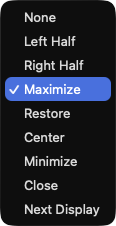
Left Half, Right Half, Maximize, Restore, Center, Minimize, Close, Next Display, or None. Restore returns a window to the frame it had before.
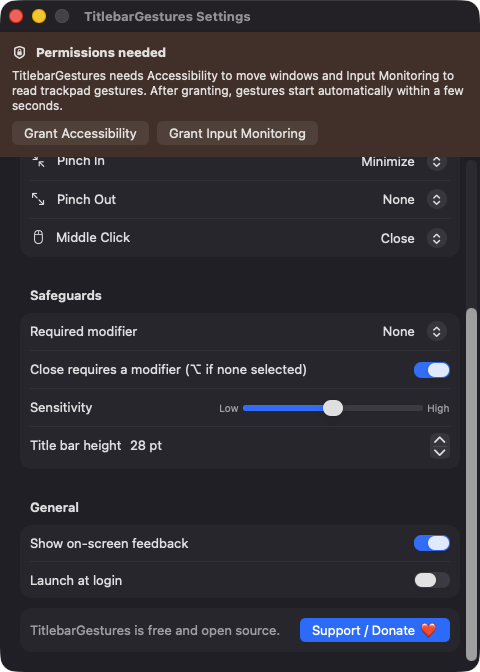
Require a modifier (Option, Command, Control or Shift), tune sensitivity, and rely on one action per gesture. Closing needs a modifier and a short confirmation tick.
The active band defaults to 28 pt and can be set from 16 to 64 pt. Buttons, search fields and tabs in the title bar keep their normal behavior.
Snapping uses the visible area of the screen the window is on, and Next Display moves it to the following screen. Full-screen windows are left alone.
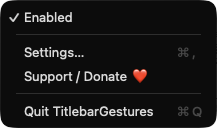
Lives in the menu bar with an Enabled toggle, shows a brief on-screen label for each action, and can launch at login. No Dock icon.
Screenshots
Install
TitlebarGestures is open source and not notarized with a paid Apple Developer ID, so macOS needs one extra step the first time.
xattr -cr /Applications/TitlebarGestures.app
Download
Free, forever. Built for macOS 14 Sonoma or newer, Apple Silicon and Intel.
Not notarized: on first launch right-click TitlebarGestures.app → Open.
FAQ
Yes. It is released under the MIT license, with no account, no server and no paid tier. If it saves you time, an optional Ko-fi donation is available from the app's menu and Settings window.
Accessibility, to find the window under the pointer and move, resize, minimize or close it, and Input Monitoring, to read scroll, pinch and middle-click events. It does not ask for Screen Recording or Microphone access and does not read window contents.
Your gesture mappings and settings are stored in UserDefaults on your Mac. The app has no analytics and makes no network connections.
Notarization requires a paid Apple Developer account, and this is a free project. Right-click the app and choose Open once to launch it, or build it from source with Xcode and XcodeGen.
Support ❤️
TitlebarGestures is a free, open-source alternative to paid utilities. If it earns a spot on your Mac, a coffee keeps the updates coming.
☕ Support Or on Ko-fi