16 recognized gestures
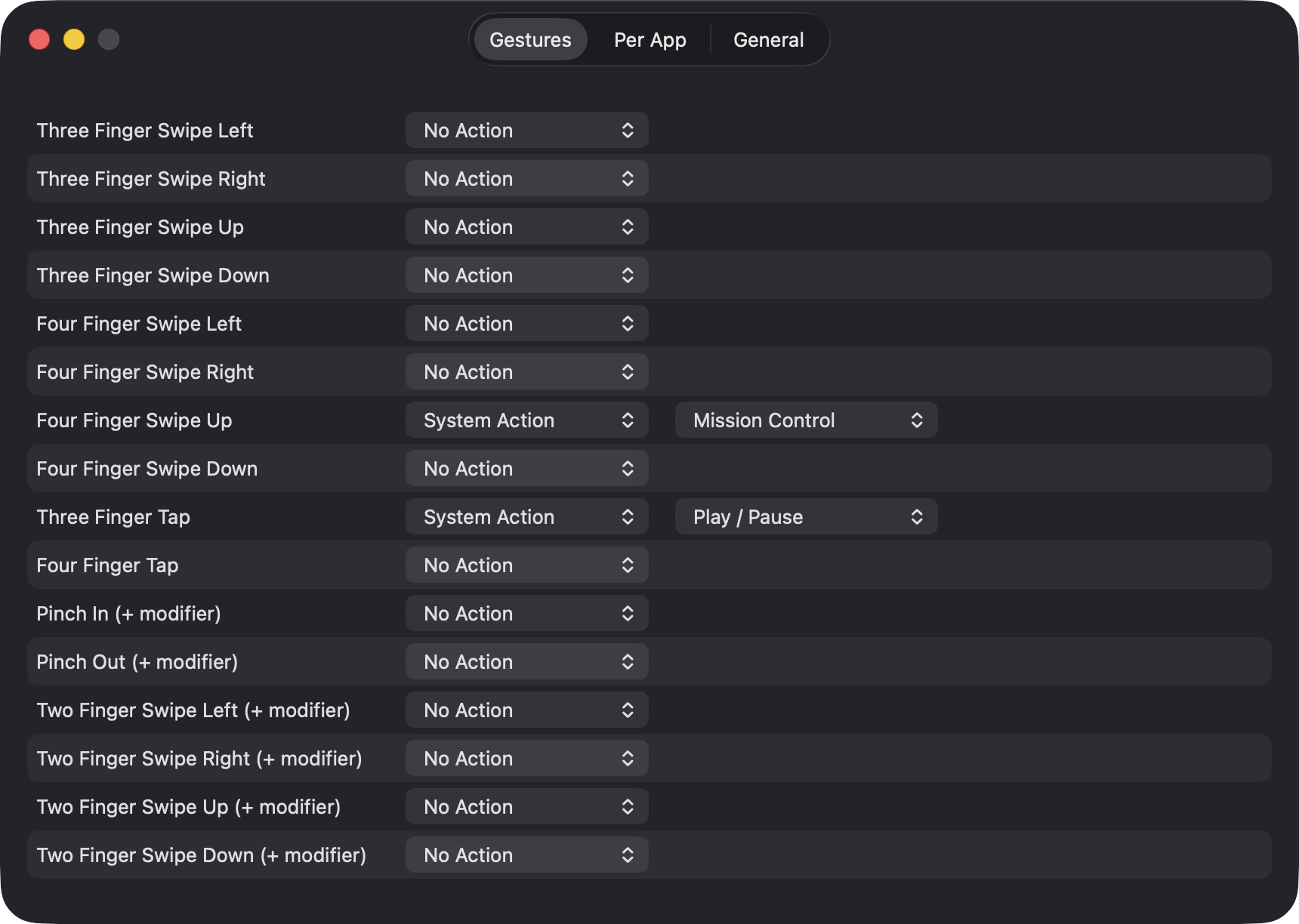
Three and four finger swipes in four directions, three and four finger taps, pinch in and out, and two finger swipes. A short stability check stops a stray extra finger from misfiring.
Open source · macOS 14+ · Universal binary · Input and Gestures
Assign three and four finger swipes, taps and pinches to shortcuts, apps and system actions, with different mappings per app. Lives in the menu bar hold Control for two finger gestures.
Free & MIT licensed · Apple Silicon & Intel · Latest release
Features
One focused job: turn trackpad gestures into actions, and stay out of the way otherwise.
Three and four finger swipes in four directions, three and four finger taps, pinch in and out, and two finger swipes. A short stability check stops a stray extra finger from misfiring.
Record a keyboard shortcut, launch an app, open a URL or path, run a Shortcuts shortcut by name, trigger a system action, or do nothing.
Give any app its own mapping by bundle identifier. Gestures you leave unset inherit your global mapping and appear dimmed.
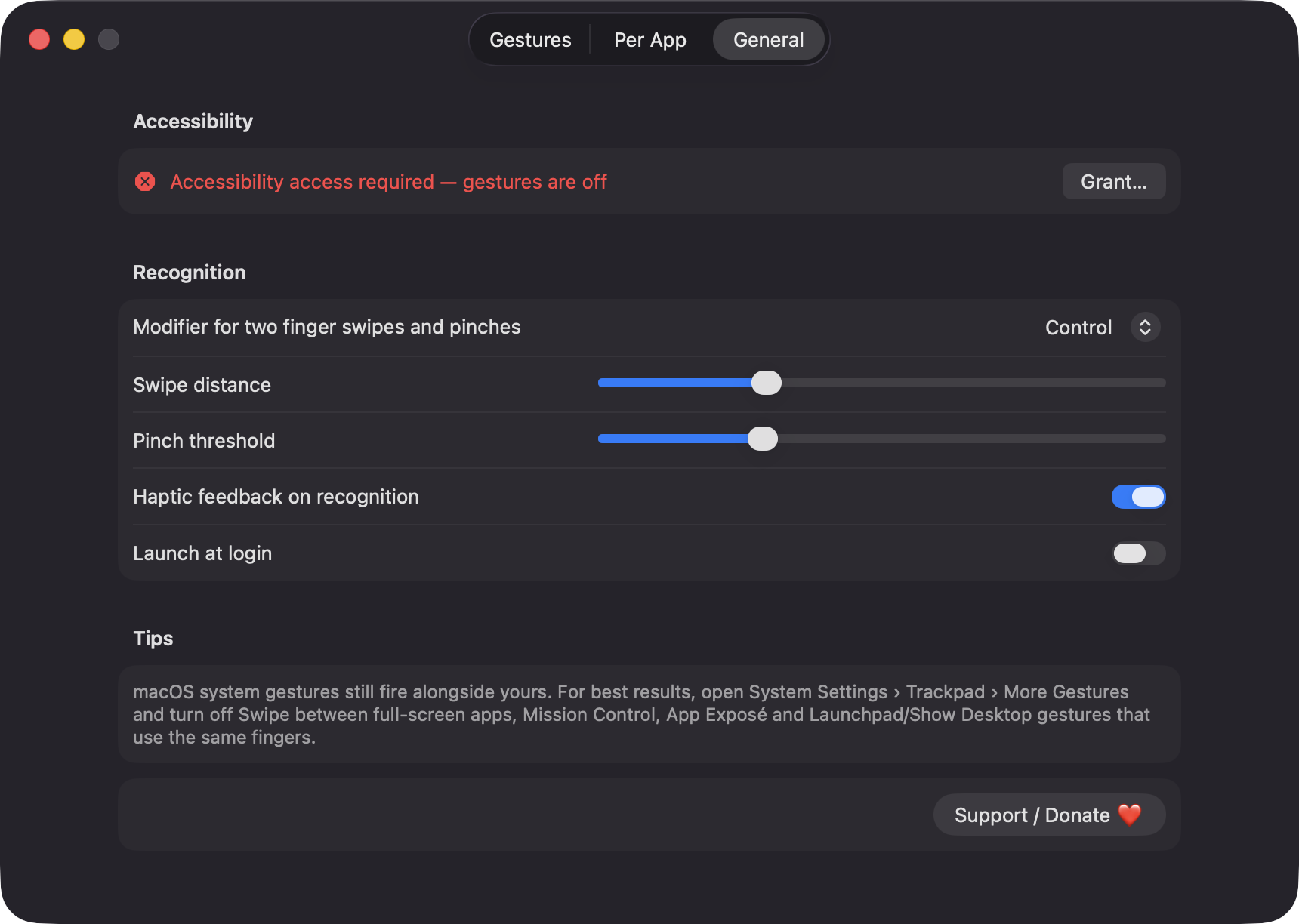
Two finger swipes and pinches only fire while your chosen modifier is held: Control, Option, Command or Shift. Swipe distance and pinch threshold are adjustable.
A floating panel shows the last recognized gesture with its finger count, direction and timestamp, so you can confirm detection before mapping it.
Written in Swift with Apple frameworks only. No network calls, no analytics, no third-party dependencies.
Screenshots
Install
TrackpadGestureMap is open source and not notarized with a paid Apple Developer ID, so macOS needs one extra step the first time.
xattr -cr /Applications/TrackpadGestureMap.app
Download
Free, forever. Built for macOS 14 Sonoma or newer, Apple Silicon and Intel.
Not notarized: on first launch right-click TrackpadGestureMap.app → Open.
FAQ
Yes. It is released under the MIT license and the full source is on GitHub. If it saves you time, there is an optional Support button that links to Ko-fi.
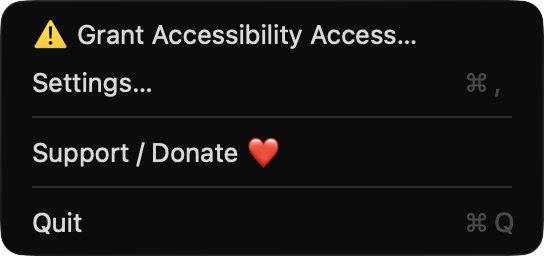
Only Accessibility, which is required to post keyboard shortcut and system action key events and to create the event tap for two finger gestures. Until you grant it, recognition stays off. It does not ask for Screen Recording, Microphone or network access.
Your mappings are saved as a single JSON file named profile.json in ~/Library/Application Support/TrackpadGestureMap. Nothing is sent anywhere.
Notarization requires a paid Apple Developer account, and this is a free project. Right-click the app and choose Open once to get past Gatekeeper, or build it yourself from source with Xcode.
Yes. TrackpadGestureMap was generated by Claude Code from a written spec as a clean-room reimplementation, with no code or assets from any commercial app. The full source is on GitHub under MIT, so you can read every line before you run it. It has had less human review than a hand-written app, so bug reports are welcome.
Support ❤️
TrackpadGestureMap is a free, open-source alternative to paid utilities. If it earns a spot on your Mac, a coffee keeps the updates coming.
☕ Support Or on Ko-fi