Expands in any app
A global listener watches the last 40 characters you typed. When they end with one of your abbreviations, it is deleted and replaced with the snippet.

Open source · macOS 14+ · Universal binary · Menu Bar Utility
Type a short abbreviation in any app and it expands into your saved snippet, with date, clipboard and cursor fields. It runs from the menu bar, with no hotkey to learn.
Free & MIT licensed · Apple Silicon & Intel · Latest release
Features
Everything you need to expand text reliably, and nothing that leaves your Mac.
A global listener watches the last 40 characters you typed. When they end with one of your abbreviations, it is deleted and replaced with the snippet.
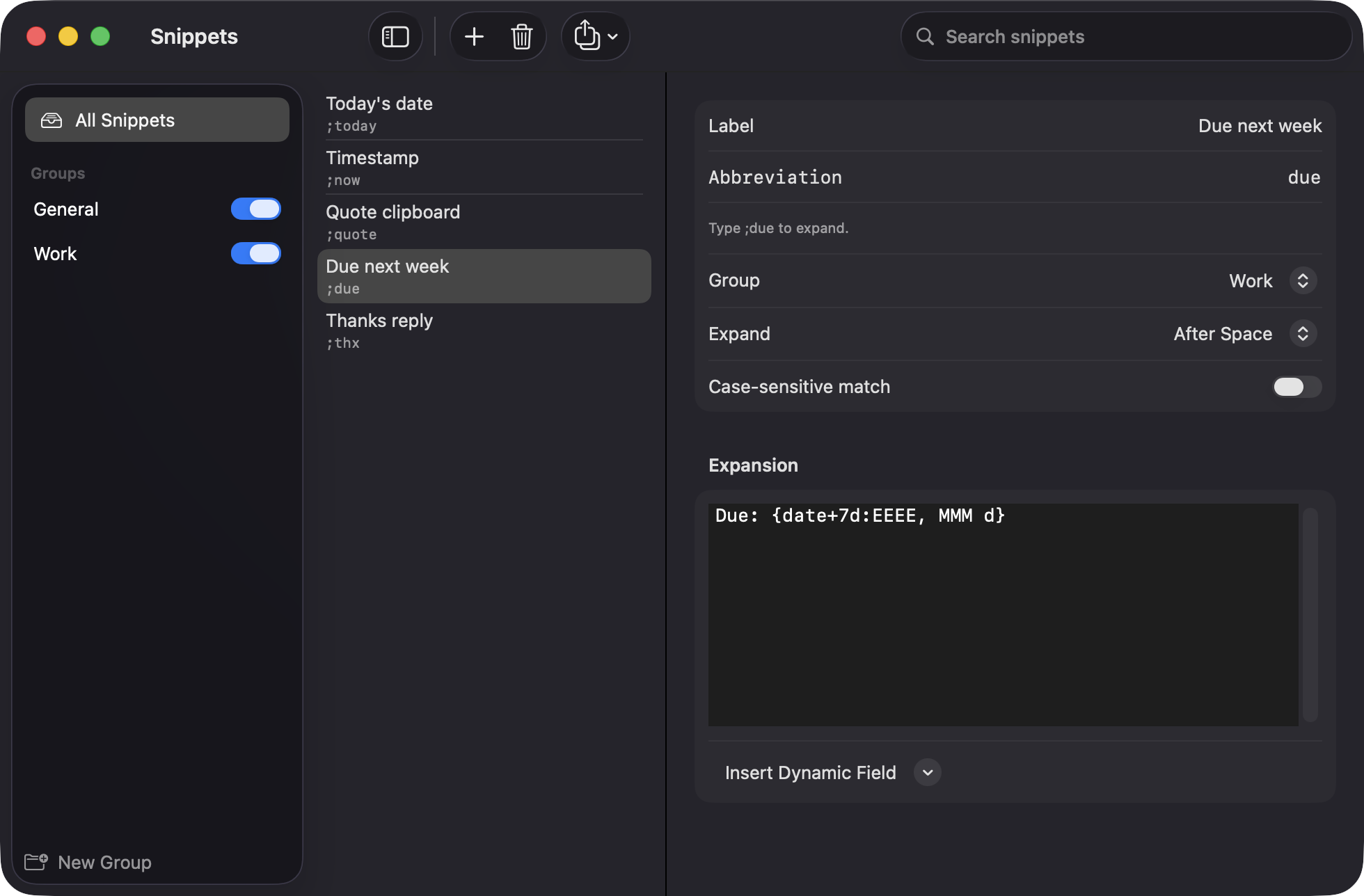
Use {date} and {time} with custom formats, offsets like {date+7d}, {clipboard} for your current clipboard text, and {cursor} to place the caret.
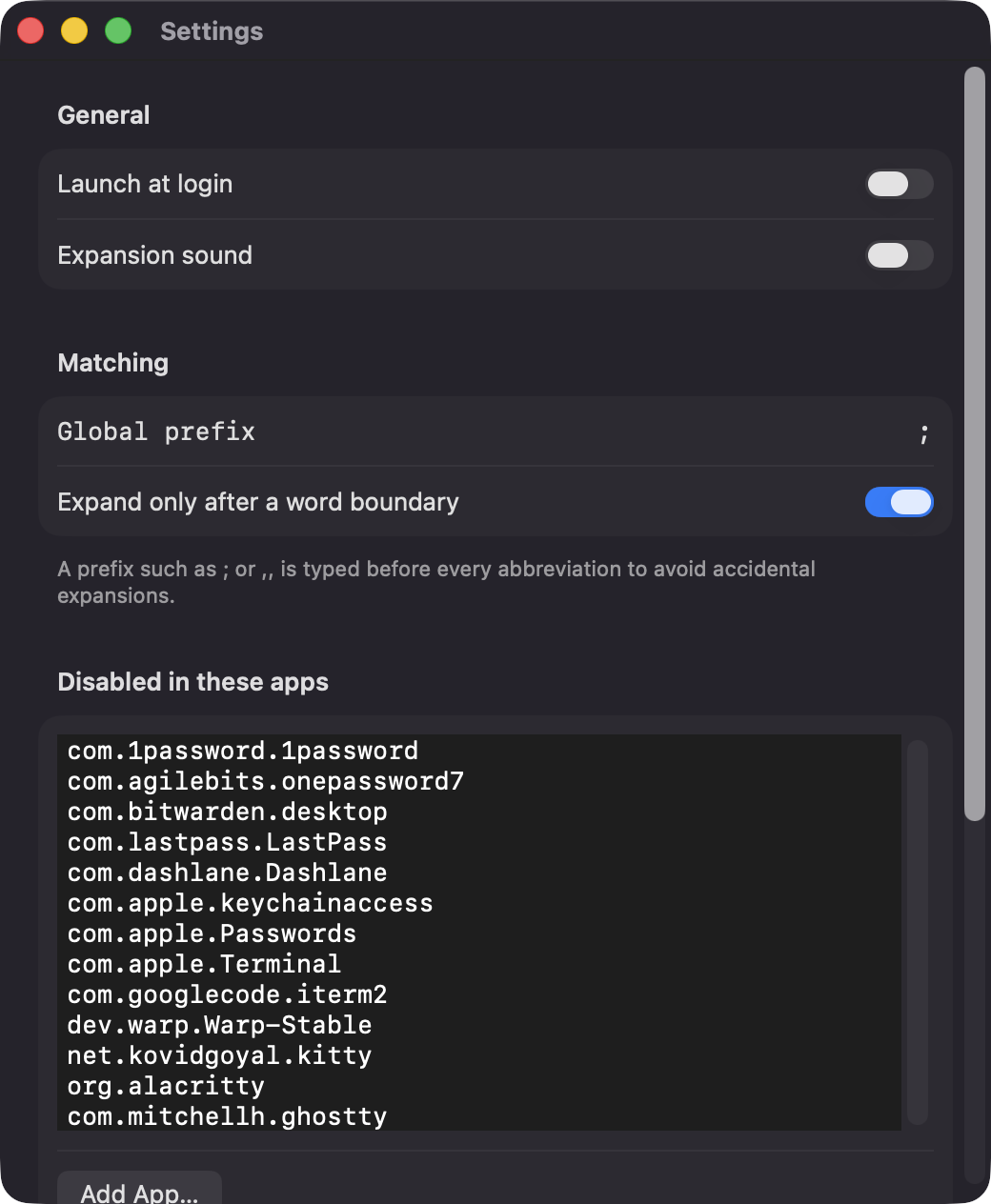
Choose per snippet whether to expand immediately, after a space, or after any delimiter. Add a global prefix such as and require a word boundary.
Organize snippets into groups you can switch off together, search them in a three-column editor, and import or export them as JSON.
Expansion pauses while secure input is active. A per-app blocklist ships with common password managers and terminal emulators, and you can add more.
Short single-line snippets are typed. Multi-line and long ones are pasted, and your original clipboard is restored about 150 ms later.
Screenshots
Install
TypeShortcutExpander is open source and not notarized with a paid Apple Developer ID, so macOS needs one extra step the first time.
xattr -cr /Applications/TypeShortcutExpander.app
Download
Free, forever. Built for macOS 14 Sonoma or newer, Apple Silicon and Intel.
Not notarized: on first launch right-click TypeShortcutExpander.app → Open.
FAQ
Yes. It is released under the MIT license and the full source is on GitHub. There are no subscriptions or accounts, and an optional Support button links to Ko-fi if you want to chip in.
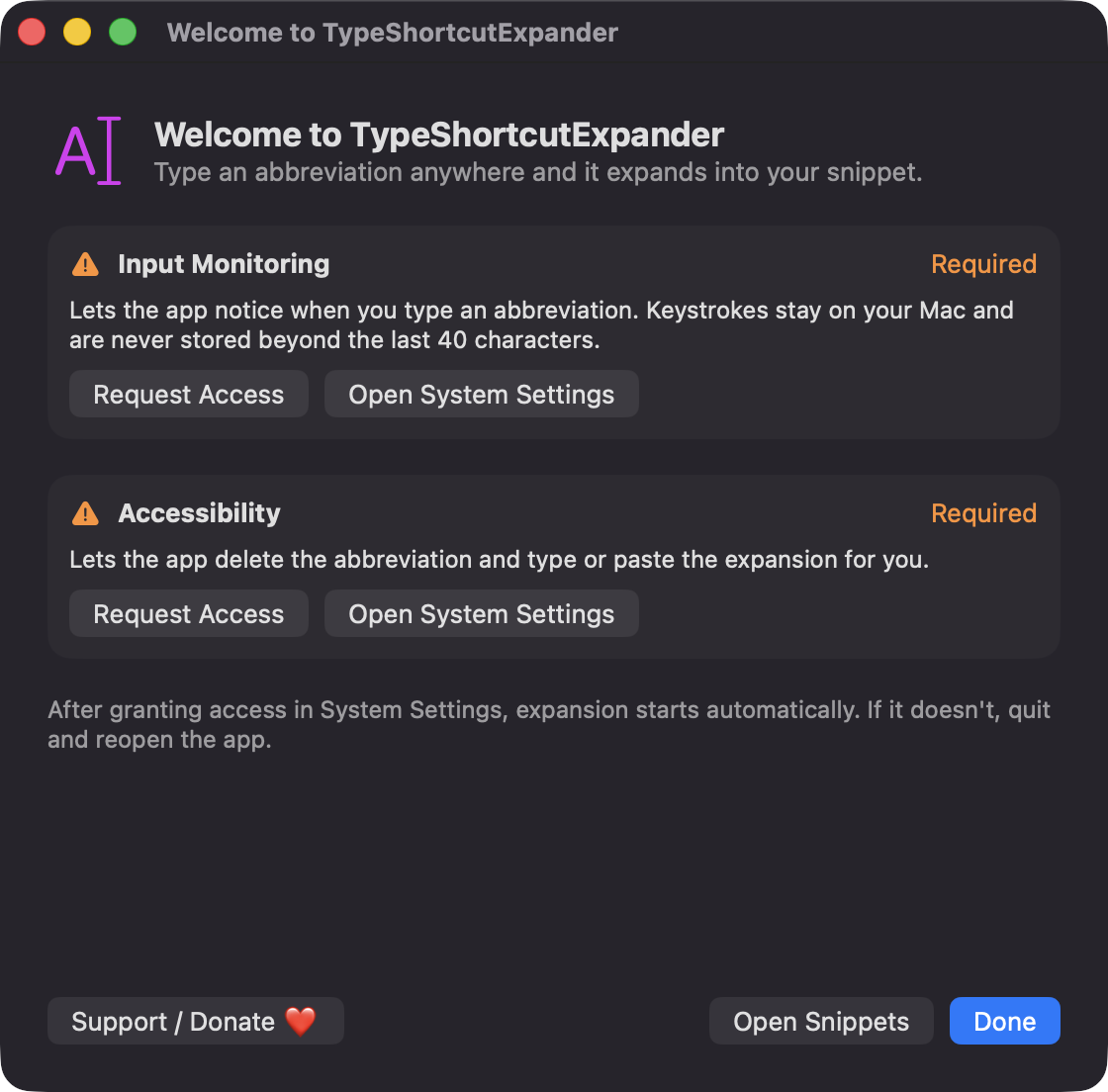
Input Monitoring lets it notice when you type an abbreviation, and Accessibility lets it delete that abbreviation and insert the expansion. Until both are granted, expansion stays off. It requests nothing else and contains no network code.
Snippets are a JSON file at ~/Library/Application Support/TypeShortcutExpander/snippets.json, and settings live in UserDefaults. Only the last 40 typed characters are held in memory, and nothing is sent anywhere.
Notarization requires a paid Apple Developer account, which this free project does not have. Right-click the app and choose Open once to approve it, or build it yourself from source with Xcode.
Yes. TypeShortcutExpander was generated by Claude Code from a written spec as a clean-room reimplementation, with no code or assets from any commercial app. The full source is on GitHub under MIT, so you can read every line before you run it. It has had less human review than a hand-written app, so bug reports are welcome.
Support ❤️
TypeShortcutExpander is a free, open-source alternative to paid utilities. If it earns a spot on your Mac, a coffee keeps the updates coming.
☕ Support Or on Ko-fi