Per-device ceilings
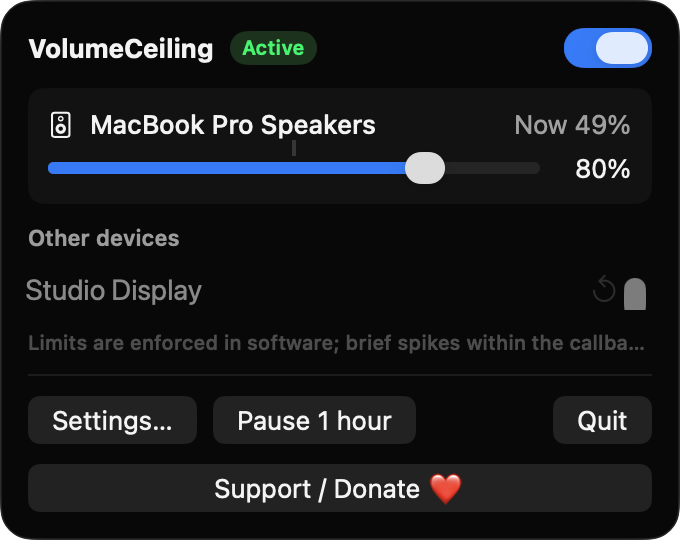
Every output with software volume control gets its own slider from 5 to 100%. Devices without a limit use a default ceiling, 80% out of the box.
Open source · macOS 14+ · Universal binary · Audio
VolumeCeiling lives in your menu bar and lowers the volume the moment it rises past the ceiling you set for each output device, including right when headphones connect.
Free & MIT licensed · Apple Silicon & Intel · Latest release
Features
Simple controls that keep each device under its limit, without accounts, analytics or network access.
Every output with software volume control gets its own slider from 5 to 100%. Devices without a limit use a default ceiling, 80% out of the box.
VolumeCeiling listens to CoreAudio and lowers the volume as soon as it goes above the ceiling. Short debouncing prevents flicker when you hold the volume keys.
When a device connects or becomes the default output, its volume is brought under the ceiling. It returns to the last volume seen, never above the limit.
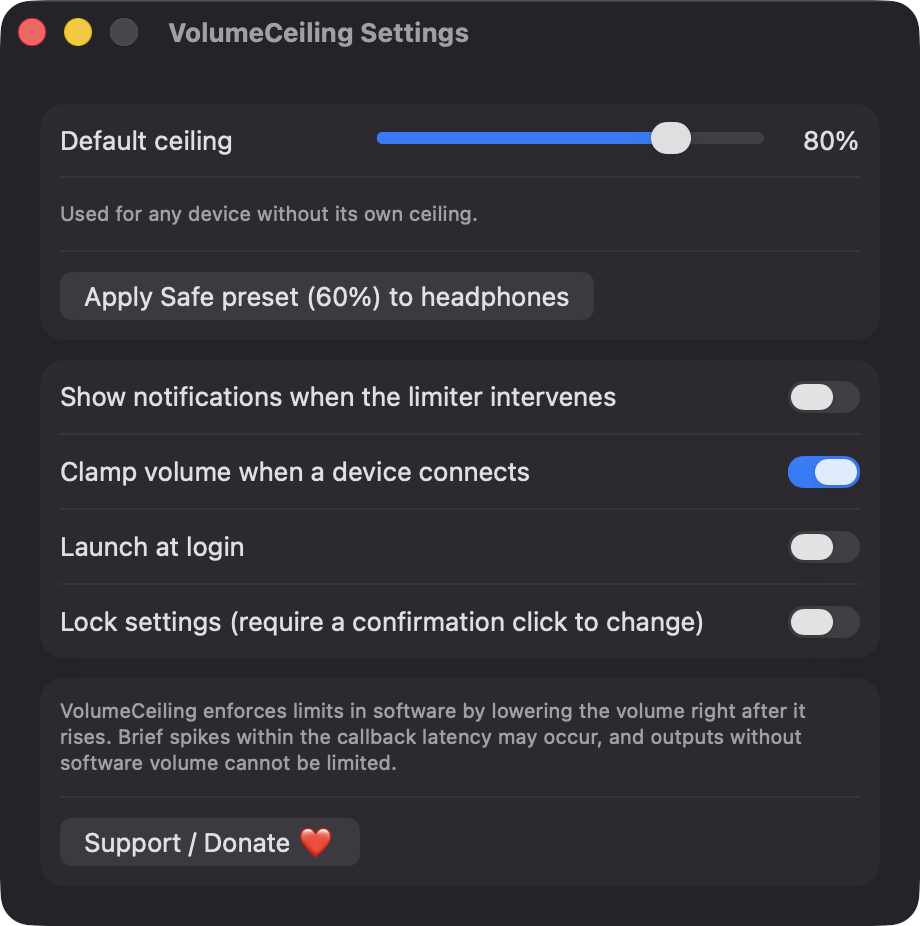
One click sets 60% on headphone-type devices. An optional lock requires a confirmation click, which unlocks editing for 5 minutes.
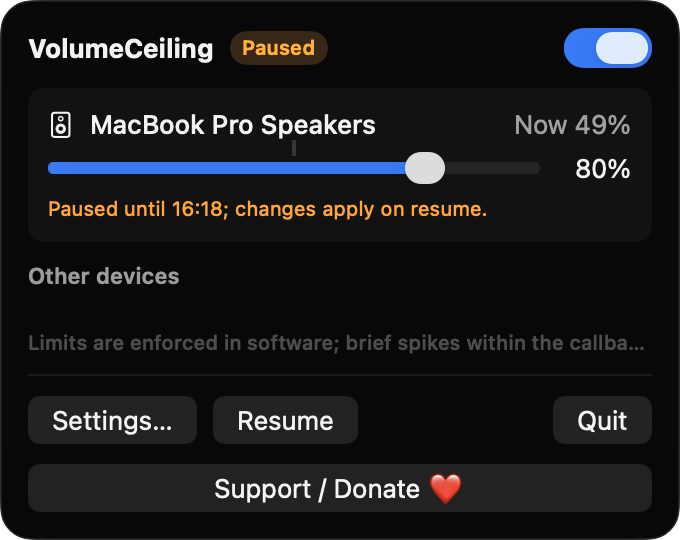
Suspend the limiter from the menu bar window and it resumes automatically, even after a relaunch. A master switch turns it off entirely.
Get told when the limiter steps in, at most once per device every 30 seconds. Devices that cannot be limited are shown greyed out with a reason.
Screenshots
Install
VolumeCeiling is open source and not notarized with a paid Apple Developer ID, so macOS needs one extra step the first time.
xattr -cr /Applications/VolumeCeiling.app
Download
Free, forever. Built for macOS 14 Sonoma or newer, Apple Silicon and Intel.
Not notarized: on first launch right-click VolumeCeiling.app → Open.
FAQ
Yes. It is released under the MIT license, with no accounts, no analytics and no network code. If it is useful to you, there is an optional Support button in the app.
None for limiting volume, because it uses CoreAudio to read and write device volume. It does not request Accessibility, Screen Recording or Microphone access. Notifications and Launch at login are optional and only prompt when you enable them.
Your ceilings and settings are stored locally in UserDefaults on your Mac, keyed by each device's unique ID. Nothing is sent anywhere.
Notarization needs a paid Apple Developer account, and this is a free project. Right-click the app and choose Open once to get past Gatekeeper, or build it from source with Xcode.
Yes. VolumeCeiling was generated by Claude Code from a written spec as a clean-room reimplementation, with no code or assets from any commercial app. The full source is on GitHub under MIT, so you can read every line before you run it. It has had less human review than a hand-written app, so bug reports are welcome.
Support ❤️
VolumeCeiling is a free, open-source alternative to paid utilities. If it earns a spot on your Mac, a coffee keeps the updates coming.
☕ Support Or on Ko-fi