One button per window
Each button shows the app icon and window title, grouped by app. Click to raise, click the frontmost window again to minimize, or middle-click to close.
Open source · macOS 14+ · Universal binary · Window Management
A slim strip at the edge of your screen lists each open window with its icon and title. Click a button to raise that window, click it again to minimize. It sits beside your Dock.
Free & MIT licensed · Apple Silicon & Intel · Latest release

Features
A lightweight take on the Windows-style taskbar that works alongside the Dock instead of replacing it.
Each button shows the app icon and window title, grouped by app. Click to raise, click the frontmost window again to minimize, or middle-click to close.
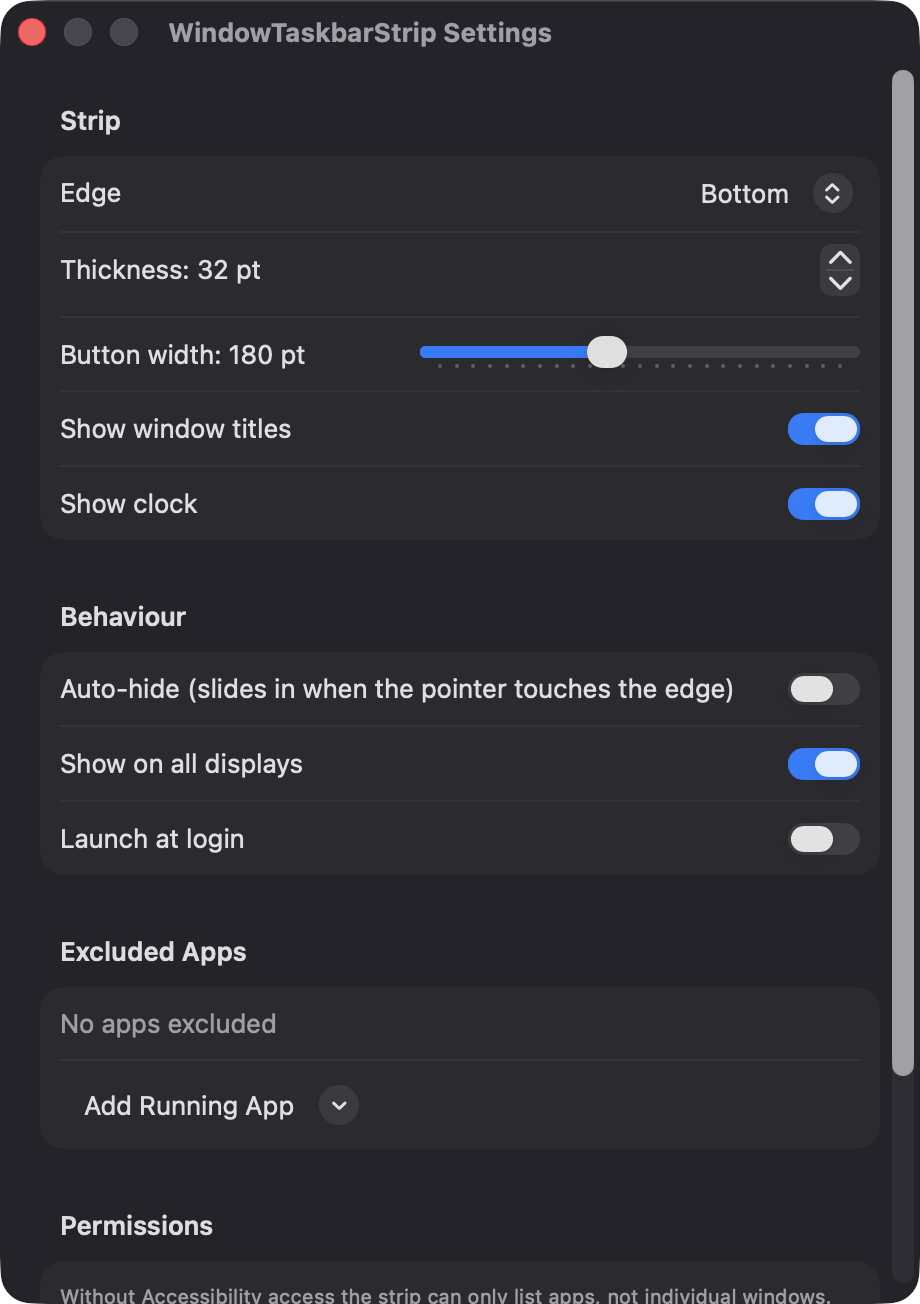
Dock the strip at the bottom, top, left or right. Vertical edges switch to icon-only buttons, and you can show a strip on every screen.
The frontmost window is highlighted with the accent color, and minimized or hidden windows are dimmed. A button shakes if an app is hung.
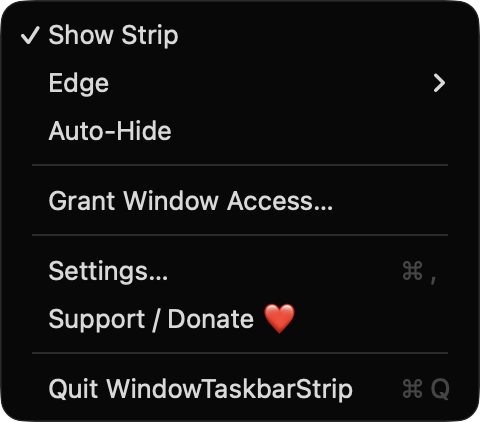
Set thickness, button width, titles, clock, auto-hide and launch at login. Exclude apps you do not want listed.
The strip can slide in when the pointer touches its edge. It never takes keyboard focus, follows you across Spaces and hides during full-screen windows.
Built with SwiftUI and AppKit. It updates through Accessibility observers and workspace notifications, with a 0.5 second refresh as a fallback.
Screenshots

Install
WindowTaskbarStrip is open source and not notarized with a paid Apple Developer ID, so macOS needs one extra step the first time.
xattr -cr /Applications/WindowTaskbarStrip.app
Download
Free, forever. Built for macOS 14 Sonoma or newer, Apple Silicon and Intel.
Not notarized: on first launch right-click WindowTaskbarStrip.app → Open.
FAQ
Yes. It is released under the MIT license, with no accounts, no ads and no telemetry. The source is on GitHub, and an optional Support button links to Ko-fi if you want to contribute.
Only Accessibility, which is used to read window lists, titles and minimized state, and to raise, minimize and close windows. Without it, the strip still runs but lists running apps instead of individual windows. It does not request Screen Recording, Microphone, Camera or network access.
Nothing leaves your Mac, because the app makes no network connections. Your settings are saved locally in the app's standard macOS preferences.
Notarization requires a paid Apple Developer account, and this is a free project. Right-click the app and choose Open once to launch it, or build it from source with Xcode and XcodeGen.
Yes. WindowTaskbarStrip was generated by Claude Code from a written spec as a clean-room reimplementation, with no code or assets from any commercial app. The full source is on GitHub under MIT, so you can read every line before you run it. It has had less human review than a hand-written app, so bug reports are welcome.
Support ❤️
WindowTaskbarStrip is a free, open-source alternative to paid utilities. If it earns a spot on your Mac, a coffee keeps the updates coming.
☕ Support Or on Ko-fi