Boost slider from 0 to 100%
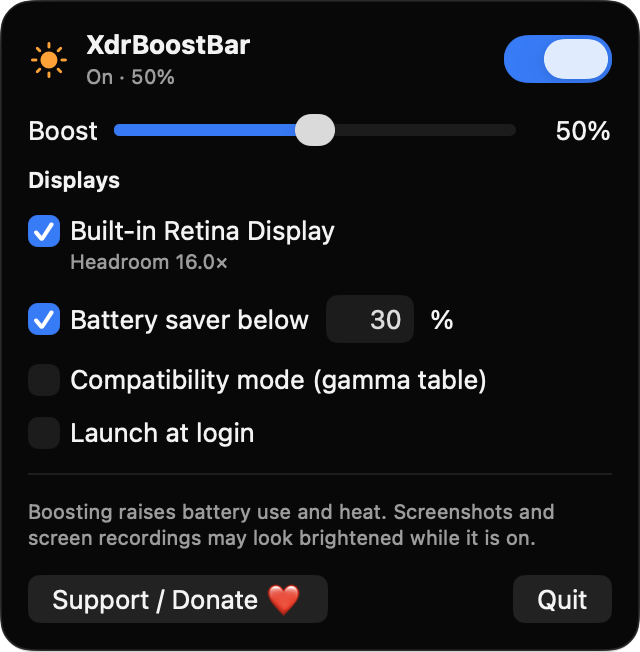
Sets how much extra brightness is added on top of the system level. The multiplier is capped at 2x and never exceeds what the display reports as available.
Open source · macOS 14+ · Universal binary · Display & Brightness
XdrBoostBar uses the extra HDR headroom of your MacBook Pro or XDR display to make everyday content brighter. Drag the slider, or press Control + Option + B to toggle it.
Free & MIT licensed · Apple Silicon & Intel · Latest release
Features
A small menu bar app that adds brightness on top of the system level and backs off when your Mac needs it to.
Sets how much extra brightness is added on top of the system level. The multiplier is capped at 2x and never exceeds what the display reports as available.
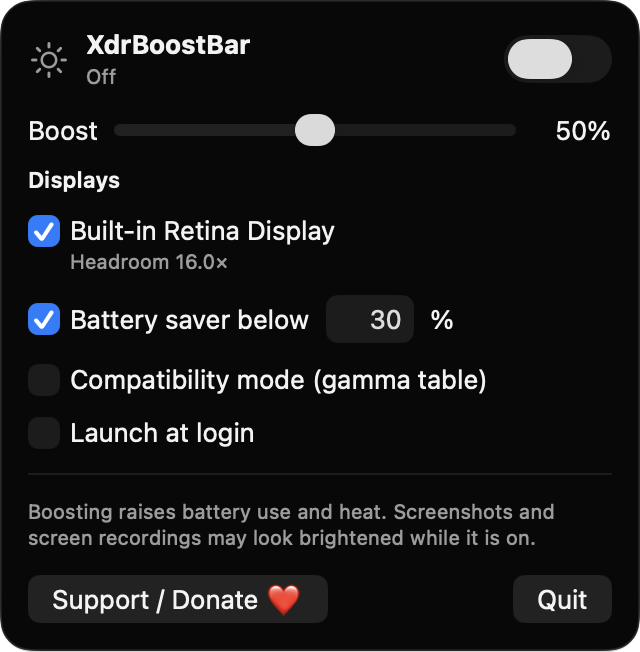
Press Control + Option + B from any app to switch the boost on or off. The sun icon in the menu bar shows whether it is on, off or unsupported.
Displays with EDR headroom are detected automatically and listed with their headroom. You choose which ones get the boost, and unsupported setups are clearly labeled.
Pauses the boost on battery below a threshold you set, 30% by default, and whenever Low Power Mode is on.
If the system reaches a serious or critical thermal state, the boost ramps down over about a second and the popover shows a notice.
If the default overlay method does not brighten your screen, switch to a gamma-table method. Gamma settings are restored when the boost turns off and when the app quits.
Screenshots
Install
XdrBoostBar is open source and not notarized with a paid Apple Developer ID, so macOS needs one extra step the first time.
xattr -cr /Applications/XdrBoostBar.app
Download
Free, forever. Built for macOS 14 Sonoma or newer, Apple Silicon and Intel.
Not notarized: on first launch right-click XdrBoostBar.app → Open.
FAQ
Yes. It is released under the MIT license and the full source is on GitHub. There are no ads, analytics or paid tiers, and an optional Ko-fi donation button is the only way to support it.
None. The hotkey does not need Accessibility access, and the app draws its own overlay without capturing the screen, so Screen Recording is not needed either. It makes no network connections.
Only on your Mac. Your settings are saved locally in the app's standard macOS preferences so they persist between launches. Nothing is sent anywhere.
Notarization requires a paid Apple Developer account, and this is a free project. Right-click the app and choose Open once to get past Gatekeeper, or build it yourself from source with Xcode.
Yes. XdrBoostBar was generated by Claude Code from a written spec as a clean-room reimplementation, with no code or assets from any commercial app. The full source is on GitHub under MIT, so you can read every line before you run it. It has had less human review than a hand-written app, so bug reports are welcome.
Support ❤️
XdrBoostBar is a free, open-source alternative to paid utilities. If it earns a spot on your Mac, a coffee keeps the updates coming.
☕ Support Or on Ko-fi