Configurable menu bar text
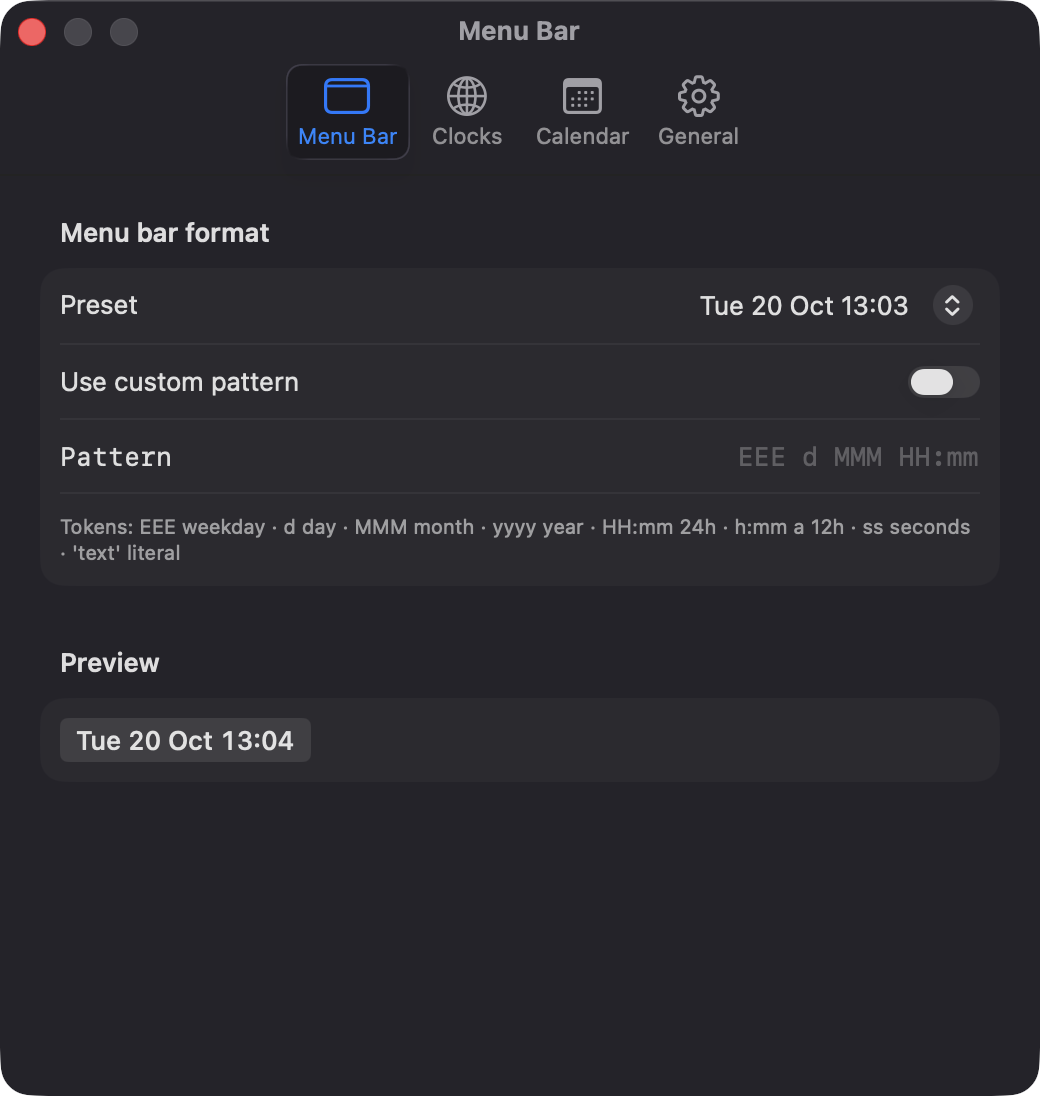
Pick from 7 presets such as Tue 20 Oct 14:05 or write a custom date pattern, with a live preview. Pin any city's time next to the date.
Open source · macOS 14+ · Universal binary · Timers & Reminders
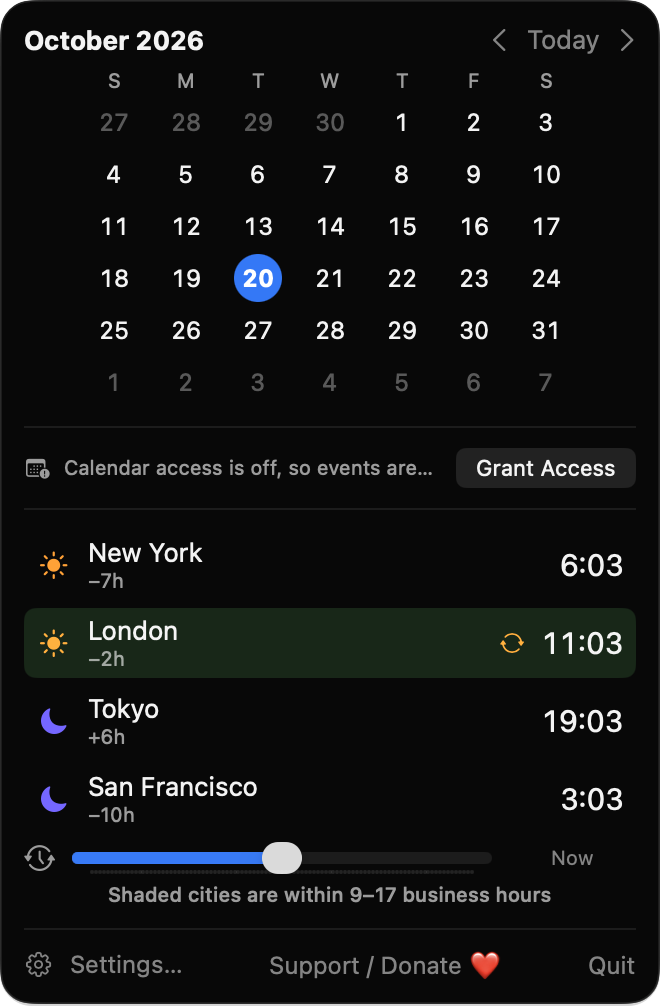
ZoneClockBar turns the menu bar clock into a month calendar, event list and world clocks. Click it, then drag the slider to find a call time that works across cities.
Free & MIT licensed · Apple Silicon & Intel · Latest release
Features
A small native app that keeps your date, events and teammates' local times one click away.
Pick from 7 presets such as Tue 20 Oct 14:05 or write a custom date pattern, with a live preview. Pin any city's time next to the date.
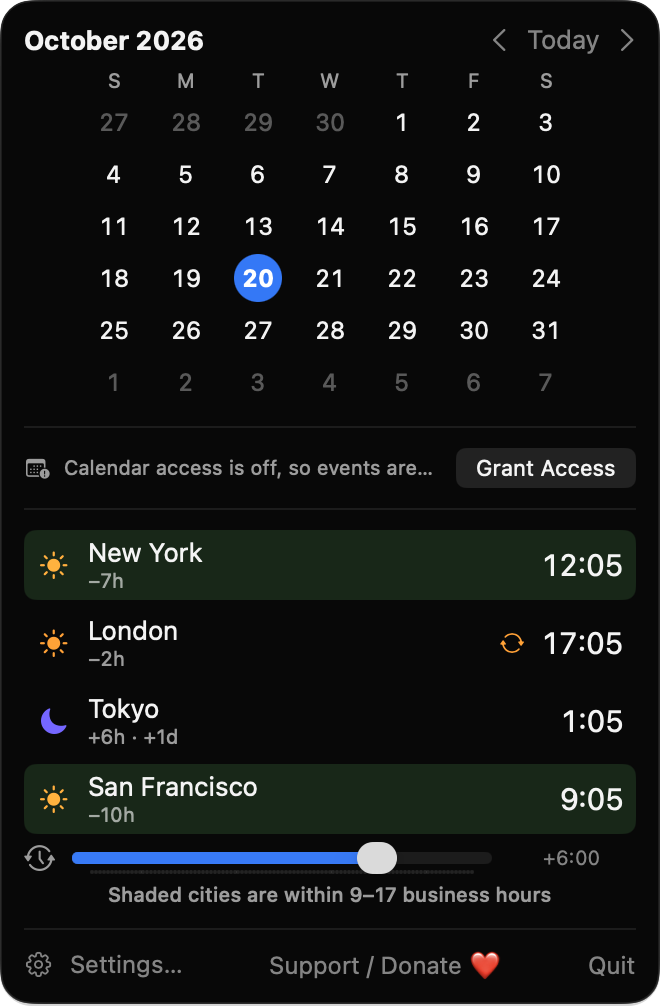
Drag up to 12 hours either way in 15-minute steps and every city updates together. Hours between 9 and 17 are shaded.
Today is highlighted, with optional week numbers and a choice of first weekday. Arrow keys change month and T jumps back to today.
See events from the calendars you choose for the next 1 to 14 days, grouped by day with calendar colors. All-day and multi-day events are handled.
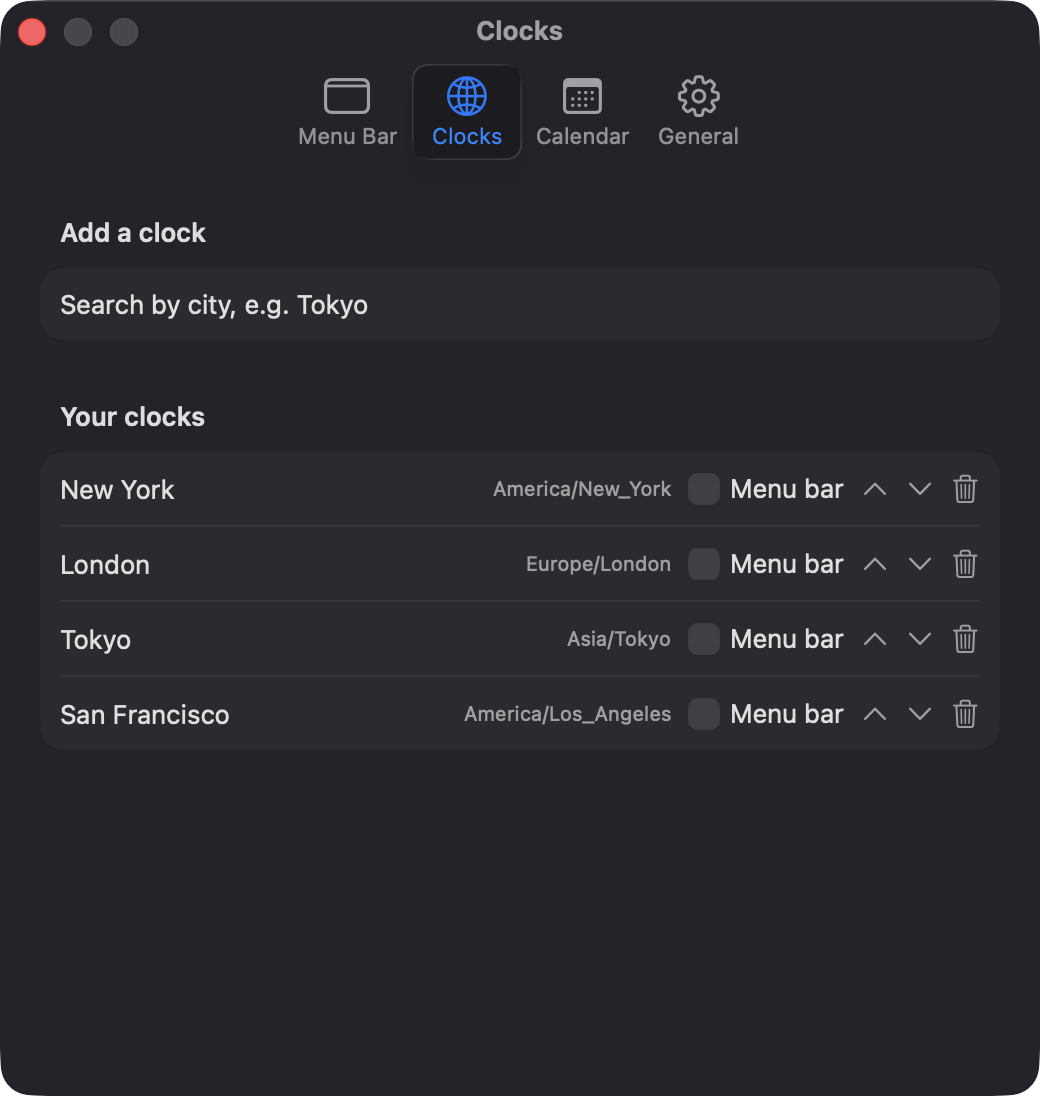
Each city shows local time, offset from your zone, a day offset like +1d and a sun or moon symbol. Click a city to copy its time.
Refreshes on the minute, after wake from sleep, and when the system clock or time zone changes. A daylight saving marker appears when a city shifts within seven days.
Screenshots
Install
ZoneClockBar is open source and not notarized with a paid Apple Developer ID, so macOS needs one extra step the first time.
xattr -cr /Applications/ZoneClockBar.app
Download
Free, forever. Built for macOS 14 Sonoma or newer, Apple Silicon and Intel.
Not notarized: on first launch right-click ZoneClockBar.app → Open.
FAQ
Yes. It is free to use and released under the MIT license, with the full source on GitHub. There are no ads, accounts or paid tiers, and an optional Ko-fi button is there if you want to support development.
Only read-only access to your calendars, used to list upcoming events. You can deny it and the clocks and calendar grid keep working. It asks for nothing else and makes no network connections.
Your clocks and settings are saved locally on your Mac in the app's preferences. Events are read from your calendars on demand and are never copied or sent anywhere.
Notarization requires a paid Apple Developer account, and this is a free project. Right-click the app and choose Open once to get past Gatekeeper, or build it yourself from source with Xcode.
Yes. ZoneClockBar was generated by Claude Code from a written spec as a clean-room reimplementation, with no code or assets from any commercial app. The full source is on GitHub under MIT, so you can read every line before you run it. It has had less human review than a hand-written app, so bug reports are welcome.
Support ❤️
ZoneClockBar is a free, open-source alternative to paid utilities. If it earns a spot on your Mac, a coffee keeps the updates coming.
☕ Support Or on Ko-fi